

Why kill a process
- It does not respond. The process hangs.
- It uses too many resources. CPU, memory or disk are full.
- It misbehaves, or it is a security risk.
- You are debugging and need a clean state.
Find the process ID (PID)
pgrep firefox
Replace firefox with the name of the program. You can also use ps aux | grep name or pidof name.
Method 1: kill
kill [signal] PIDExample:
kill 6407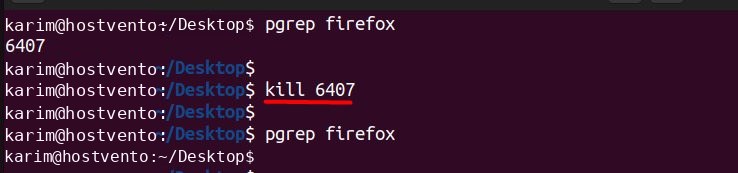
By default kill sends the TERM signal (15), which asks the process to stop in a clean way. If it does not stop, force it:
kill -9 6407Method 2: killall
killall ends every process with a given name:
killall [signal] process_nameExample:
killall firefox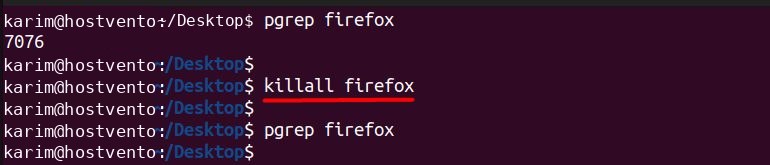
Method 3: pkill
pkill matches names with patterns:
pkill [options] patternExample, force-kill every match:
pkill -9 firefoxMethod 4: top or htop
Start top:
top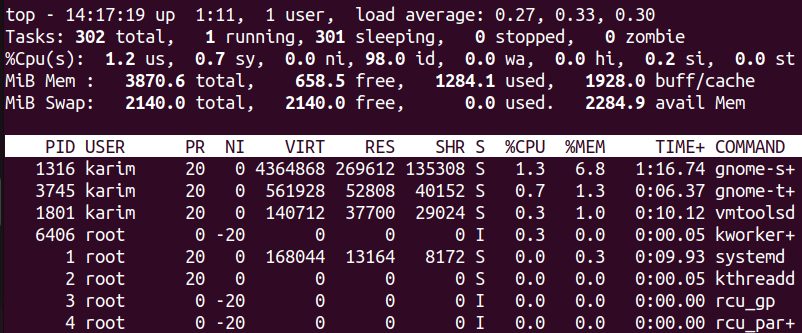
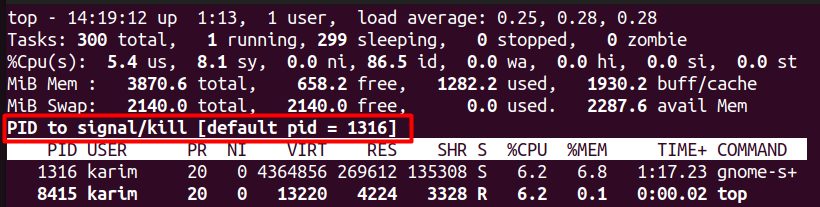
Find the process by its PID or by its CPU and memory use. Press k, type the PID, and press Enter to send the signal.
In htop, select the process and press F9.
Common signals
| Signal | Number | Meaning |
|---|---|---|
| SIGTERM | 15 | Ask the process to stop (default) |
| SIGKILL | 9 | Force the process to stop at once |
| SIGHUP | 1 | Hang up; many daemons reload their config |
| SIGSTOP | 19 | Pause the process |
Precautions
- Check the PID before you press Enter.
- Try TERM first.
kill -9gives the process no chance to save data or clean up. - Do not kill system processes or essential services.
- Use
sudoonly if the process belongs to another user.
FAQ
What is the difference between kill, pkill and killall? kill uses a PID. killall uses an exact name. pkill uses a pattern and more filters such as user.
A process will not die. Use kill -9 PID. A process in the D state (waiting for disk) may need a reboot.
Quick recap
- Find the PID with
pgrep, end it withkill PID. - Use
kill -9only when the normal signal fails.