

What is cPHulk?
A brute force attack is when a hacker tries thousands of passwords until one works. It is like trying every key on a huge ring until one opens the lock.
cPHulk is a tool in WHM that watches for this. If someone fails to log in too many times, cPHulk blocks them for a while. It protects logins to WHM, cPanel, email, FTP and SSH.
Turn it on
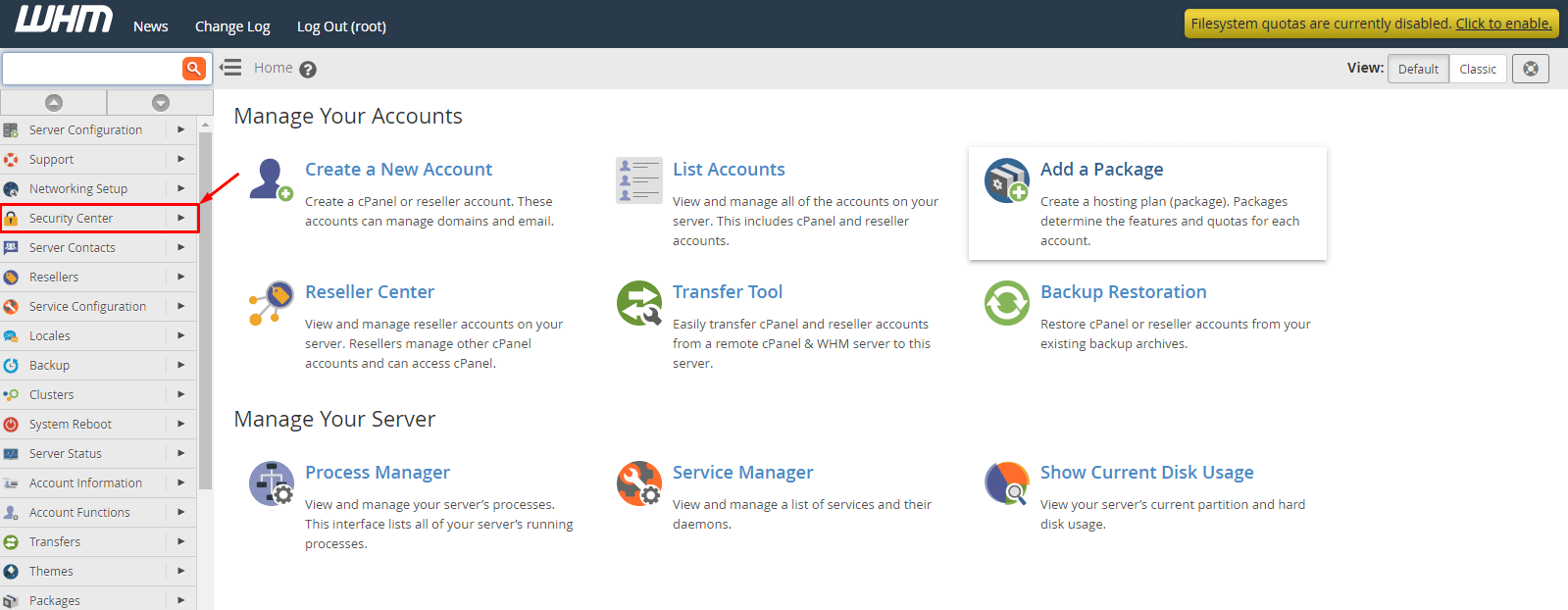
- Log in to WHM. The address is usually your server IP or hostname with
:2087at the end. Your welcome email has the details. - Type cPHulk in the search box on the left.
- Click cPHulk Brute Force Protection.
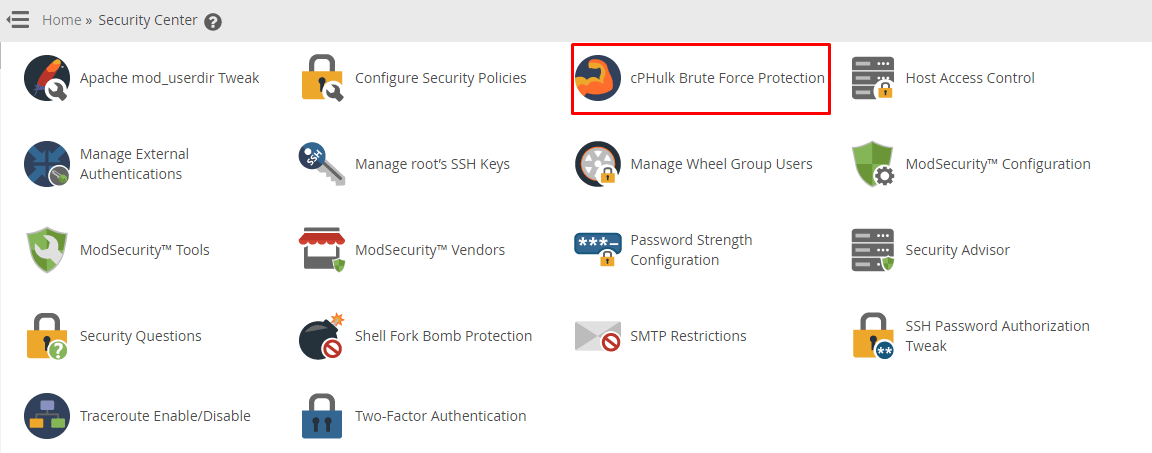
- Open the Configuration Settings tab.
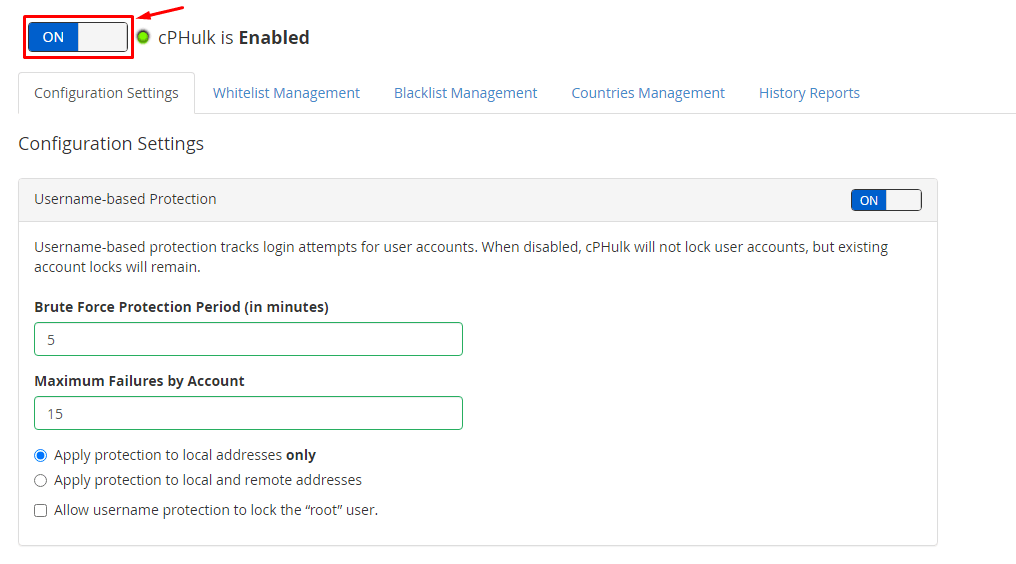
- Move the switch for cPHulk to On.
- Click Save.
Check the settings
On the same page you can choose how strict the rules are. Common choices are:
- How many failed logins are allowed for one user.
- How many failed logins are allowed from one IP address. An IP address is the number that identifies a computer on the internet.
- How long a block lasts.
Protect your own address
- On the cPHulk page, open the Whitelist Management tab.
- Type your own IP address.
- Click Add to Whitelist.
A whitelist is a list of trusted addresses that are never blocked. This stops you from locking yourself out.
Turn it off
- Go to cPHulk Brute Force Protection again.
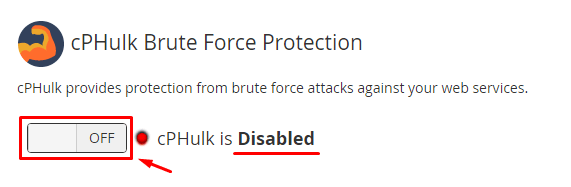
- Open Configuration Settings.
- Move the switch to Off.
- Click Save.
Warning: with cPHulk off, your server is easier to attack by guessing passwords. Only turn it off to fix a problem, then switch it on again.
If you are blocked
If cPHulk blocks you, log in from another address or ask Hostvento support. If you have root access, you can flush the block list from SSH. Ask support if you are unsure.
Quick recap
- cPHulk blocks people who guess passwords.
- Find it in WHM under cPHulk Brute Force Protection.
- Use the On/Off switch on Configuration Settings and click Save.
- Whitelist your own IP address.
- Do not leave it off.