

What is Webuzo?
Webuzo is a control panel. A control panel is a web dashboard for managing a server, so you click buttons instead of typing commands. A service is a program that runs in the background, such as the web server or the database. If a service stops, the part of your site that depends on it stops too.
Ask Hostvento support whether Webuzo is on your plan. The menu names below can differ a little between Webuzo versions.
Check the status of services
- Log in to Webuzo as the admin. This is the main server account. Use the login in your welcome email.
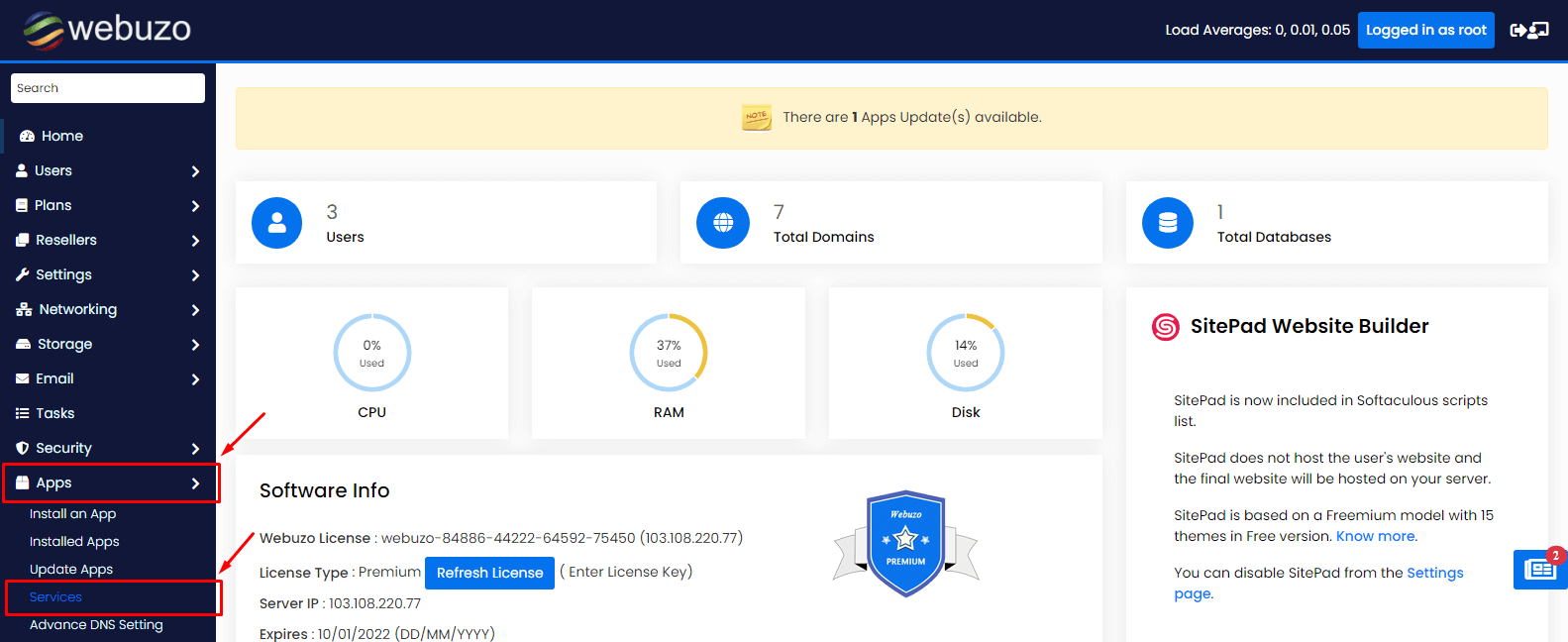
- Look in the left menu for Services. It may sit under a server or system heading.
- Click it. A list of services appears.
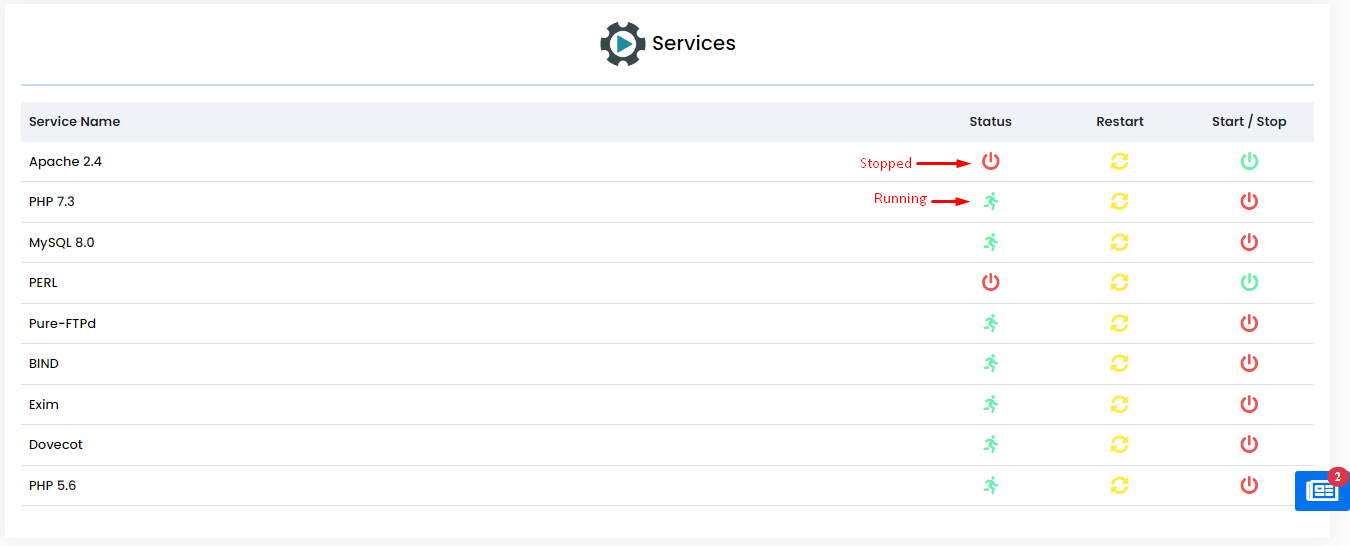
- Read the status next to each name. A green mark or the word running means it works. A red mark or stopped means it is off.
Start, stop or restart a service
- Stay on the services page.
- Find the service, for example Apache, MySQL or Exim.
- Click the action icon or button beside it.
- Choose Start if it is stopped.
- Choose Restart if it is running but acting strangely.
- Choose Stop only when you truly need it off.
- Wait a few seconds and refresh the page to see the new status.
Warning: Stopping Apache takes websites offline. Stopping MySQL breaks any site that uses a database. Stopping Exim stops email. Restarting is usually safer than stopping.
Using the command line instead
If you have root access, you can use SSH. Root means full control of the server. SSH is a safe way to type commands on a server from afar. For example:
systemctl status httpd
systemctl restart httpd
The first line shows if the web server is running. The second restarts it. The service name can differ, for example apache2 or mysqld.
If a service will not start
- Check that the disk is not full.
- Read the error log for the service.
- Open a support ticket and tell us the service name and the error text.
Quick recap
- Services are background programs like Apache and MySQL.
- Open Services in Webuzo to see their status.
- Use Start, Stop or Restart beside each one.
- Prefer Restart; Stop takes things offline.
- Ask support if a service will not start.