

What is SSH?
SSH is a safe way to control a server from your own computer by typing commands. Think of it as a remote control that uses text. To log in, you use a terminal. Windows 10 and later have one. On Mac and Linux, open the Terminal app. Ask Hostvento support whether SSH is on your plan. Your login details are in your welcome email.
Log in
- Open your terminal.
- Type the command with your user name and server address:
ssh username@your-server-addressThis connects you to the server. Enter your password when asked. You will not see the letters as you type, which is normal.
Using nano (easier)
Nano is a simple text editor that shows its keys at the bottom.
- Type this to create or open a file:
nano test.txtIf the file does not exist, nano makes it when you save.
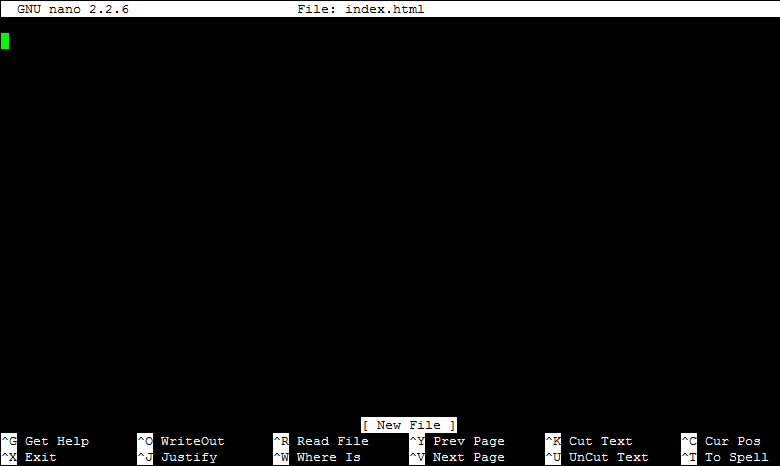
- Type your text.
- Press Ctrl+O to save, then press Enter.
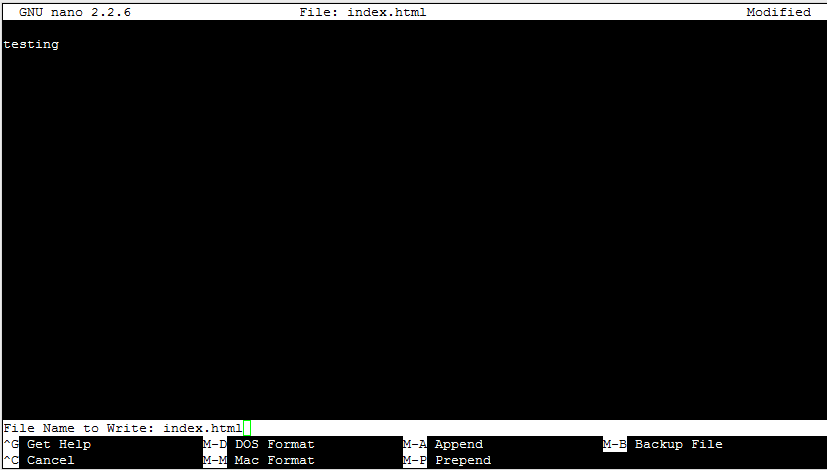
- Press Ctrl+X to leave nano.
Using vim (more powerful)
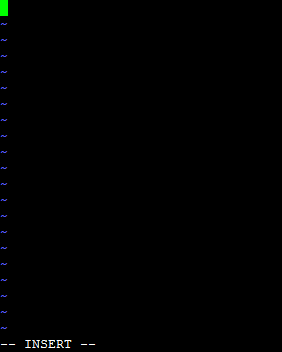
Vim has modes. In normal mode, keys are commands. In insert mode, you can type text.
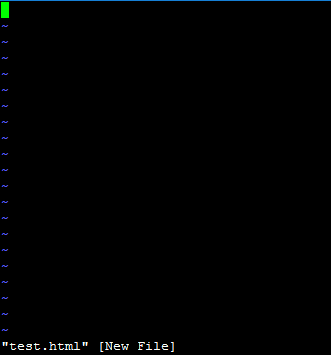
- Open the file:
vim test.txt- Press i to enter insert mode. You will see INSERT at the bottom.
- Type your text.
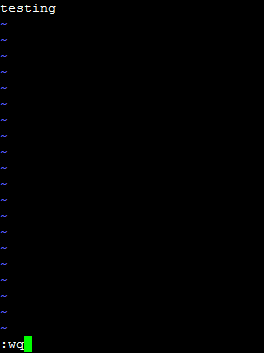
- Press Esc to return to normal mode.
- Type
:wqand press Enter to save and quit. - To quit without saving, type
:q!and press Enter.
Check your file
cat test.txtThis prints the file contents on screen.
Make a backup before editing
cp config.php config.php.bakThis copies a file to a new name. If you break the original, you can restore the copy.
Quick recap
- SSH lets you type commands on a server.
- nano: open, type, Ctrl+O to save, Ctrl+X to exit.
- vim: press i to type, Esc, then :wq to save and quit.
- Use cat to read a file.
- Copy a file with cp before you edit it.