

What is a MySQL user?
A database is a digital filing cabinet that stores your website's data. A MySQL user is like a key holder. It has a name and a password. It lets a person or an app open the database. If you remove the user, that key stops working.
Warning: If your website uses this user, the site may stop working once it is deleted. Take a backup of your database first. Check your site's config file to see which user it uses.
Method 1: cPanel
- Log in to your hosting control panel (cPanel).
- Find the Databases section.
- Click MySQL Databases.
- Scroll down to Current Users.
- Find the user you want to remove.
- Click Delete next to that user.
- Confirm by clicking Delete User.
The database itself stays. Only the user is removed.
Method 2: Command line
This needs SSH access and a MySQL account with admin rights. It is common on a VPS or dedicated server.
- Connect to your server with SSH.
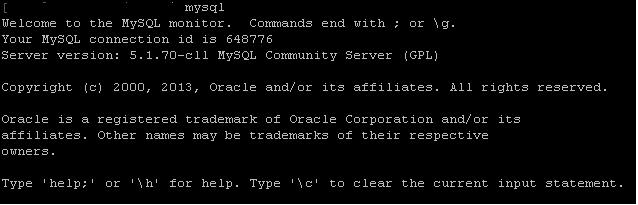
- Log in to MySQL:
mysql -u root -pThis opens MySQL and asks for the password.
- See the list of users:
SELECT User, Host FROM mysql.user;This shows each user and the place they connect from.
- Delete the user. Replace the name and host with yours:
DROP USER 'olduser'@'localhost';This removes the user for that host.
- Apply the change:
FLUSH PRIVILEGES;This tells MySQL to reload its list of users.
- Leave MySQL:
exit;If you get an error
- "Operation DROP USER failed" usually means the name or host is wrong. Check the list again. Names are case sensitive.
- If the user does not appear in cPanel, it may belong to a different account.
If you are stuck, open a support ticket.
Quick recap
- A MySQL user is a login for a database.
- In cPanel, use MySQL Databases, then Current Users, then Delete.
- On the command line, use
DROP USER. - Back up first and check that no site uses the user.