

What is root?
Root is the all-powerful account on a Linux server. It can change or delete anything. One wrong command can break the server. A safer way is to use a normal user. That user borrows root power only when it types sudo before a command. Sudo means "do this as the boss".
Steps
- Log in to your server as root with SSH. SSH is a safe way to type commands on a faraway server. Your welcome email has your login details.
- Create the new user. Replace
samwith the name you want:
This command makes the user and asks you for a password.adduser sam
- Type a strong password and press Enter. Type it again to confirm. A strong password is long and mixes letters, numbers and symbols.
- Fill in the extra questions, such as full name. You can press Enter to skip them.
- Type
Ywhen it asks if the information is correct. - Give the user admin rights:
This command adds the user to theusermod -aG sudo samsudogroup. A group is a list of users who share the same rights.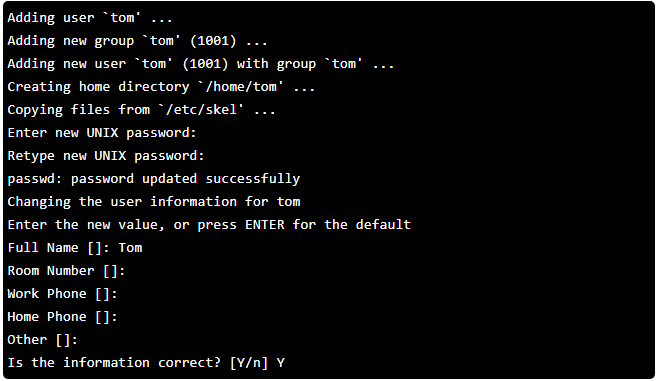
- Check the group:
You should seegroups samsudoin the list.
Test the new user
- Switch to the new user:
su - sam - Run a test command with sudo:
This command lists the root folder. Only admins may see it.sudo ls /root - Type the user's password. If you see a file list, it works.

Next time, log in straight as sam over SSH.
Remove sudo rights
To take admin power away, run this as root:
deluser sam sudoThis command removes the user from the sudo group, but keeps the account.
Tip: Ubuntu 18.04 is an older release. Newer Ubuntu versions use the same commands.
Quick recap
- Do not use root for daily work.
- Make a user with
adduser.
- Add the user to the sudo group with
usermod -aG sudo.
- Test with
sudobefore you log out as root.