

What is Webuzo?
Webuzo is a control panel. A control panel is a web page where you manage a server with buttons instead of commands. It is a bit like the dashboard of a car. Webuzo has an admin side for the server owner and a user side for each website account.
Why set the admin email?
The admin email is where the server sends important messages. These can include warnings, update notices and password reset links. If it points to an old address, you will miss them.
Webuzo screens can look different between versions. If a name below does not match, look for a similar word in the menu.
Steps
- Open the Webuzo admin panel in your browser. The address and login are in your welcome email. The admin panel usually uses its own port number, which is also shown there.
- Log in with the admin username and password.
- Find the Settings area in the menu.
- Open the page for general or email settings. Look for a field called Admin Email or Email.
- Type in the new email address. Use an address you check often.
- Click Save or Submit.
- Look for a green message that confirms the change.
Check that it works
- Log out of the panel.
- Use the forgot password link on the login page, if it is shown.
- Look in your inbox, and the spam folder, for the message.
If you cannot find the field
- Check the account or profile page at the top right of the panel. The email may be part of the admin profile.
- Ask Hostvento support whether Webuzo is part of your plan and how to reach the admin panel. Open a ticket at https://secure.hostvento.com/submitticket.php.
Tip: Do not use an email address that lives on the same server. If the server goes down, you would not get the alert.
Quick recap
- Webuzo is a control panel for servers.
- The admin email receives important server messages.
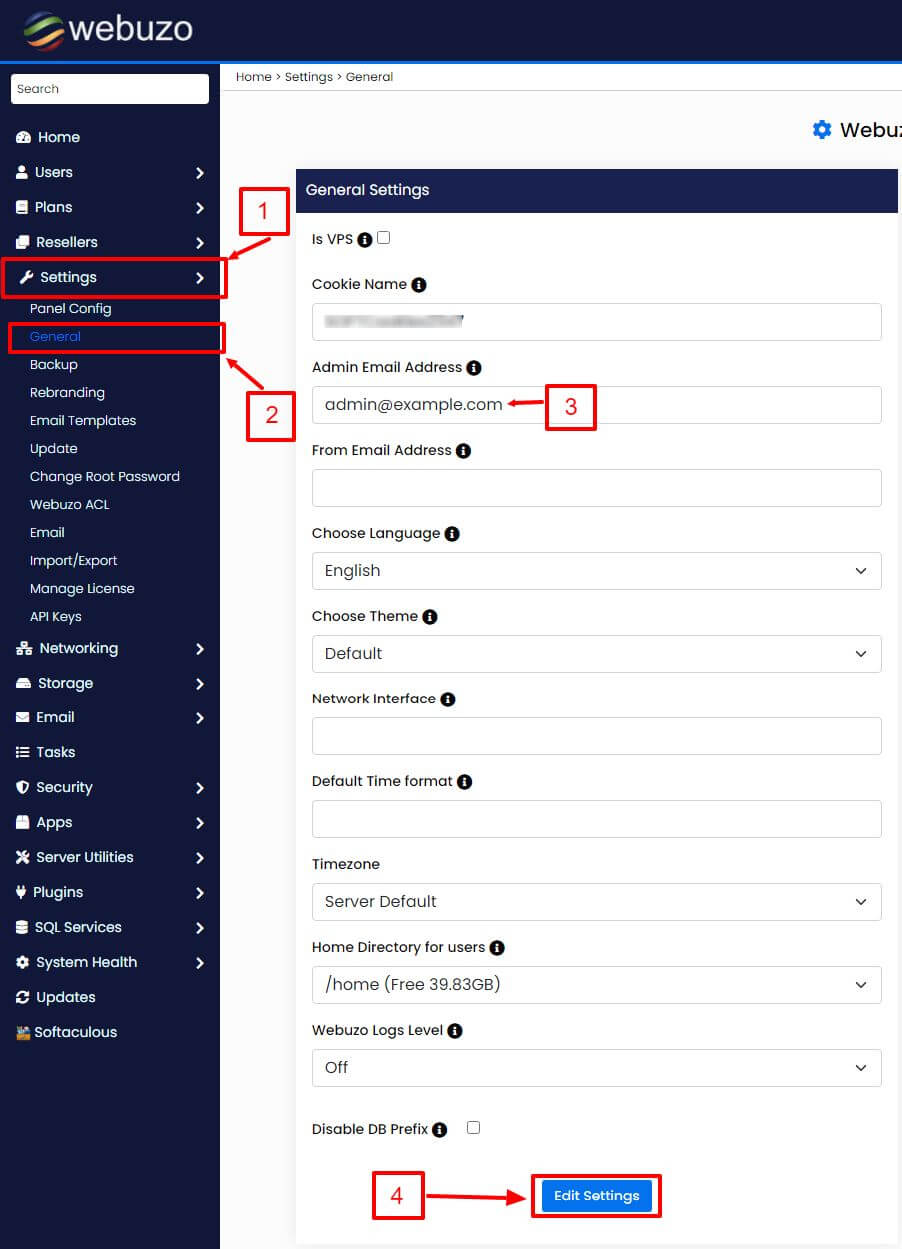
- Change it in Settings or in the admin profile, then save.
- Use an email address outside your own server.