

What is a status script?
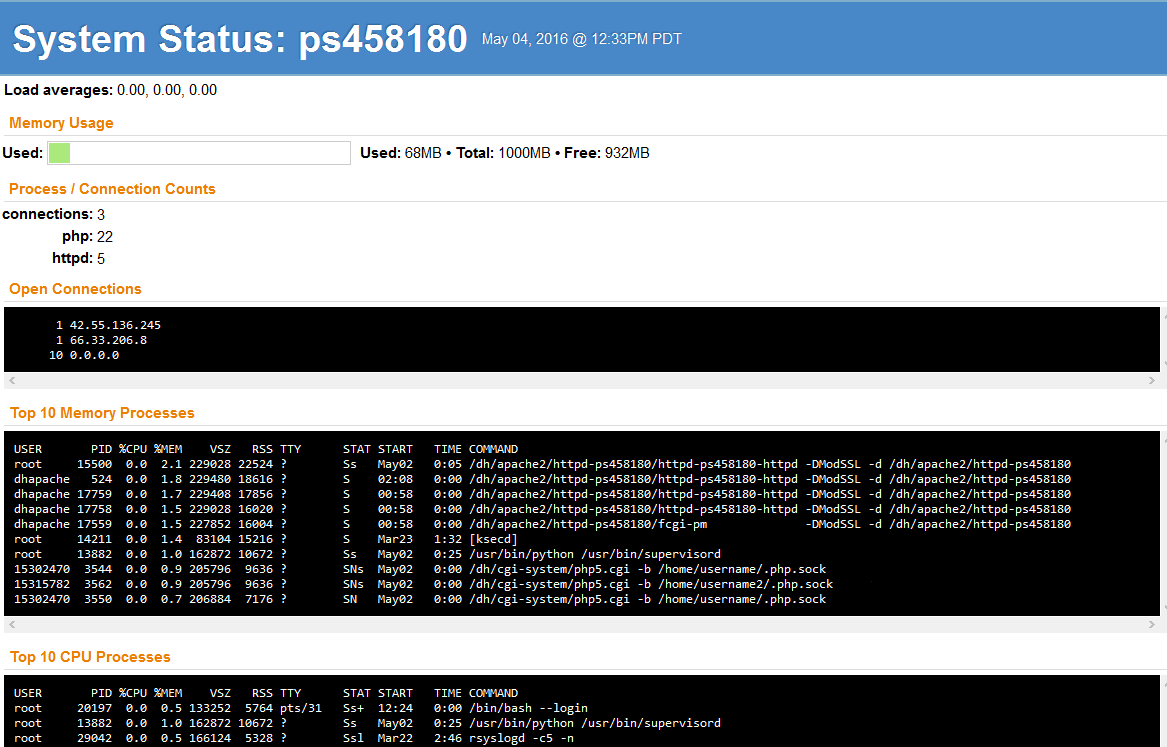
A script is a small file of instructions. This one asks the server how busy it is and prints the answer on a web page. It works like a car dashboard. You glance at it to see if everything is fine.
Before you start
- Your server needs a web server and PHP already installed.
- The page shows private details. Protect it with a password, as shown below.
Step 1: Create the file
- Connect to your server with SSH.
- Make a new folder inside your website folder. Replace the path with your own web root:
mkdir /var/www/html/status- Open a new file:
nano /var/www/html/status/index.php- Paste this code:
<?php
$load = sys_getloadavg();
$free = disk_free_space("/");
$total = disk_total_space("/");
echo "<h1>Server status</h1>";
echo "<p>Load (1, 5, 15 min): " . implode(", ", $load) . "</p>";
echo "<p>Disk free: " . round($free / 1073741824, 1) . " GB of "
   . round($total / 1073741824, 1) . " GB</p>";
echo "<pre>" . htmlspecialchars(shell_exec("uptime; free -m")) . "</pre>";
?>
The load number tells how hard the CPU is working. The code also prints uptime and memory use.
- Save with
Ctrl+O, press Enter, then leave withCtrl+X.
Step 2: Lock it with a password
- Create a password file:
htpasswd -c /etc/status.htpasswd adminThis asks you to choose a password for the user "admin".
- Add these lines to a file called
.htaccessin the status folder (Apache):
AuthType Basic
AuthName "Status"
AuthUserFile /etc/status.htpasswd
Require valid-user
On Nginx, use the auth_basic setting instead.
Step 3: Open the page
- Visit
http://YOUR_SERVER_IP/status/in a browser. - Enter the user and password.
Tip: If
shell_exec is disabled in your PHP, delete that last echo line. The page still works without it.Quick recap
- A status page shows load, disk and memory.
- Make a small PHP file in its own folder.
- Always protect the page with a password.
- Delete the script when you no longer need it.