

What is React?
React is a tool for building web pages that react to clicks without reloading. Your source code is not what browsers read. You first "build" it, which turns it into plain HTML, CSS and JavaScript files. Those plain files are what you upload.
Before you start
- Install Node.js on your own computer. Node.js runs the build tools.
- Have your React project ready.
- Have your cPanel login from your welcome email.
Step 1: Build the project
- Open a terminal in your project folder.
- Run:
npm installThis downloads the tools your project needs.
- Run:
npm run buildThis makes a folder of ready files. It is named build in Create React App, or dist in Vite.
Step 2: Upload the files
- Log in to cPanel and open File Manager.
- Open
public_html. If you want the app in a sub-folder, open or create that folder. - If the folder holds an old site, take a backup first. The next step may overwrite files.
- Click Upload.
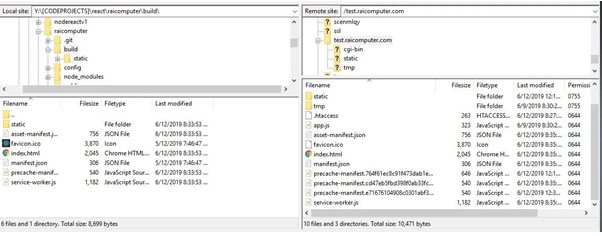
- Upload the files from inside the
build(ordist) folder. Do not upload the folder itself. You can zip the contents, upload the zip and use Extract. - Check that
index.htmlsits directly in the target folder.
Step 3: Make page links work
If your app uses React Router, opening a deep link like /about directly may show "404 Not Found". Fix it with a rule file.
- In File Manager, turn on Settings then Show Hidden Files.
- In the same folder as
index.html, create a file named.htaccess. - Add:
RewriteEngine On
RewriteBase /
RewriteRule ^index\.html$ - [L]
RewriteCond %{REQUEST_FILENAME} !-f
RewriteCond %{REQUEST_FILENAME} !-d
RewriteRule . /index.html [L]
This sends every unknown address back to index.html, so React can show the right page. On Apache servers this works. If your app is in a sub-folder, change / to the folder name.
Step 4: Test
- Visit your domain.
- Click through the pages and refresh on one.
Tip: If you see a blank page, check the
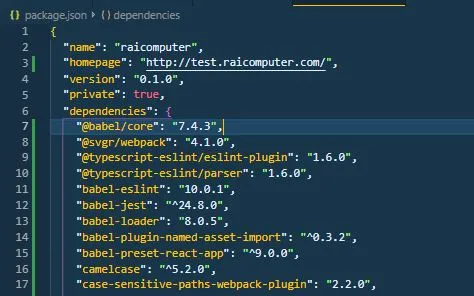
homepage setting in package.json. Rebuild after changing it.Quick recap
- Build the app with
npm run build. - Upload the contents of the build folder to
public_html. - Add an
.htaccessrule for page links.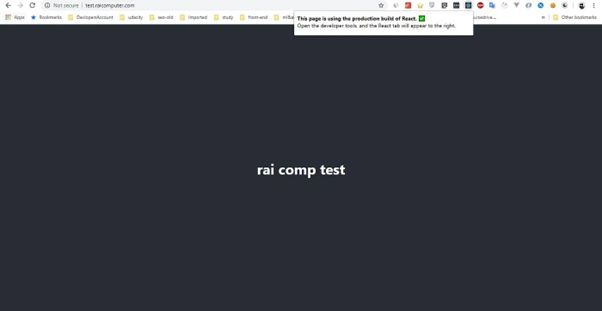
- Back up before overwriting an existing site.