

What does LAMP stand for?
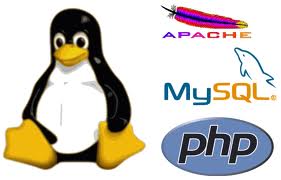
- L is for Linux. The operating system. That is the main program that runs the server computer.
- A is for Apache. The web server program. It receives requests from visitors and sends back pages.
- M is for MySQL. The database. It stores information in an organised way. Many hosts now use MariaDB, a close relative of MySQL.
- P is for PHP. The programming language that builds pages. Sometimes the P means Perl or Python instead.
Think of a restaurant. Linux is the building. Apache is the waiter. PHP is the chef. MySQL is the pantry.
What is LAMP hosting?
It is hosting that already has all four parts installed and set up. You only upload your website. Most shared hosting plans work like this. Ask Hostvento support to confirm what your plan uses.
What runs on LAMP?
- WordPress, Joomla and Drupal.
- Online shop software such as WooCommerce and PrestaShop.
- Forums, wikis and your own PHP apps.
Why people like it
- The parts are free and open source, which means anyone can read and improve the code.
- They are well tested and widely used.
- There are many guides and a big community.
How to build your own LAMP server
This needs root access on a VPS or dedicated server. Here is an example for Ubuntu.
- Connect with SSH and update the system:
sudo apt updateThis refreshes the list of available software.
- Install the parts:
sudo apt install apache2 mysql-server php libapache2-mod-php php-mysqlThis installs Apache, MySQL, PHP and the link between them.
- Check Apache by opening your server's IP address in a browser.
- Check PHP by making a file
info.phpin/var/www/htmlwith<?php phpinfo(); ?>inside. Open it in the browser, then delete it. It shows private details. - Run
sudo mysql_secure_installationto make MySQL safer.
Warning: Delete info.php after testing.
Tip: The "L" could also be another Unix-like system, and "A" could be Nginx. Then it is called LEMP.
Quick recap
- LAMP is Linux, Apache, MySQL and PHP.
- LAMP hosting has these parts ready for you.
- It runs WordPress and many other apps.
- You can install your own on a VPS with root access.