

1. Start with a host that cares about security
Look for server-level firewalls, malware scanning, DDoS protection, automatic updates, regular backups and real people for support.
2. Update WordPress core
Updates fix known security problems. Turn on automatic minor updates, and install major updates soon after they are released.
3. Update themes and plugins
Outdated plugins and themes are the number one way sites get hacked. Update them often.
4. Use trusted themes and plugins
Download only from the official WordPress directory or from known developers. Never use "nulled" (pirated) premium software. It often contains malware.
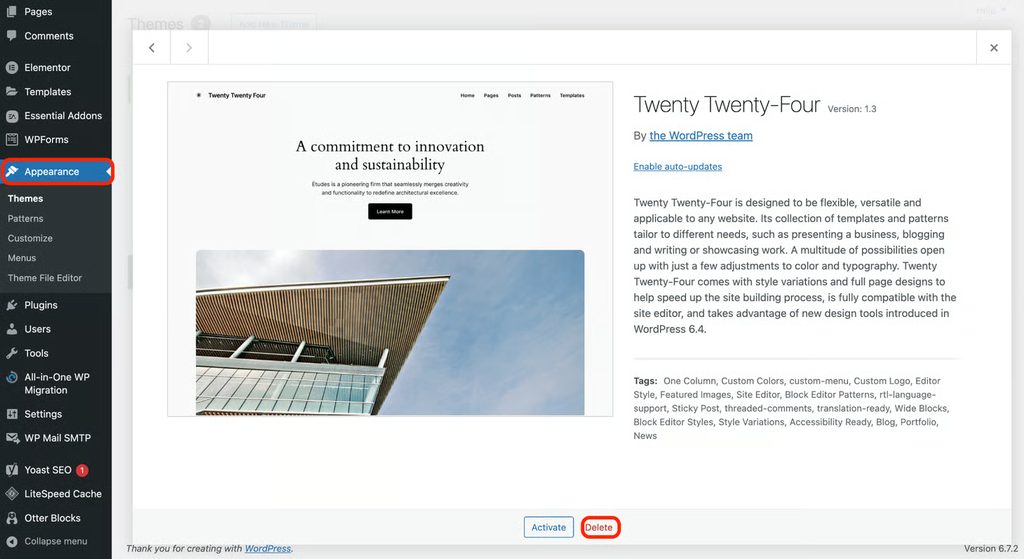

5. Delete what is inactive
Remove unused plugins and themes, not only deactivate them.
6. Install an SSL certificate
Use HTTPS on your whole site, and force it with a redirect.
7. Install a security plugin
Use a trusted plugin such as Wordfence, Sucuri or Solid Security. It adds a firewall, malware scans and login protection.
8. Stop spam
Use Akismet or another anti-spam tool. Spam comments can fill your site with bad links and hurt your SEO.
9. Strengthen admin credentials
Use a long, unique password for each admin. Do not use "admin" as the user name.
10. Lock down file permissions
Use 755 for folders and 644 for files, and 600 or 640 for wp-config.php.
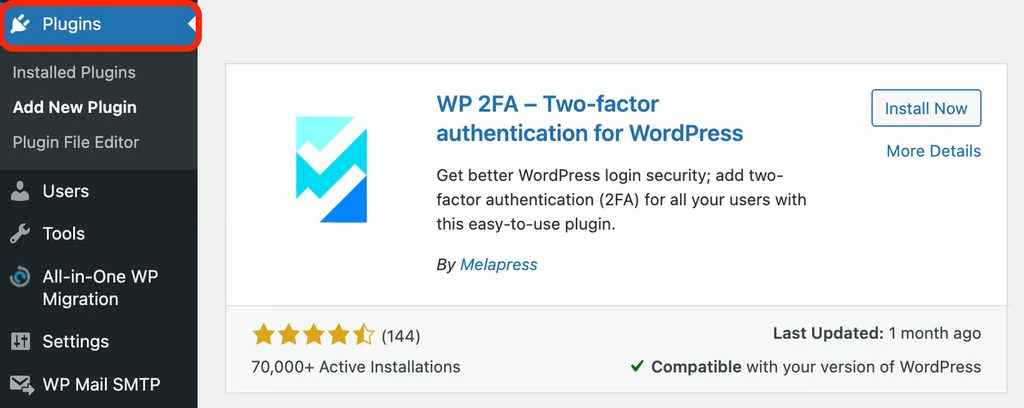
11. Turn on two-factor authentication
Add 2FA for all administrator and editor accounts.
12. Limit login attempts
Block an IP address after several failed logins.
13. Change the login URL (optional)
A custom login URL reduces bot attacks on wp-login.php.
14. Disable the file editor
Add this to wp-config.php:
define( 'DISALLOW_FILE_EDIT', true );15. Use the least rights
Give each user the lowest role that does the job.
16. Protect wp-config.php
Move it one folder above the web root, or deny access to it in .htaccess.
17. Use secret keys and salts
Set unique keys in wp-config.php and change them if you think you were hacked.
18. Change the database prefix
Use a prefix other than wp_ on new installs.
19. Back up regularly
Keep daily or weekly backups off the server, and test a restore.
20. Monitor your site
Use uptime monitoring and activity logs to see changes.
21. Scan for malware
Run scans every week.
22. Disable XML-RPC if you do not use it
It is a common target for brute-force attacks.
23. Hide the WordPress version
Remove the version number from the page header.
24. Protect the wp-content/uploads folder
Do not allow PHP files to run there.
25. Use a web application firewall (WAF)
A WAF, from your host or a CDN, blocks malicious requests before they reach WordPress.
26. Keep PHP up to date
Use a supported PHP version.
27. Set security headers
Add HSTS, X-Frame-Options, X-Content-Type-Options and a Content-Security-Policy.
28. Use secure connections for file transfer
Use SFTP, not plain FTP.
29. Review user accounts
Delete old accounts and check for unknown administrators.
30. Have a recovery plan
Know who to call, where the backups are and how to restore. If your site is hacked, change all passwords, restore a clean backup, update everything and scan again.
Quick recap
- Update everything, use strong logins with 2FA, install a security plugin and keep tested backups.