

What is remote MySQL access?
MySQL is a popular database system. A database is a store for your website's information.
Normally only your own server can open your database. That is safe, like a locked door. Remote access opens the door for one chosen computer outside. You might need this if a program on your laptop, or another website, must read your data.
Each allowed computer is called an access host. You tell the server its IP address. An IP address is a number that names a computer on the internet, like a house number.
Webuzo is a control panel, which is a web page for managing hosting. Ask Hostvento support if Webuzo and remote MySQL are on your plan.
Before you start
- Find the IP address of the computer that will connect. Search "what is my IP" on that computer.
- Have a database and a database user ready.
Warning: only add addresses you trust. Never add open-to-all entries such as % unless you know the risk. Anyone allowed in can try to guess your password.
Steps
- Log in to your Webuzo panel.
- Open the Database section.
- Click Remote MySQL, or a similar item such as Remote MySQL Access.

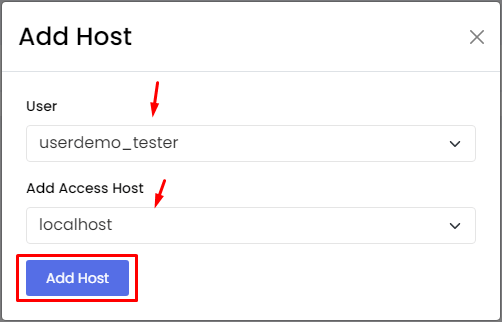
- Find the box for Host or Access Host.
- Type the IP address of the computer you want to allow.
- Click Add Host or Save.

- Check that the address now shows in the list.
Connect from the other computer
The other computer needs these details:
- The server's host name or IP. Find it in your welcome email.
- The database name.
- The database user and password.
- The port, which is usually
3306. A port is a numbered door that a program uses.
If it does not connect
- Check that the IP address is correct. Home internet addresses can change.
- Check that the database user has privileges on that database.
- The server firewall may block port 3306. Ask Hostvento support to check. Open a support ticket.
Remove a host you no longer need
Go back to the same page. Find the address in the list and click Delete.
Quick recap
- Remote access lets one chosen outside computer reach your database.
- Add its IP address in the Remote MySQL page of Webuzo.
- Only add addresses you trust.
- Remove hosts when you no longer need them.