

What is happening?
Node.js lets you run JavaScript programs on a server. On servers with CloudLinux and cPanel, the Setup Node.js App tool manages these programs. It keeps a record of each app and its folders.
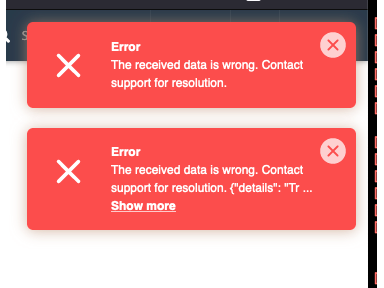
The error appears when the record says a folder or file exists, but it has been moved or deleted. The tool looks for it, cannot find it, and stops. It is like trying to throw away a box that someone already took away.
Warning: Do not delete things by hand until you have taken a backup. Download any files you still want.
Common causes
- You deleted the app folder with File Manager before removing the app in the tool.
- You renamed or moved the folder.
- The virtual environment folder is missing. This is the private space that holds the app's tools.
- The record is damaged.
Steps to fix it
- Log in to cPanel and open Setup Node.js App.
- Click the pencil icon on the app to see its Application root. Write down the folder path.
- Open File Manager and check if that folder exists.
- If the folder is missing, create an empty folder with the same name and path.
- Go back to Setup Node.js App.
- Click Destroy or the delete icon for the app again.
- Confirm. The tool should now find the folder and finish removing the record.
- Delete the empty folder if it is still there and you no longer need it.
In the same way, a missing virtual environment folder can be created empty first. The path is shown in the app's page, and usually sits in a hidden nodevenv folder in your home directory.
If it still fails
- Remove the app files only after the record is gone.
- Check that the app's
.htaccessblock, if any, is cleaned out. The tool may have added a section to it. - The record is stored at server level, so you may not be able to fix it. Open a support ticket with the app name, the domain and the exact error text.
How to avoid it next time
Always click the destroy option in the tool first. Delete the files only afterwards.
Quick recap
- The error means the tool cannot find a folder it expects.
- Back up, then recreate the missing folder.
- Run the destroy action again.
- Ask support if it still fails.