

What is phpMyAdmin?
A database stores your website's information, such as posts, users and orders. SQL is the language you use to talk to a database. A query is one request written in SQL. phpMyAdmin is a web tool that lets you work with a MySQL database by clicking, without any command line. Most hosting control panels include it. Ask Hostvento support if you cannot find it.
Warning: Some queries delete or change data for good. Take a backup before you run them. Use the Export tab to save a copy.
Steps
- Log in to your hosting control panel. Your welcome email has the login details.
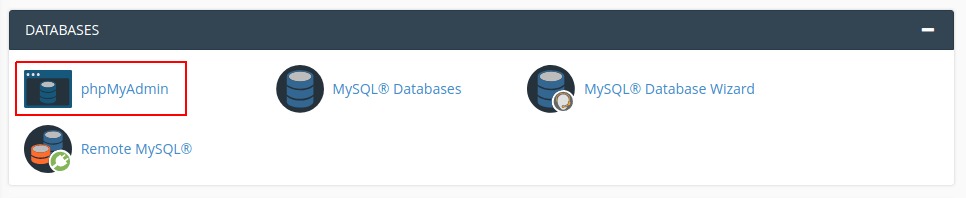
- Open phpMyAdmin.
- In the left list, click the name of your database.
- Click the SQL tab at the top.
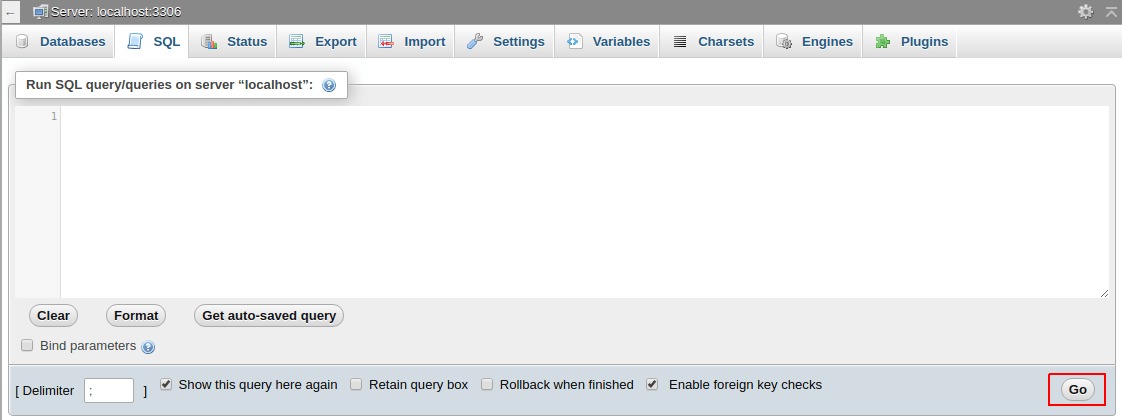
- Type your query in the big box. Try this safe one first.
This shows the first five rows of a table namedSELECT * FROM wp_users LIMIT 5;wp_users. Your table name may be different. Look at the left list to find it. - Click Go.
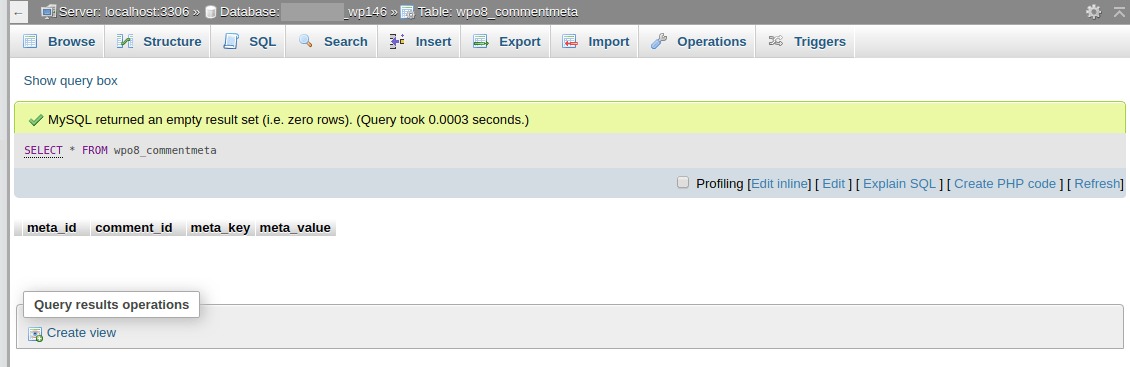
- Read the results in the table below the box.
Common queries
| Goal | Query |
|---|---|
| Show rows | SELECT * FROM tablename; |
| Count rows | SELECT COUNT(*) FROM tablename; |
| Change a value | UPDATE tablename SET column='new' WHERE id=1; |
| Add a row | INSERT INTO tablename (column) VALUES ('value'); |
| Delete a row | DELETE FROM tablename WHERE id=1; |
Stay safe
- Always put
WHEREin anUPDATEorDELETE. Without it, the query changes every row.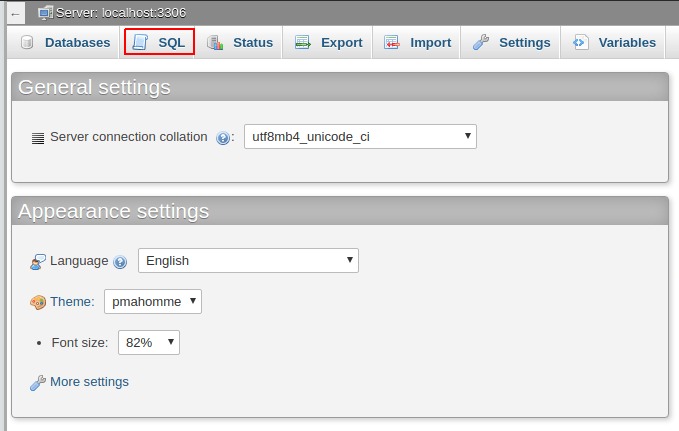
- Test with
SELECTfirst. Use the sameWHEREto see which rows you will touch. - End each query with a semicolon.
- If you see a red error, read the message. It often points to a typo.
You can run more than one query at once. Put a semicolon after each one.
Quick recap
- phpMyAdmin is a web tool for databases.
- Choose your database, open the SQL tab, type a query, click Go.
- Back up first, and always use
WHEREwhen you update or delete.