

What is Nginx?
A web server is a program that sends web pages to visitors. Nginx (say "engine-x") is a fast and popular one. Ubuntu is a Linux system often used on servers.
Tip: Ubuntu 16.04 is old and no longer gets normal updates. Newer Ubuntu versions use the same steps, so you can follow this guide on them too.
Steps
- Connect to your server with SSH (a safe way to type commands on a remote server). Log in as root, or add
sudobefore each command. - Refresh the list of available software:
sudo apt-get update- Install Nginx:
sudo apt-get install nginx -yThis downloads and installs Nginx.
- If you use the UFW firewall, let web traffic in. First see the profiles:
sudo ufw app list- Allow normal web traffic:
sudo ufw allow 'Nginx HTTP'This opens port 80, the usual door for websites. Make sure SSH is allowed too, or you may lock yourself out. Use sudo ufw allow OpenSSH if needed.
- Check that Nginx is running:
systemctl status nginxYou should see "active (running)". Press Q to leave the screen.
- Open a browser and visit
http://YOUR_SERVER_IP. Your server IP is in your welcome email. You should see the "Welcome to nginx!" page.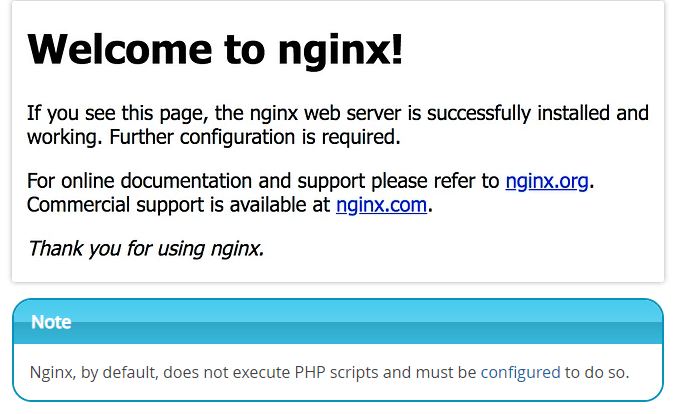
Handy commands
sudo systemctl stop nginxstops the server.sudo systemctl start nginxstarts it.sudo systemctl restart nginxstops and starts it again.sudo systemctl reload nginxapplies setting changes without a full stop.sudo nginx -tchecks your settings for mistakes.
Where things live
/var/www/htmlholds the default web page./etc/nginx/nginx.confis the main settings file./etc/nginx/sites-availableholds a settings file for each site./var/log/nginxholds the logs (records of visits and errors).
Warning: Take a backup of a settings file before you edit it. Run
sudo nginx -t before each reload.Quick recap
- Nginx is a web server.
- Run
apt-get update, thenapt-get install nginx. - Allow port 80 in the firewall.
- Visit your server IP to see the welcome page.
- Use
systemctlto start, stop and restart it.