

What is an AAAA record?
DNS is like a phone book for the internet. It turns a website name into a number that computers understand. Each entry in that book is called a record.
An A record points a name to an IPv4 address, such as 203.0.113.10. An AAAA record (say "quad-A") does the same job for an IPv6 address. IPv6 is the newer, longer kind of address, such as 2001:db8::1. The world is running out of IPv4 numbers, so IPv6 was made.
You only need an AAAA record if your server has an IPv6 address. Find it in your welcome email, or ask Hostvento support.
Before you start
You must edit DNS where your domain's nameservers point. If you use Hostvento nameservers, use the DNS zone editor in your control panel or client area. If you use another service, such as Cloudflare, edit the records there.
Take a note or screenshot of the current records first. A wrong change can take your site offline.
Add an AAAA record
- Log in to the client area.
- Open the DNS zone editor for your domain. Look under your domain or hosting control panel.
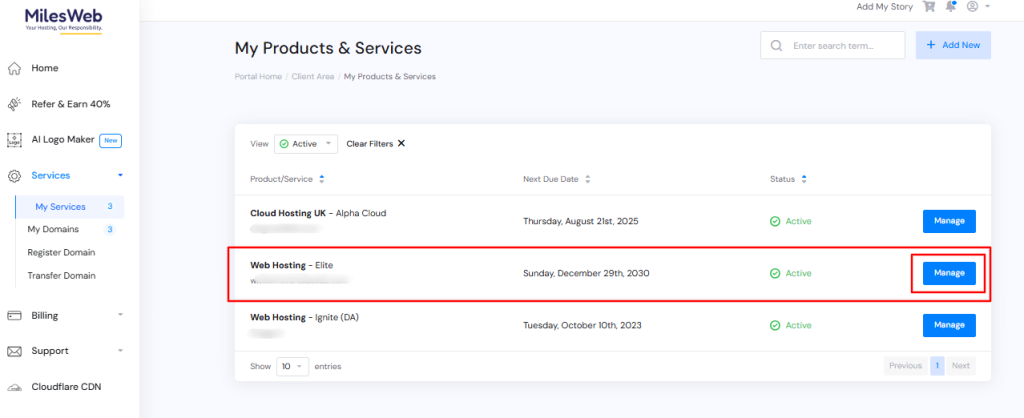
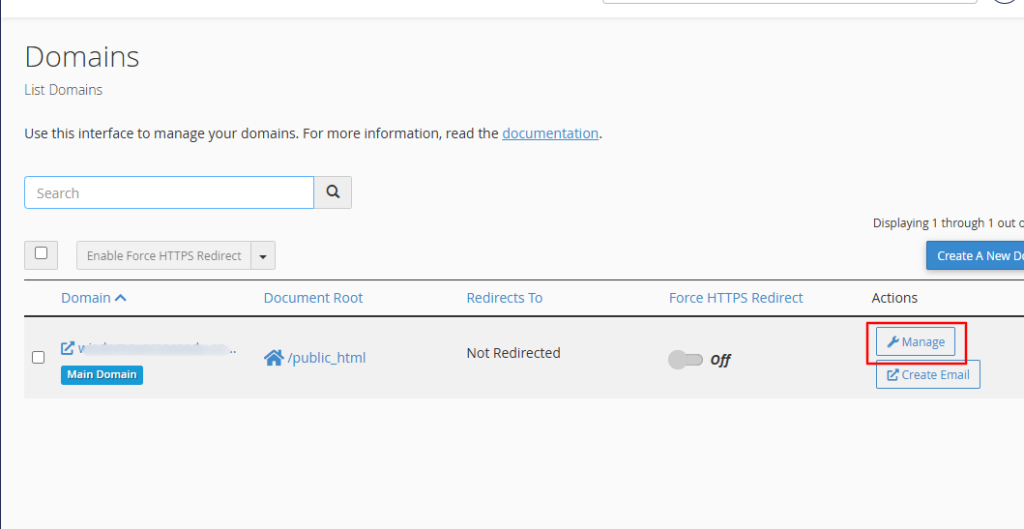
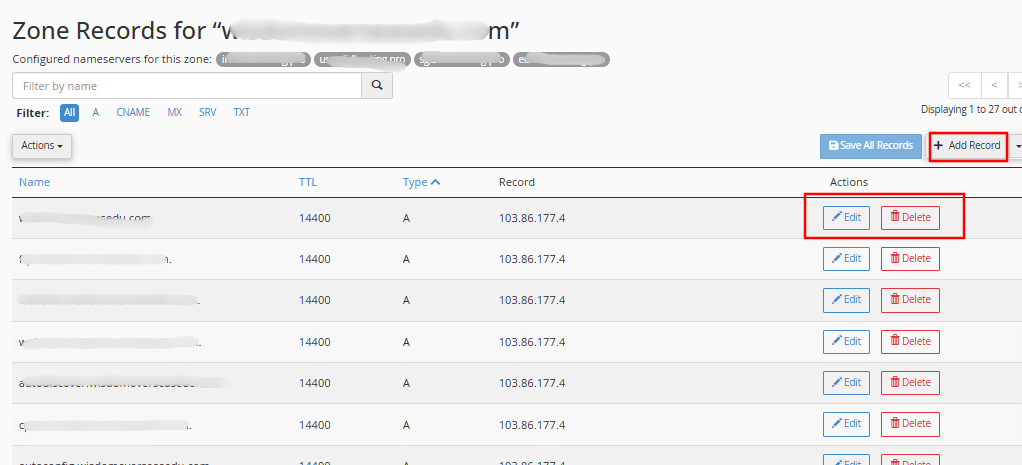
- Choose the option to add a record.
- Set the Type to AAAA.
- In Name, type the host. Use
example.com.for the main domain, orwwwfor the www version. - In Address (or Value), type the IPv6 address.
- Leave the TTL at its default. TTL is the time, in seconds, that others may remember the answer.
- Click Add Record or Save.
Edit or delete a record
- Find the AAAA record in the list.
- Click Edit, change the address, and save.
- To remove it, click Delete and confirm.
Check it worked
Changes can take from a few minutes up to a day to spread. Use this command to check:
nslookup -type=AAAA example.comThis asks DNS for the AAAA record of your domain.
Quick recap
- An AAAA record links a name to an IPv6 address.
- Add it in the DNS zone editor with type AAAA.
- Only add it if your server really has IPv6.
- Note your old records before changes.
- Wait for the change to spread, then test.