

What is HTTP Error 404.3?
A web server is a computer that sends web pages to visitors. IIS is the web server software used on Windows. Error 404.3 means IIS found your file but does not know how to send it.
Every file has a type. This type is called a MIME type. Think of it as a label on a parcel that tells the browser what is inside. If the label is missing, IIS refuses to send the file.
Common causes
- The file type has no MIME type set on the server. Examples are .json, .svg, .woff, .mp4 or .apk files.
- A needed Windows feature, such as ASP.NET, is not turned on.
- The website runs on the wrong ASP.NET version.
Fix 1: Add the missing MIME type in a web.config file
A web.config file is a small settings file that sits in your website folder. Take a backup of it before you change it.
- Log in to your hosting account and open your site files.
- Find the file
web.configin your website root folder. - Download a copy to your computer as a backup.
- Open the file in a text editor.
- Add the lines below inside the
<system.webServer>section. Change the extension and type to match your file. - Save the file and upload it back.
- Refresh the page that showed the error.
<staticContent>
  <mimeMap fileExtension=".json" mimeType="application/json" />
</staticContent>
This tells IIS that files ending in .json should be sent as JSON data.
<remove fileExtension=".json" /> line before the new one.Fix 2: Turn on ASP.NET (VPS or dedicated server)
This needs full control of a Windows server. Shared hosting users should skip to the support step.
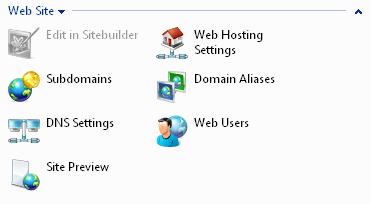
- Open Server Manager.
- Click Add Roles and Features.
- Go to Web Server (IIS) and open Application Development.
- Tick ASP.NET and the matching .NET Extensibility item.
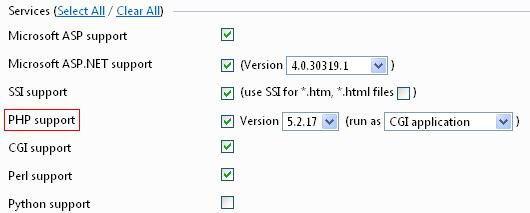
- Finish the wizard and restart IIS.
Still not working?
On shared hosting you cannot change server features yourself. Open a support ticket. Tell the team the exact web address and the full error text.
Quick recap
- Error 404.3 means IIS does not know how to send a file type.
- Add the missing MIME type in
web.config. - Back up the file before editing it.
- On a server you control, make sure ASP.NET is installed.
- Ask Hostvento support if you cannot change the settings.