

What is ping?
A server is a computer that stores your website and is always switched on. Ping sends a tiny message to that computer and waits for a reply. It is like shouting "Hello?" across a room and listening for "Hi!". If you get a reply, the server is reachable. The reply also shows how long it took, in milliseconds (a millisecond is one thousandth of a second).
Steps on Windows
- Click the Start button.
- Type
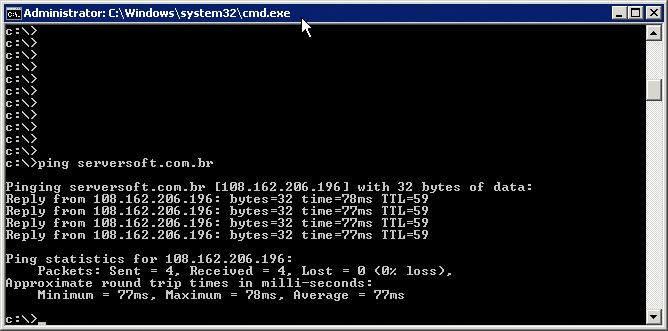
cmdand press Enter. A black window opens. It is called the Command Prompt. - Type this and press Enter:
ping example.comReplace example.com with your own domain name or server address. This sends four test messages.
Steps on Mac or Linux
- Open the Terminal app.
- Type this and press Enter:
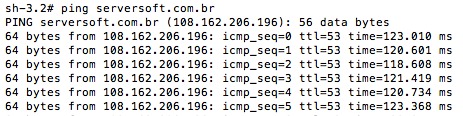
ping -c 4 example.comThe -c 4 part tells ping to stop after four messages. Without it, ping runs until you press Ctrl + C.
How to read the result
| You see | It means |
|---|---|
Reply from ... or 64 bytes from ... | The server answered |
time=25ms | The reply took 25 milliseconds. Lower is faster |
Request timed out | No answer came back |
Unknown host or could not find host | The name could not be found. Check the spelling or your domain's DNS |
0% packet loss | Every message got a reply |
If ping fails
- Check your own internet by pinging a well-known site.
- Check that you typed the name correctly.
- Try again after a few minutes.
- Open a ticket with Hostvento support and include your ping result. Use the support ticket page.
Tip: Some servers are set to ignore ping on purpose. A timeout does not always mean the server is down. Try opening the website in your browser too.
Quick recap
- Ping asks a server "are you there?".
- Run
ping yourdomain.comin Command Prompt or Terminal. - Replies mean it is reachable. Timeouts need more checking.
- Send your results to support if the problem stays.