

By default a container can use as much memory and CPU as the host allows. Limits keep the server stable.
Limit memory
The --memory flag
sudo docker run --memory=512m <image_name>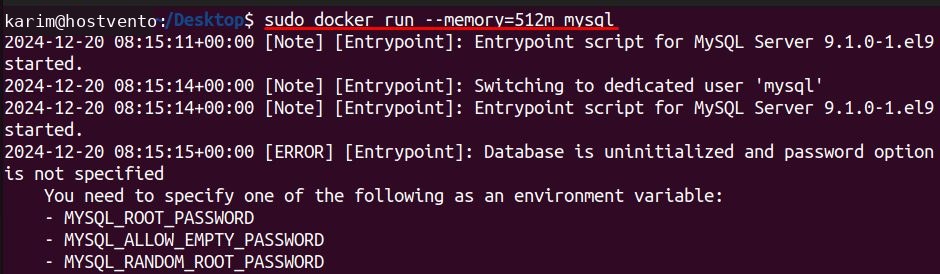
The container cannot use more than 512 MB of RAM. If it tries, the kernel may stop it (out-of-memory kill).
The --memory-swap flag
--memory-swap sets the total of RAM plus swap:
sudo docker run --memory=512m --memory-swap=1g <image_name>
Here the container may use 512 MB of RAM and 512 MB of swap.
The --memory-reservation flag
A soft limit. Docker tries to keep the container to this amount when the host is short of memory:
sudo docker run --memory-reservation=256m <image_name>
Change the limit of a running container
sudo docker update --memory=1g --memory-swap=1g <container_id>Kernel memory
sudo docker run --memory=512m --kernel-memory=50m <image_name>
Note: Newer Docker versions have deprecated
--kernel-memory. Use the normal --memory limit instead.Free unused resources
sudo docker system prune -a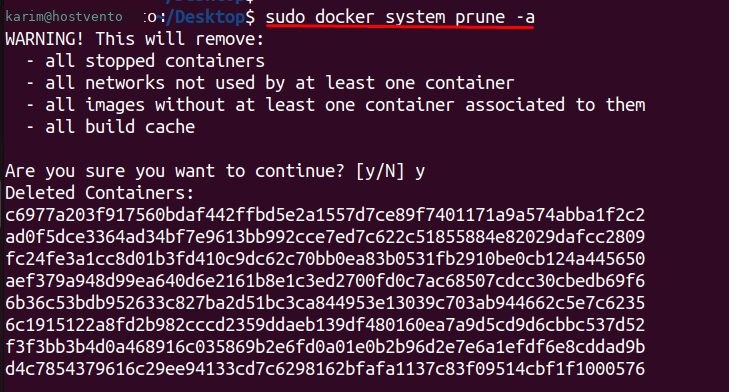
Warning:
docker system prune -a removes all stopped containers, unused networks and all unused images. Use it carefully.Limit CPU
Give the container 1.5 CPUs:
sudo docker run --cpus="1.5" <image_name>Use only specific cores:
sudo docker run --cpuset-cpus="0,1" <image_name>Set a relative weight (default 1024). It only matters when CPUs are busy:
sudo docker run --cpu-shares=512 <image_name>Check usage
sudo docker statsIt shows the live CPU and memory use of every container.
Docker Compose
services:
  web:
    image: nginx
    deploy:
      resources:
        limits:
          cpus: "0.50"
          memory: 512M
Benefits of limits
- No overload. One container cannot starve the others.
- Stable apps. Each service gets what it needs.
- Lower cost. You use the server fully but safely.
- Fair sharing between containers or users.
- Easier monitoring and debugging.
Quick recap
--memoryand--cpusare the two limits you need most.- Check them with
docker stats.