

What is a blog post?
WordPress is a program that helps you build a website without writing code. A blog post is one article on your site. Posts show up in order, with the newest first. A page, in contrast, is for things that stay the same, like an About page.
Steps
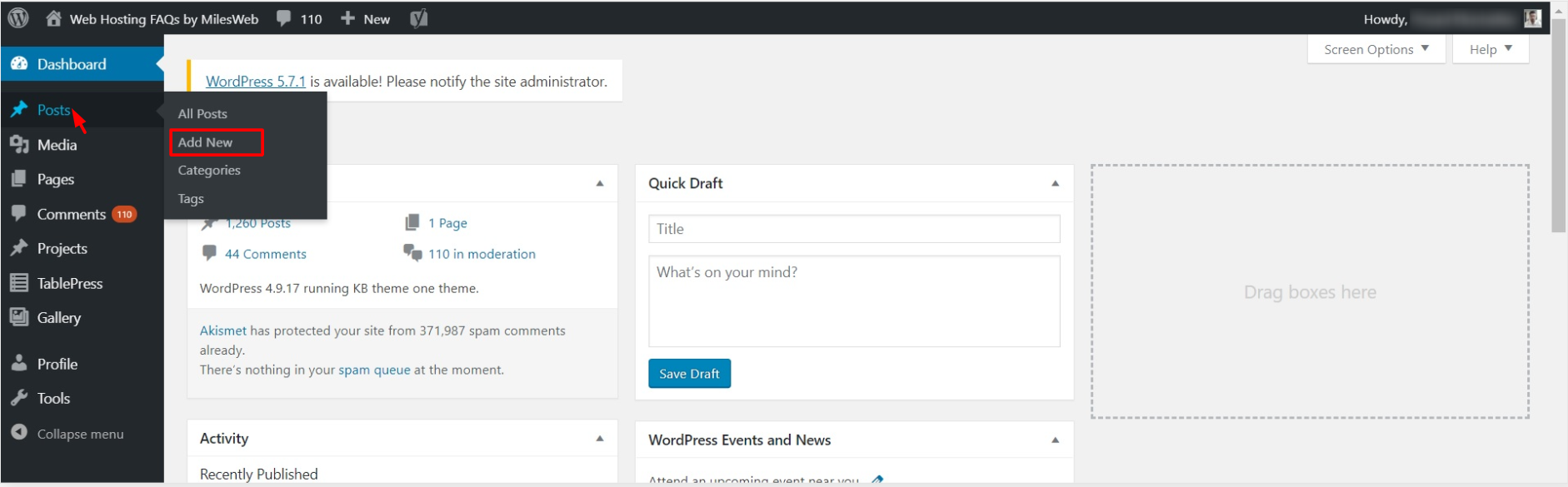
- Log in to your WordPress dashboard. The dashboard is your control room. The address is usually your website name followed by
/wp-admin. - In the left menu, click Posts.
- Click Add New. The editor opens.
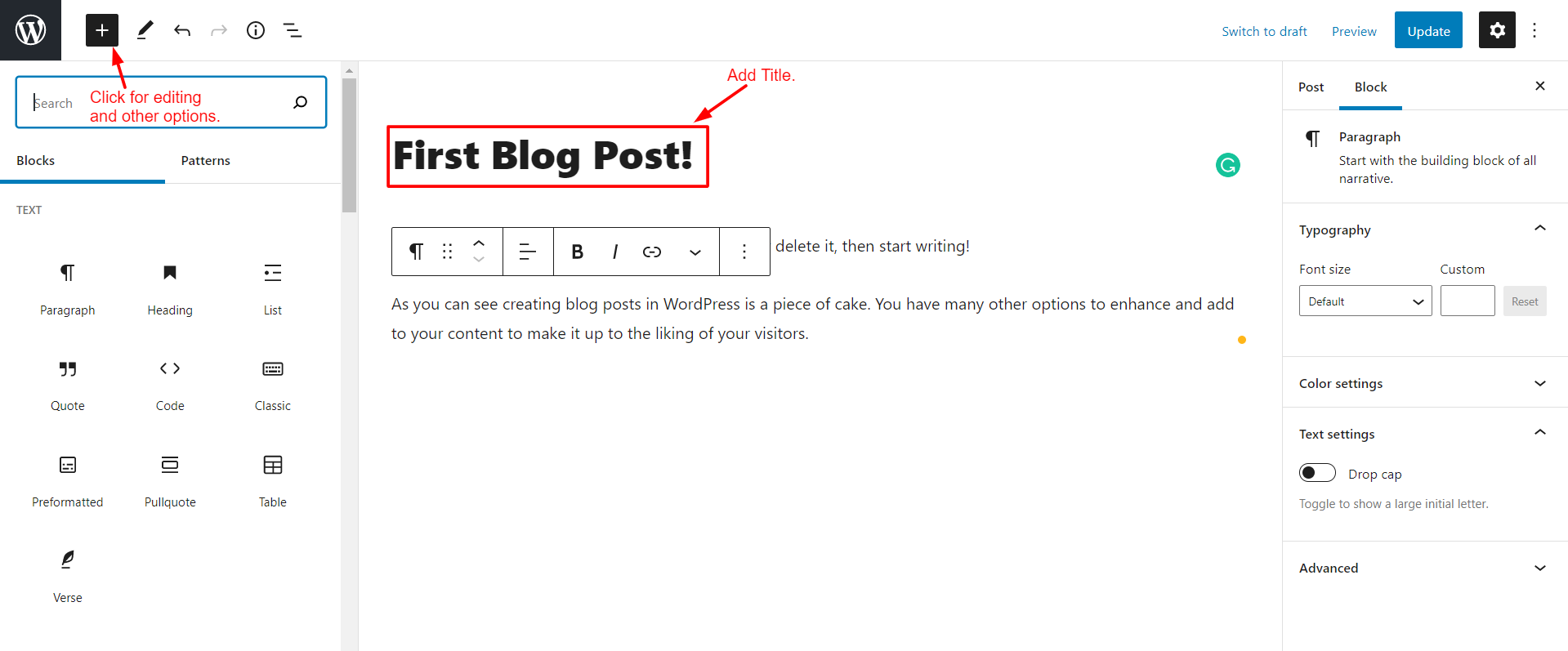
- Click the top box that says Add title. Type the title of your post.
- Click in the body area below. Start typing your text. Each paragraph is a block, which is a small building piece of the page.
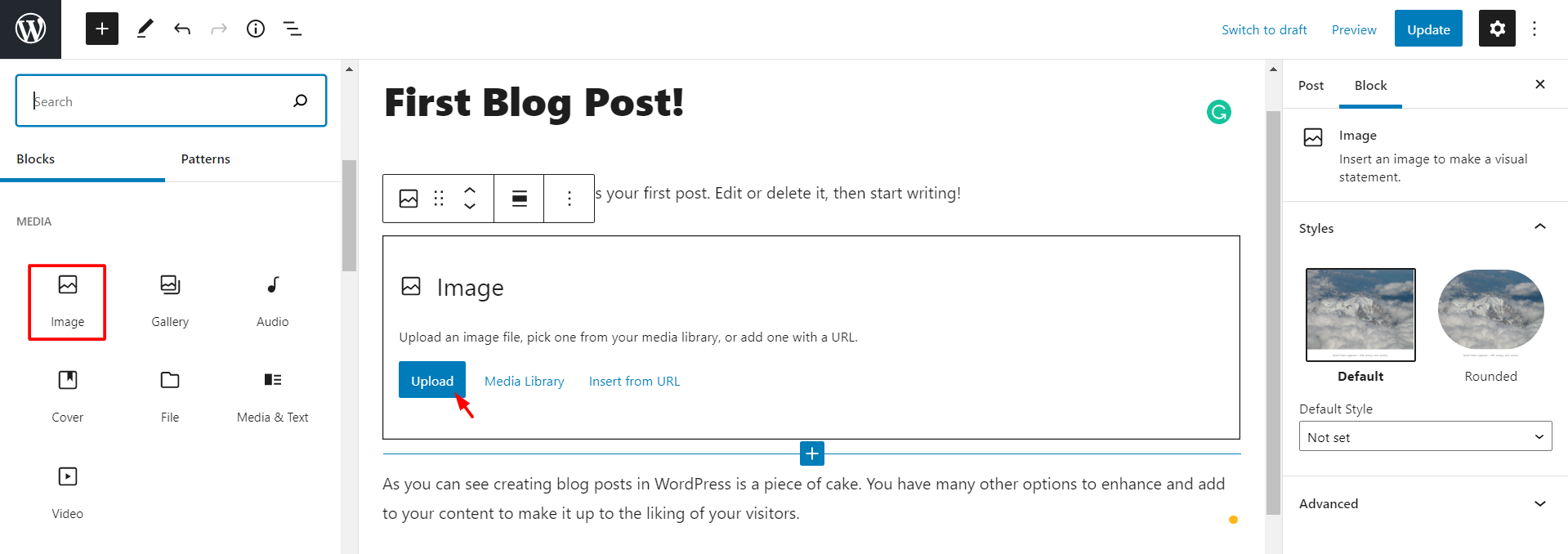
- To add a picture, click the + button and choose Image. Then upload a file or pick one from your library.
- To add a heading, click the + button and choose Heading.
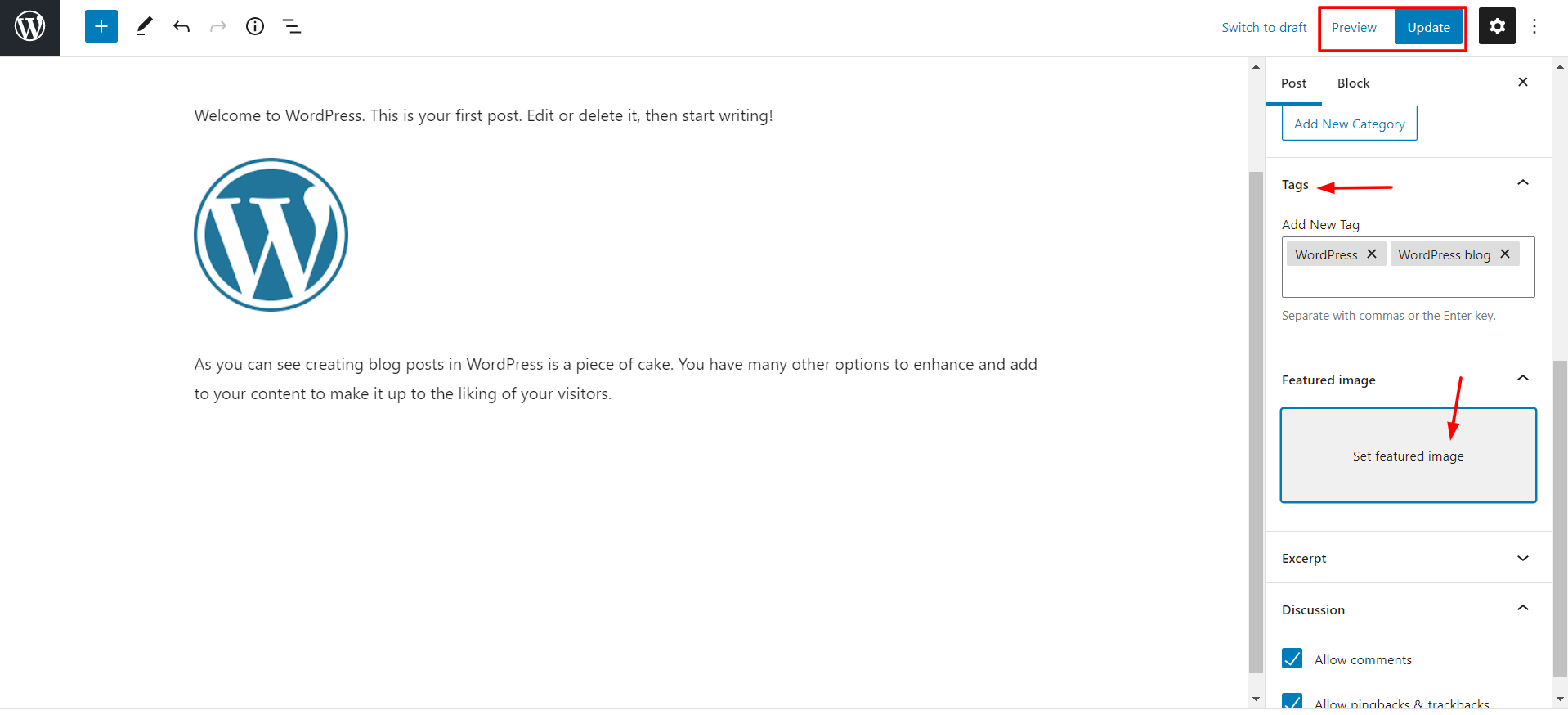
- Open the settings panel on the right side. If you cannot see it, click the settings icon at the top right.
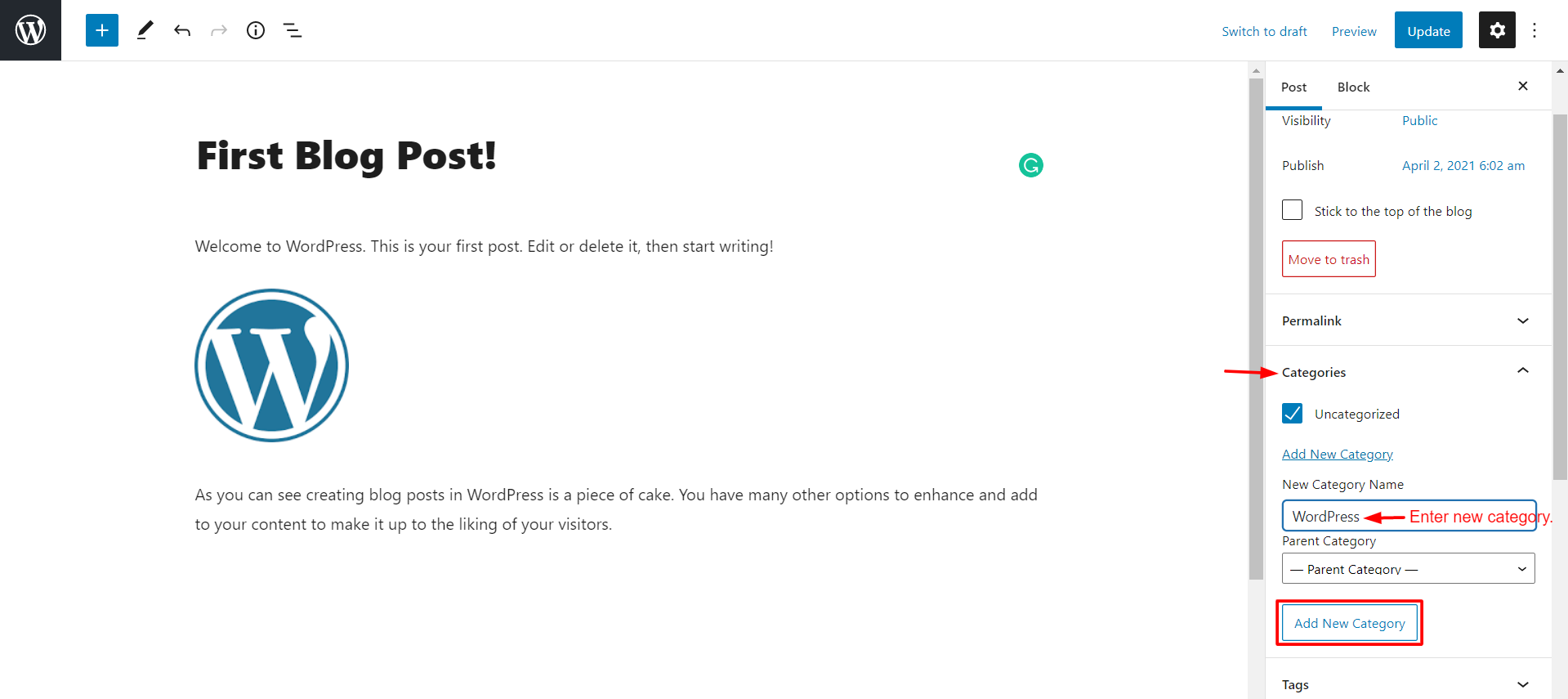
- Under Categories, tick one or more topics for the post. A category is a label that groups similar posts.
- Under Tags, type a few short keywords if you like.
- Under Featured image, you can pick the main picture for the post.
- Click Save draft if you want to finish later. A draft is a post only you can see.
- Click Preview to see how it will look.
- When you are happy, click Publish. Click Publish once more to confirm.
Your post is now live. Click View Post to see it.
Publish later
You can pick a future time. In the settings panel, click the date next to Publish. Choose the day and hour. The button then changes to Schedule. WordPress will publish the post by itself at that time.
Tip: Your screen may look a bit different if you use the older Classic Editor. The menu path Posts, then Add New, is the same. The Publish box sits on the right side.
Quick recap
- Go to Posts, then Add New.
- Type a title and your text.
- Pick a category and add an image if you want.
- Use Save draft while working.
- Click Publish to make it live, or schedule it for later.