

What is SMTP?
CS-Cart is a program for running an online shop. Your shop sends emails, such as order receipts. SMTP is the standard way to send email. An SMTP server is like a post office. Authentication means you show a username and password at the post office door. It proves the mail really comes from you.
By default, a shop may send mail straight from the web server. Many mail systems distrust that. Using a proper mailbox with SMTP makes delivery more reliable.
What you need first
- An email account on your domain. You can create one in your hosting control panel.
- The SMTP server name, the port number, the username and the password.
The mail server details are in your Hostvento welcome email, or in the email settings of your control panel. You can also ask Hostvento support. The username is usually the full email address.
Steps
- Log in to your CS-Cart admin panel.
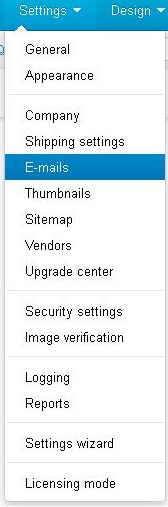
- Open Settings in the top menu.
- Click Emails. In some versions this sits under Settings, then General, so look there if you cannot find it.
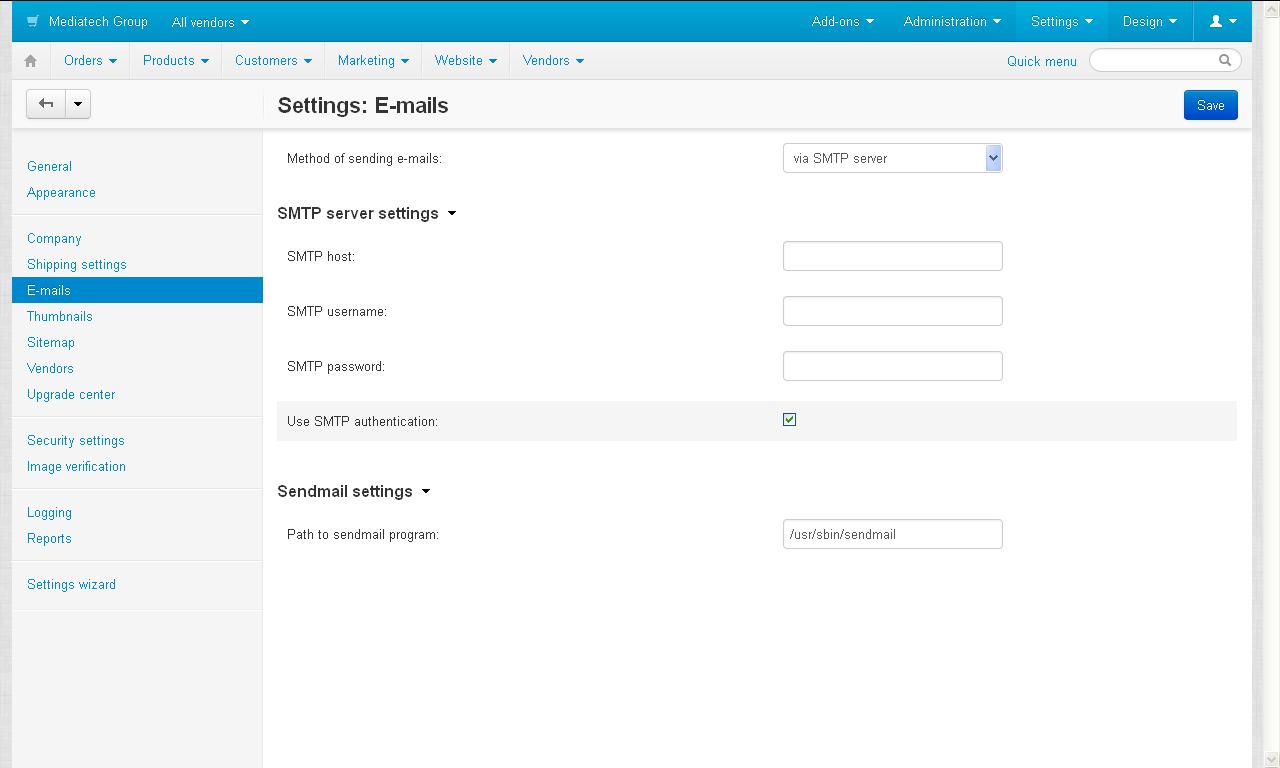
- Find the option for the mail sending method. Choose SMTP server instead of PHP mail.
- In the SMTP server box, type the server name.
- Type the port number. Common ports are 587 and 465. Use the one your mail provider gives you.
- If there is a setting for encryption, pick the type that matches your port. Encryption scrambles the message so others cannot read it on the way.
- Turn on the option for SMTP authentication. Choose the login type your provider uses. If you are not sure, pick Login first.
- Type the SMTP username and password.
- Set the shop's sender address to the same mailbox, if the form has such a field.
- Click Save.
The exact labels differ a little between CS-Cart versions. Use the names above as a guide.
Send a test
Place a test order, or use the test email button if your version has one. Check the inbox and the spam folder.
Quick recap
- SMTP with a login is a trusted way to send mail.
- Get the server, port, username and password first.
- Open the email settings in CS-Cart, choose SMTP and fill in the details.
- Save and send a test.