

What is the footer?
The footer is the strip at the very bottom of a web page. In MediaWiki it shows links to the privacy policy, an "About" page and a disclaimer page. It also shows when the page was last changed. You can change the text and the target of these links from inside the wiki. You do not need to touch any code.
You must be logged in as an administrator. The wiki treats these items as system messages. A system message is a small piece of text that the software uses in its screens. Admins can edit them.
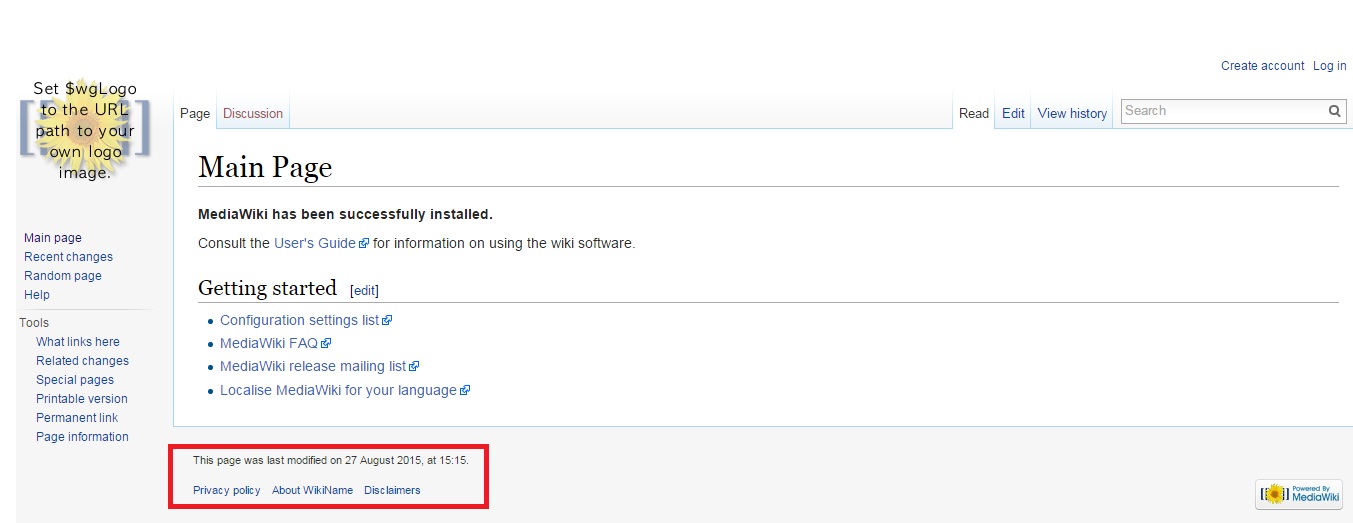
Steps to change the link text
- Log in to your wiki as an administrator.
- Type this at the end of your wiki address:
/index.php?title=MediaWiki:Privacy. - Click Edit or Create.
- Delete the old text. Type the new words you want to show, for example "Privacy rules".
- Click Save changes.
Repeat this for the other links. Use these page names:
| Footer link | Text page | Target page |
|---|---|---|
| Privacy policy | MediaWiki:Privacy | MediaWiki:Privacypage |
| About | MediaWiki:Aboutsite | MediaWiki:Aboutpage |
| Disclaimers | MediaWiki:Disclaimers | MediaWiki:Disclaimerpage |
Steps to change where a link goes
- Open the target page, for example
/index.php?title=MediaWiki:Privacypage. - Click Edit or Create.
- Type the name of the wiki page that should open, such as
Project:Privacy rules. - Click Save changes.
- Create that wiki page too, if it does not exist yet.
Remove a link
Edit the text page and type a single dash (-). MediaWiki hides any item whose message is a single dash.
Tip: Changes may not show right away. Clear your browser cache, or press Ctrl and F5 together. The wiki may also keep its own cache for a few minutes.
Quick recap
- The footer links are system messages in the
MediaWiki:area. - Edit
MediaWiki:Privacy,AboutsiteandDisclaimersto change the words. - Edit the matching
pagemessages to change the destination. - Type a dash to hide a link.
- You need an administrator account.