

What is a comment?
A comment is a short message that a reader writes under a post. It lets readers say thanks, ask a question or share an idea. It is like leaving a note on a notice board. The site owner and other readers can reply.
Steps to write a comment
- Open the blog post in your browser.
- Scroll down to the end of the post. Look for the box called Leave a Reply or Leave a comment.
- Click in the large box and write your message. Keep it kind and on topic.
- If you are not logged in, fill in your Name and your Email. The email does not show to other readers. Some sites also ask for a Website. You can leave this empty.
- Some sites show a tick box that says to save your details for next time. Tick it if you use your own computer.
- Click Post Comment (the button name can differ by theme).
What happens next?
Many sites check new comments before showing them. This is called moderation. Moderation stops spam and rude messages. You may see a note such as "Your comment is awaiting moderation". This is normal. The comment will show after the site owner approves it.
Reply to another comment
- Find the comment you want to answer.
- Click the Reply link under it.
- Type your message in the box that opens.
- Click Post Comment.
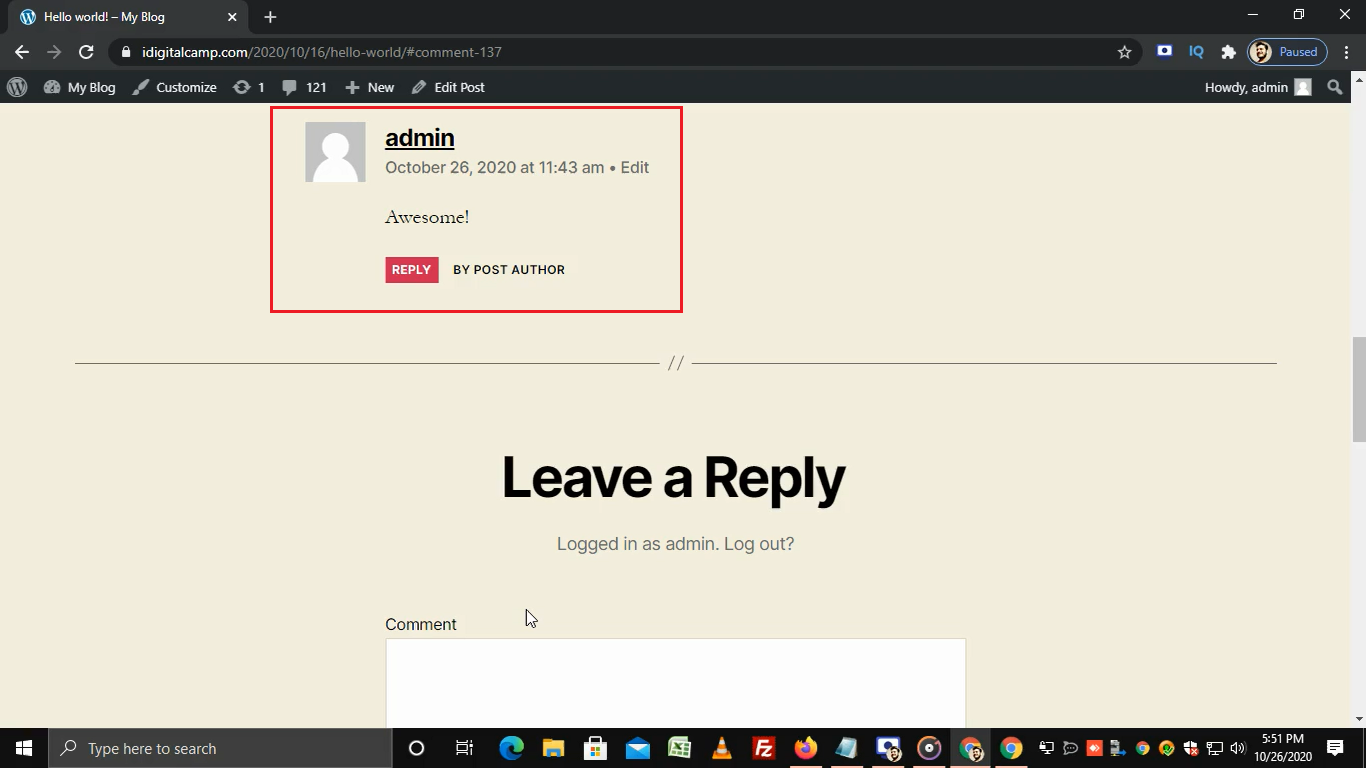
If you do not see a comment box
- The site owner may have turned comments off for that post.
- Some sites only let logged-in members comment. Look for a Log in to leave a comment link.
- Old posts often close comments after some weeks.
For site owners: turn comments on or off
- Log in to your WordPress dashboard.
- Click Settings, then Discussion.
- Tick or untick Allow people to submit comments on new posts.
- Click Save Changes.
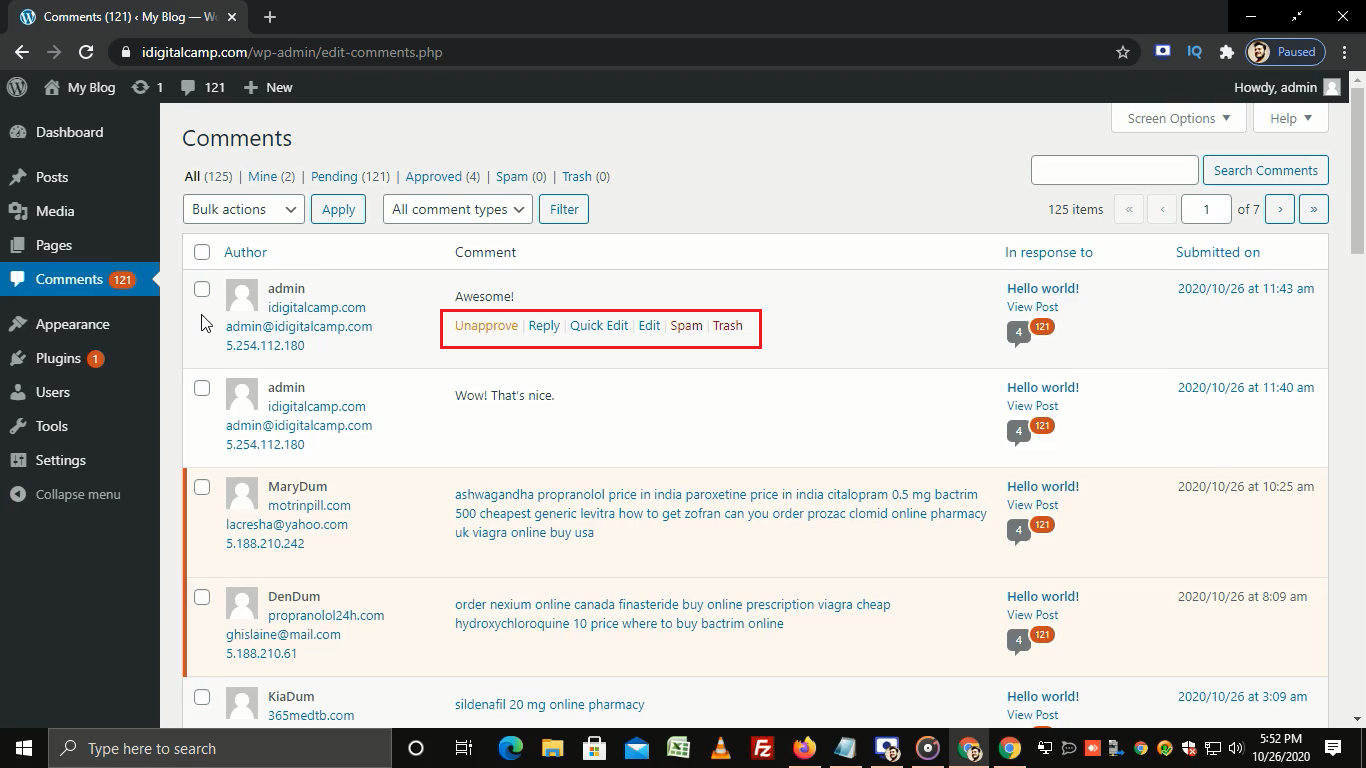
To approve a comment, click Comments in the left menu and then Approve under the comment.
Tip: Never write your phone number or password in a comment. Everyone can read it.
Quick recap
- Comments are at the bottom of a post.
- Write your message, add name and email, and click Post Comment.
- Your comment may wait for approval.
- Use Reply to answer another comment.
- Owners manage comments in Settings, Discussion.