

What are Moodle and a subdomain?
Moodle is a free tool for running online courses. Teachers add lessons and quizzes. Students log in to learn.
A subdomain is a smaller address that sits in front of your main website name. For yourdomain.com, a subdomain could be learn.yourdomain.com. It is like a side door to your house. It leads to its own room.
Before you start
- You need a hosting account with a control panel such as cPanel. Your welcome email has the login.
- Ask Hostvento support if Softaculous is on your plan. It makes the install easy.
Step 1: create the subdomain
- Log in to your hosting control panel.
- Find Subdomains in the Domains section. In newer cPanel it may be inside Domains.
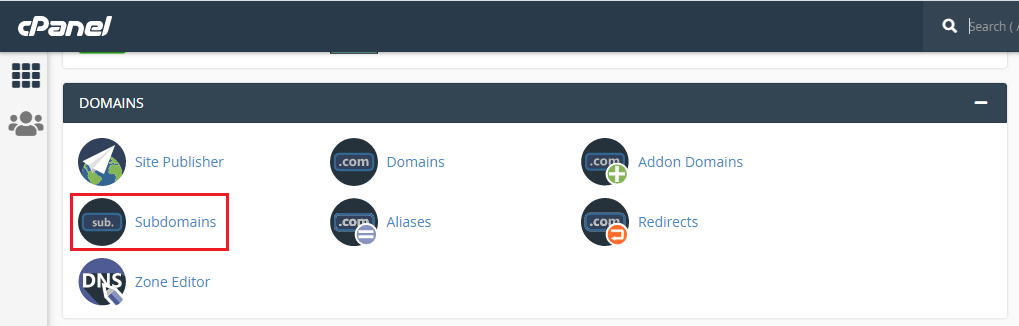
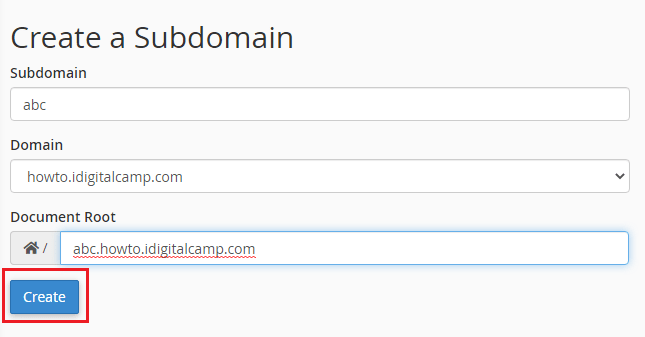
- Type a name, such as
learn. - Choose your main domain from the list.
- Check the folder (document root) it suggests. It is where the files will live.
- Click Create.
Step 2: install Moodle with Softaculous
- Go back to the control panel home and open Softaculous Apps Installer.
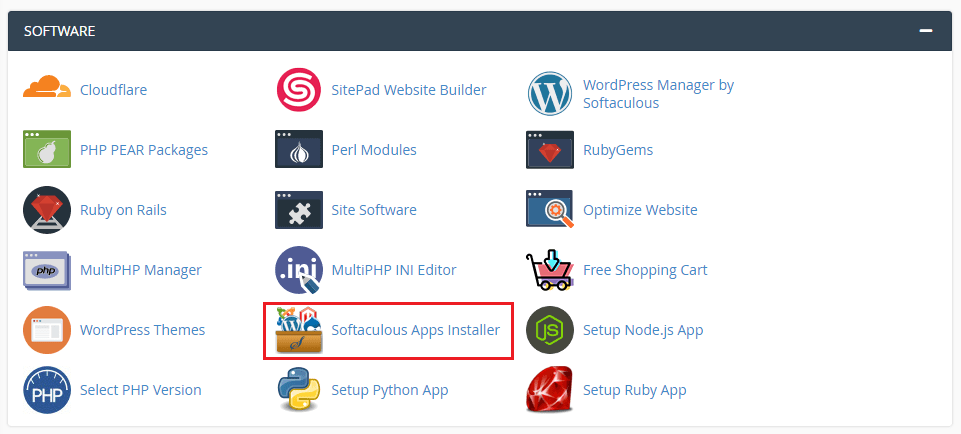
- Search for Moodle and click it.
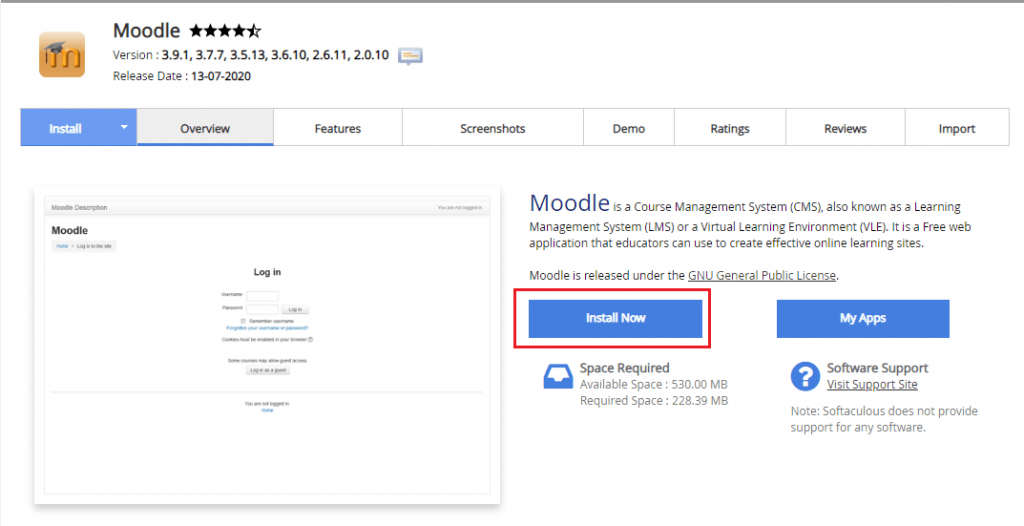
- Click Install Now.
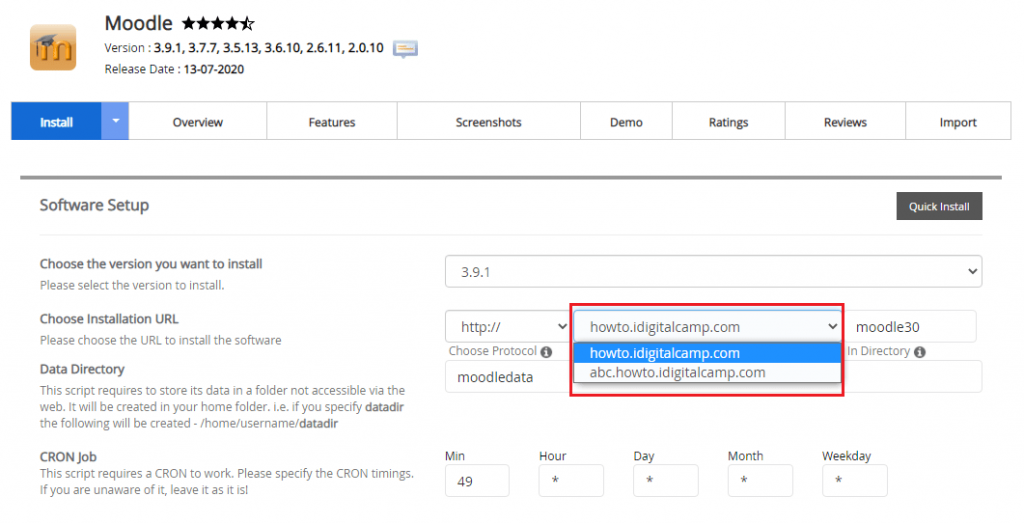
- In Choose Domain, pick your new subdomain, for example
learn.yourdomain.com. - Leave In Directory empty.
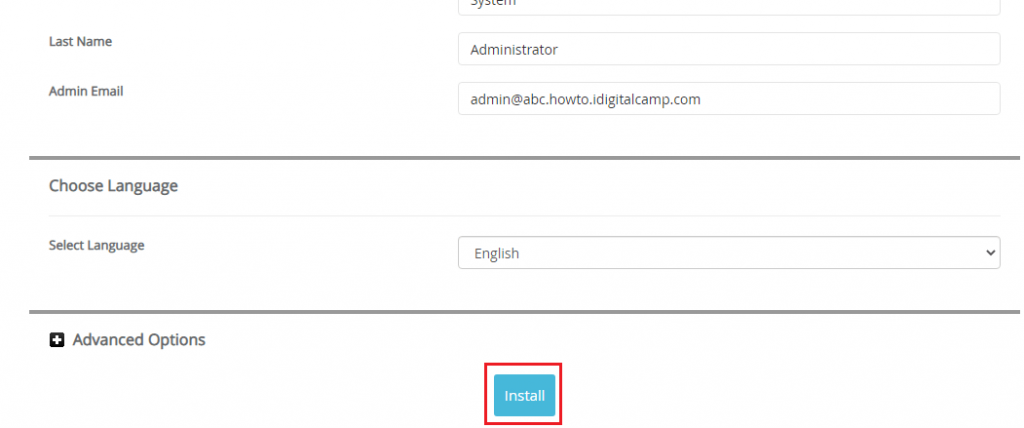
- Type a site name and an admin username, password and email.
- Click Install.
Step 3: install by hand (no Softaculous)
- Download Moodle from the official Moodle website.
- In File Manager, open the subdomain folder and upload the ZIP file.
- Right-click the ZIP and choose Extract. Move the files out of the
moodlefolder so they sit directly in the subdomain folder. - In MySQL Databases, create a database and a user, then give the user all privileges.
- Open
learn.yourdomain.comin your browser. Follow the on-screen installer and enter the database details.
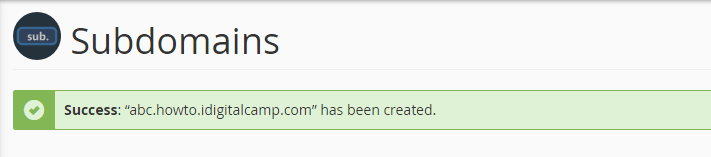
Tip: If the subdomain page shows an error right after you create it, wait a few minutes. New addresses can take a short time to start working.
Quick recap
- A subdomain gives Moodle its own address.
- Create the subdomain first in your control panel.
- Then install Moodle on it with Softaculous, or by hand with a database.
- Save your admin login details.