

What is a MySQL hostname?
MySQL is a popular kind of database. A database is a digital store where a website keeps its information.
A hostname is the name of the computer that holds the database. It is like the street address of a house. When your website wants its data, it uses the hostname to find the right place.
Apps like WordPress ask for the hostname when you set them up. You will see it written as DB_HOST, Database Host or MySQL Hostname.
The usual answer
On most shared hosting, the database lives on the same server as your website. In that case the hostname is:
localhostThis word means "this same computer". Try it first. It works for most people.
When it is not localhost
Some plans keep the database on a separate server. Then the hostname is a longer name or a number. If you connect from outside your server, you also need a remote hostname. Your welcome email or Hostvento support will tell you the correct one.
Way 1: check your welcome email
- Open the welcome email you got when you bought hosting.
- Look for words like "MySQL host" or "database server".
Way 2: look in your website's config file
If your site already works, the answer is in its settings file.
- Log in to your hosting control panel and open File Manager.
- Go to the folder that holds your website. It is often named
public_html. - For WordPress, open the file
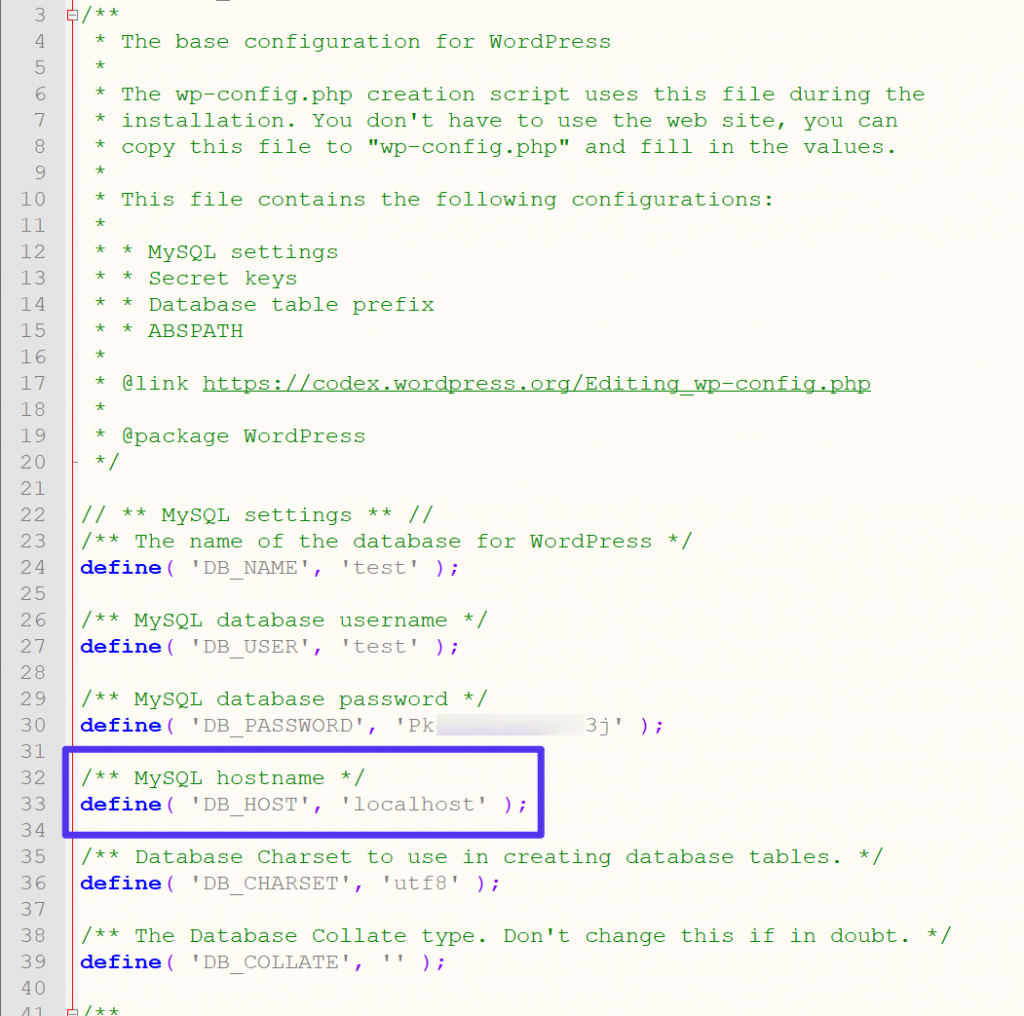
wp-config.php. Right-click it and choose Edit. - Find the line that has
DB_HOST. The value in the quotes is your hostname. - Close the file without making changes.
define( 'DB_HOST', 'localhost' );This line tells WordPress that the database host is localhost.
Way 3: ask phpMyAdmin
- Open phpMyAdmin from the Databases section of your control panel.
- Click the Home icon, or the Server link at the top.
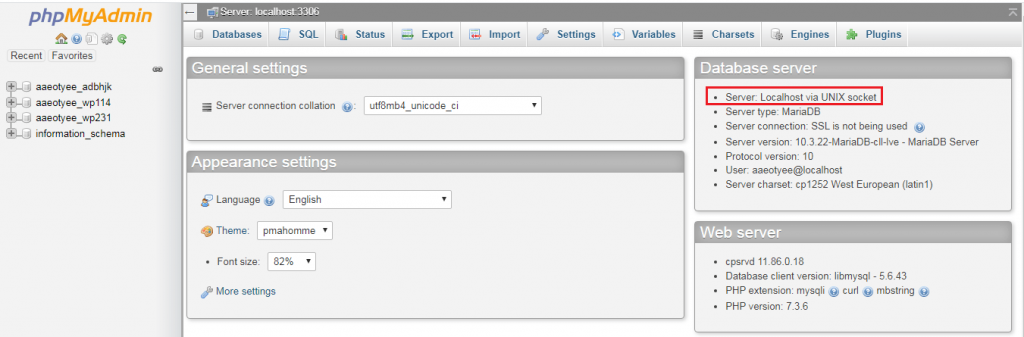
- Look at the line that says Server. It shows the hostname.
Quick recap
- The MySQL hostname is the address of your database server.
- Most shared hosting uses
localhost. - Find it in your welcome email, in
wp-config.php, or in phpMyAdmin. - Ask Hostvento support if your plan uses a different host.