

What is the MySQL root password?
MySQL is a database system. A database is a store for your websites' information.
The MySQL root user is the boss account for all databases on the server. Its password protects every website's data. You should change it if you think someone else knows it, or if you set a weak one.
WHM stands for WebHost Manager. It is the admin panel for people who run a cPanel server. Regular cPanel accounts are managed inside it.
Before you start
Warning: changing this password can stop things that use the old one. Take a backup of your databases first. Tell anyone who uses the root login about the change.
Steps
- Log in to WHM as root. The address is usually your server address followed by
:2087. Your welcome email has the details. - In the search box at the top left, type MySQL Root Password.
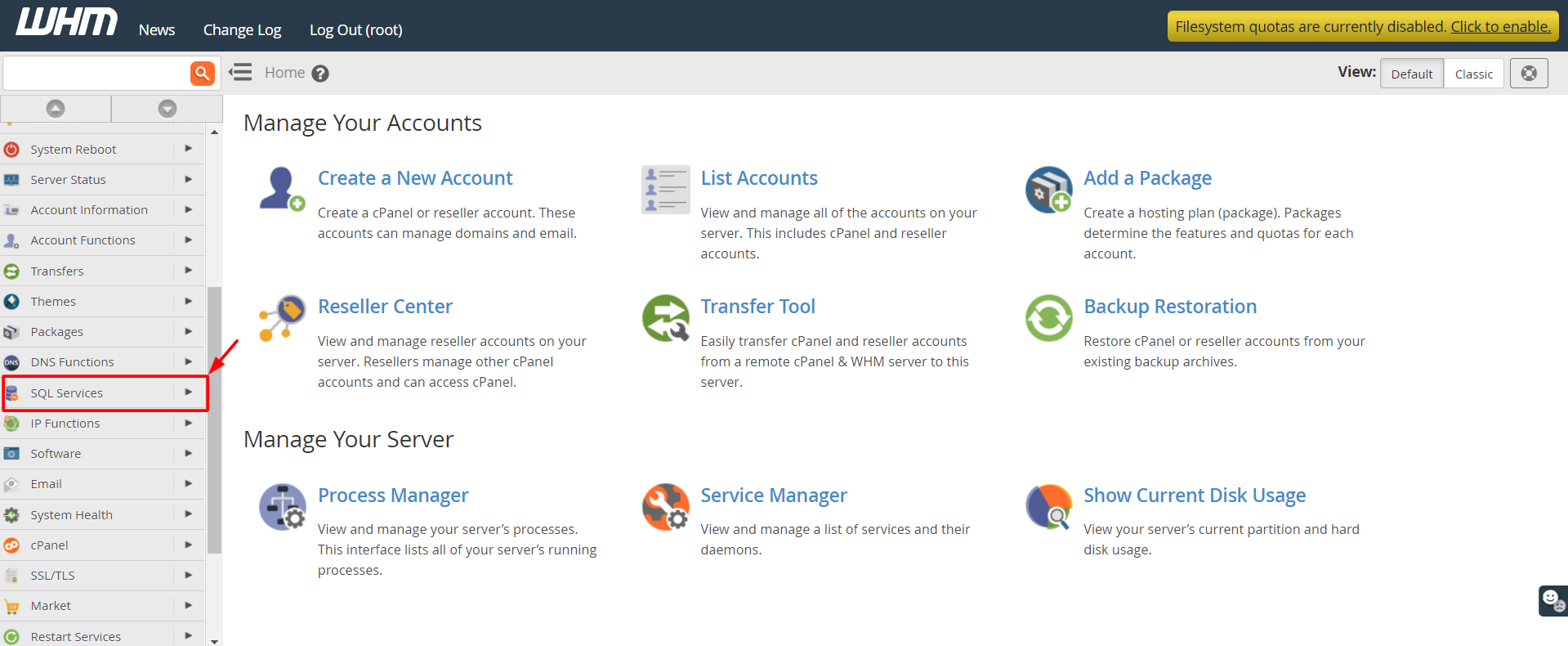
- Click MySQL Root Password in the results.
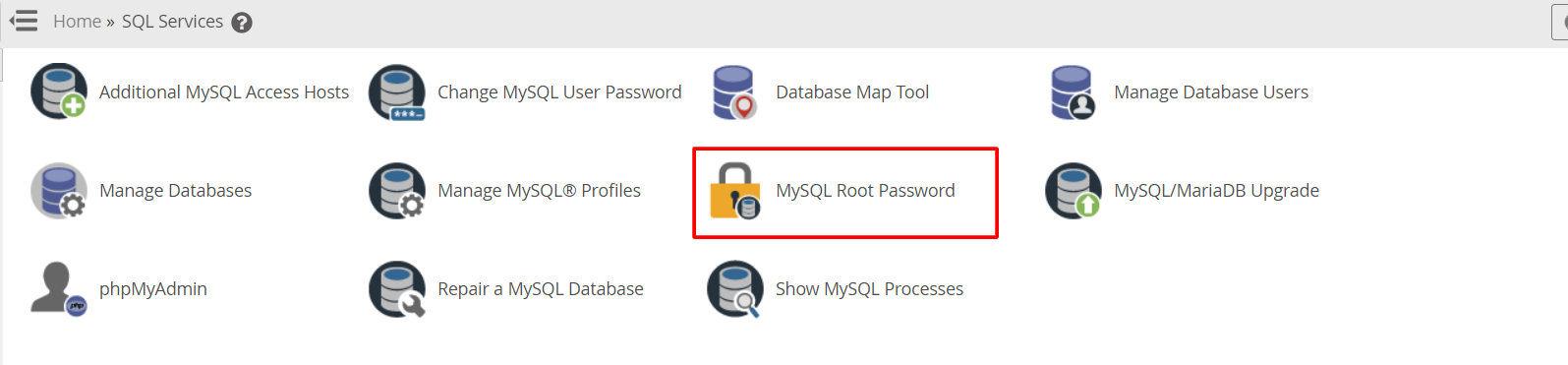
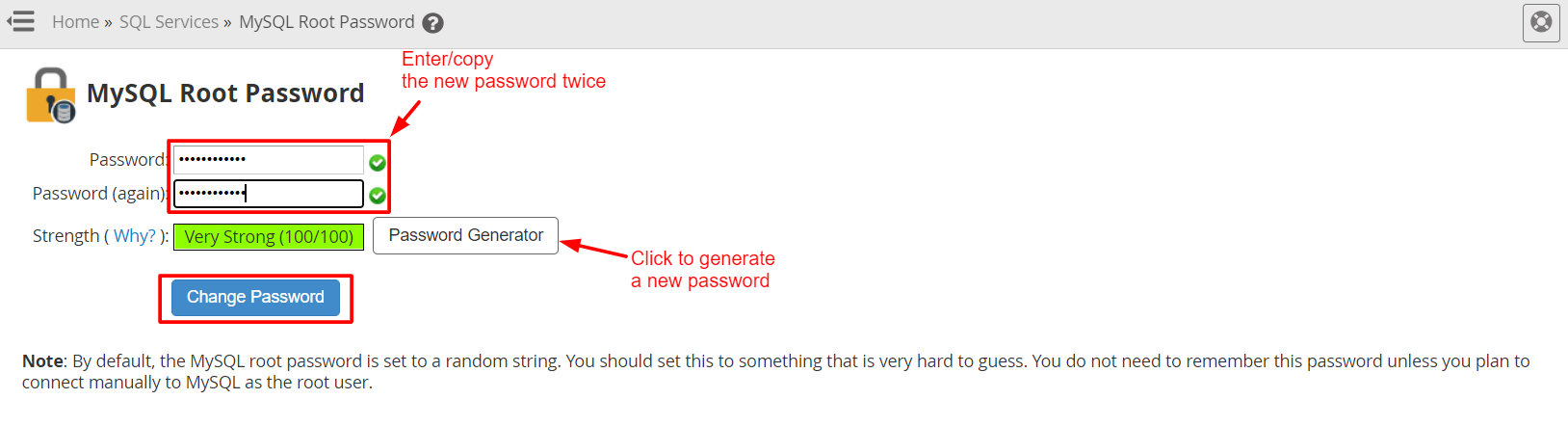
- Type your new password in the New Password box.
- Click Change Password.
- Wait for the green success message.
WHM updates the saved password file for you. This is the file that lets cPanel talk to MySQL.
Make a strong password
- Use at least 12 characters.
- Mix capital and small letters, numbers and symbols.
- Do not use names, birthdays or common words.
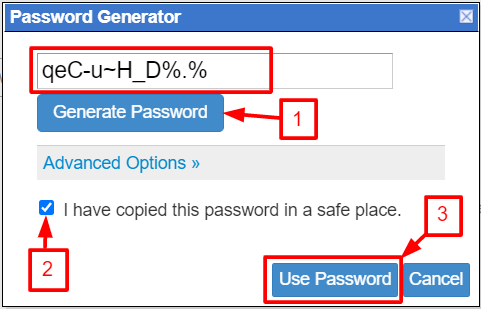
WHM has a Password Generator button. It makes a random password for you. Save it in a password manager.
Check that it works
Connect with SSH and type the command below. SSH lets you type commands on the server.
mysql -u root -pThis logs in to MySQL as root and asks for the password. If you reach the mysql> prompt, the new password works. Type exit to leave.
Quick recap
- The MySQL root password protects all databases on your server.
- In WHM, search for MySQL Root Password.
- Enter a strong new password and click Change Password.
- Back up first and test the new login.