

What events are
A MySQL event is like a stored procedure that runs on a schedule. Use events for backups, data clean-up and regular updates. They run inside the database, so you do not need cron.
Note: The event scheduler must be on. Check it with
SHOW VARIABLES LIKE 'event_scheduler';. Turn it on with SET GLOBAL event_scheduler = ON;.Syntax
CREATE EVENT eventName
ON SCHEDULE dateTime
DO eventBody;eventNameis the name of the event.dateTimeis the schedule.eventBodyis the statement that will run.
Example 1: A one-time event
Create a table:
CREATE TABLE employee_info (FullName VARCHAR(255), Age INT);
Create an event that inserts a row one minute from now:
CREATE EVENT add_employee_event ON SCHEDULE AT CURRENT_TIMESTAMP + INTERVAL 1 MINUTE
DO INSERT INTO employee_info VALUES('Jane Doe', 28);
After one minute, check the table:
SELECT * FROM employee_info;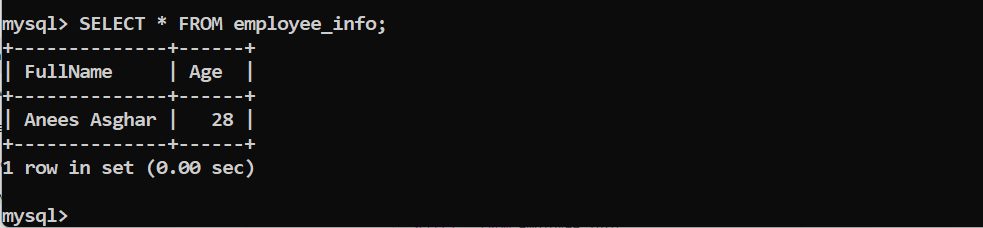
Example 2: IF NOT EXISTS
If you create an event with a name that exists, MySQL shows an error.

Add IF NOT EXISTS to avoid it:
CREATE EVENT IF NOT EXISTS add_employee_event ON SCHEDULE AT CURRENT_TIMESTAMP + INTERVAL 1 MINUTE
DO INSERT INTO employee_info VALUES('Jane Doe', 28);
The query works, and MySQL gives one warning that the event is already there.
Example 3: Add a comment
A comment helps you remember what the event does:
CREATE EVENT IF NOT EXISTS event_truncate_after_2_days
ON SCHEDULE AT CURRENT_TIMESTAMP + INTERVAL 2 DAY
COMMENT 'This truncates the employee_info table after 2 days'
DO
   TRUNCATE TABLE employee_info;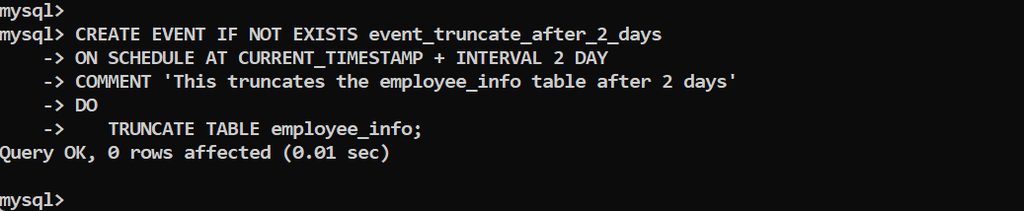
Example 4: Repeat with EVERY
CREATE EVENT IF NOT EXISTS event_truncate_2_days
ON SCHEDULE EVERY 2 DAY
COMMENT 'This truncates the employee_info table every 2 days'
DO
   TRUNCATE TABLE employee_info;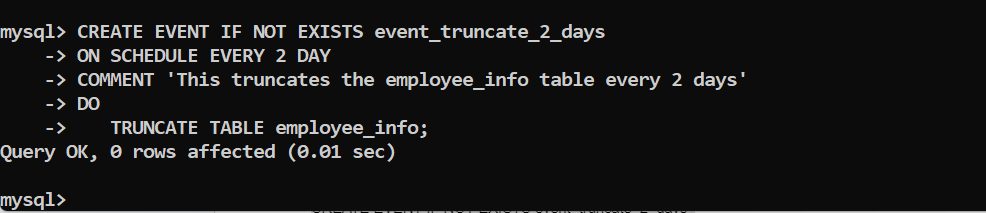
Manage events
SHOW EVENTS;
DROP EVENT IF EXISTS event_truncate_2_days;
ALTER EVENT event_truncate_2_days DISABLE;
Quick recap
- Make sure
event_schedulerisON. ON SCHEDULE ATruns once,ON SCHEDULE EVERYrepeats.- Use
SHOW EVENTSandDROP EVENTto manage them.