

What is a database?
A database is a store where a website keeps its information. A blog keeps posts and comments there. A shop keeps products and orders.
Webuzo is a control panel. A control panel is a web page where you manage your hosting. Ask Hostvento support if Webuzo is on your plan.
Warning: deleting a database removes all its data for good. You cannot undo it. Any website that uses it will stop working. Take a backup first.
Step 1: back up the database
- Log in to your Webuzo panel. Your welcome email has the address and login.
- Open the Database section.
- Find phpMyAdmin or a Backup option.
- In phpMyAdmin, click the database name on the left.
- Click the Export tab, then click Export. A file saves to your computer.
- Keep the file in a safe place.
Step 2: delete the database
- Go back to the Webuzo panel.
- Open the Database section and click Database Manager (or the MySQL option).

- Find the list of your databases.
- Find the one to remove. Check the name twice.
- Click the Delete icon next to it. It may look like a red cross or a bin.
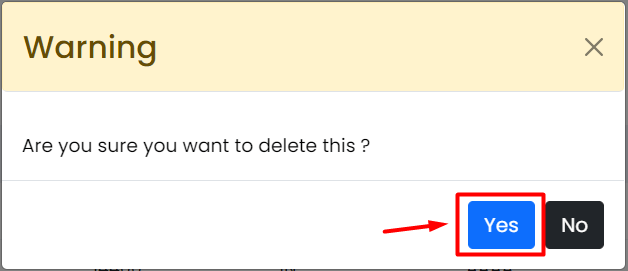
- Confirm when Webuzo asks if you are sure.
- Check that the database is gone from the list.
Step 3: remove database users you do not need
A database user is a login for a database. Deleting a database may leave its user behind.
- In the same section, open the list of database users.

- Find the user that belonged to the deleted database.
- Make sure no other database uses this user.
- Click Delete next to the user and confirm.
Check your website
Open the website to see if it still works as it should. If an app such as WordPress used the database, it will show a connection error. That is normal if you meant to remove the site. If not, restore your backup with phpMyAdmin: pick the database, click Import, choose your file and click Go. You may need to create the empty database again first.
Quick recap
- Deleting a database removes its data for good.
- Export a backup first.
- Delete it in the database manager of Webuzo.
- Remove unused users and check your site.