

What is a database?
A database is a store where a website keeps its information. A blog keeps posts and comments there. A shop keeps products and orders.
DirectAdmin is a control panel. A control panel is a web page where you manage your hosting.
Warning: deleting a database removes all its data for good. You cannot undo it. A website that still uses it will stop working. Take a backup first.
Step 1: back up the database
- Log in to DirectAdmin. Your welcome email has the link and login.
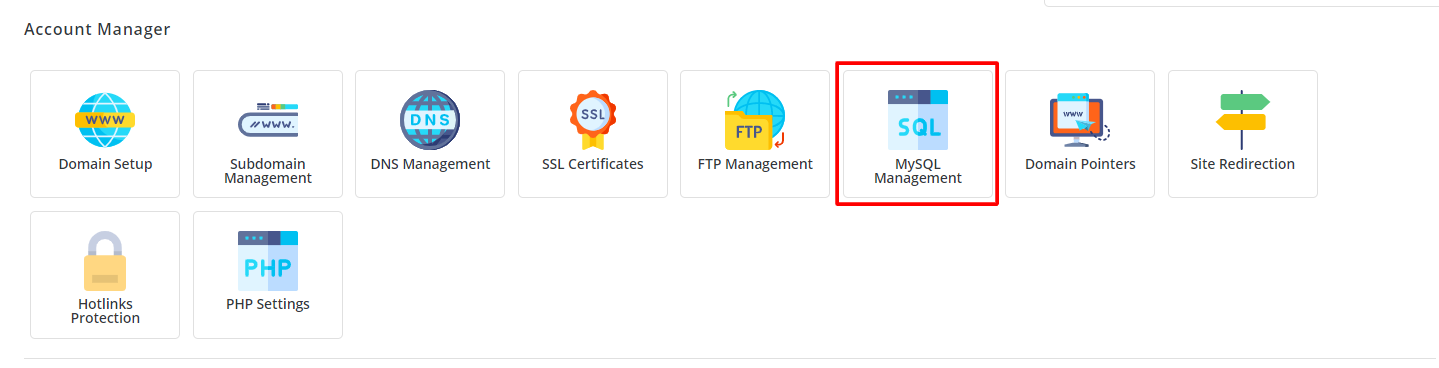
- In the Account Manager section, click MySQL Management.
- Click the database name.
- Look for a Download or Backup link. Click it. A file saves to your computer.
- Store the file somewhere safe.
You can also use phpMyAdmin. Open it from the same page, pick the database, click Export and then Export again.
Step 2: delete the database
- Go to MySQL Management.
- You will see a list of databases.
- Tick the box next to the database you want to remove.
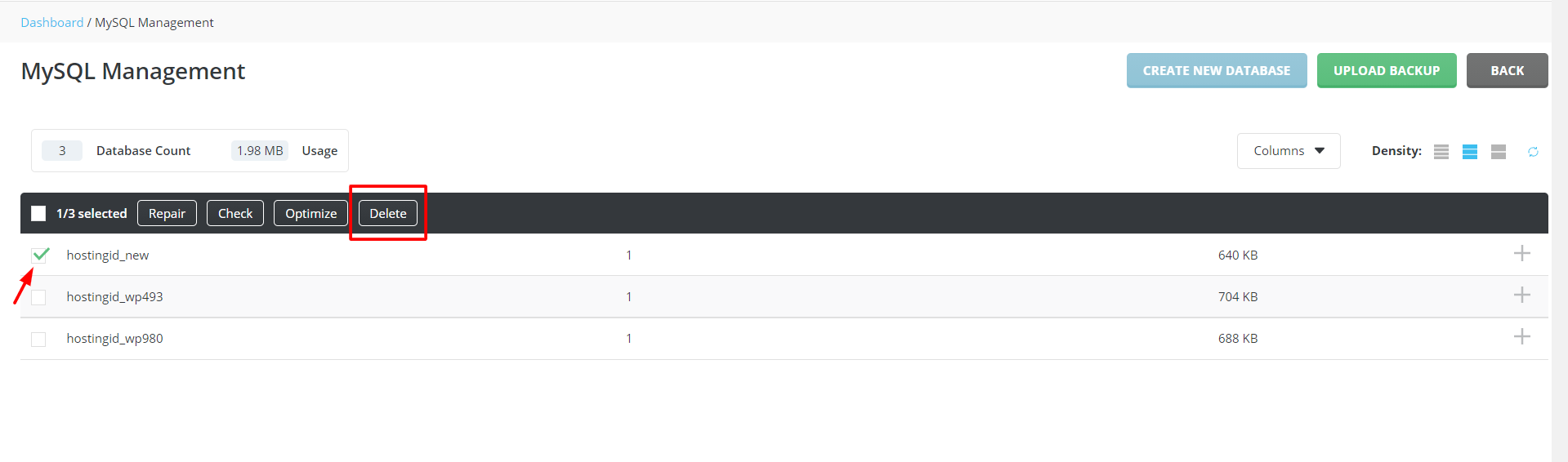
- Click Delete Selected.
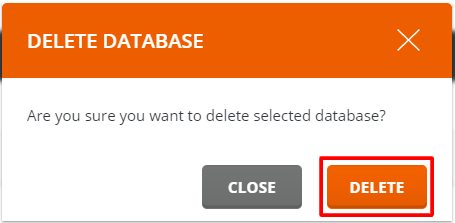
- A message asks you to confirm. Check the name once more.
- Confirm the delete.
Step 3: tidy up the database users
A database user is a login for a database. In DirectAdmin, the users belong to the database. Check the list on the MySQL Management page. If a user is still listed and no longer needed, open the database, find the user and remove it.
Check your website
Open your website. If it should still work, make sure it does. Check the settings file of any app that used the database. In WordPress this is wp-config.php. Look for DB_NAME to see the database name.
If you cannot delete it
The delete button may be missing, or an error may show. Ask Hostvento support. Open a support ticket.
Quick recap
- Deleting a database removes its data for good.
- Download a backup first.
- Use MySQL Management in DirectAdmin to delete it.
- Remove users you no longer need and check your site.