

What do these words mean?
A database is a store for a website's information. Inside it, a table is like one drawer of a filing cabinet. Each table is made of rows and columns.
A column is one kind of detail kept for every item. In a table of customers, the columns might be name, email and phone. To "drop" a column means to delete it.
phpMyAdmin is a free web tool for managing databases with clicks.
Warning: dropping a column deletes all the data in it for good. It cannot be undone. A website that needs the column may break. Take a backup first.
Step 1: back up the database
- Log in to your hosting control panel.
- Open phpMyAdmin from the Databases section.
- Click your database name in the left panel.
- Click the Export tab.
- Click Export. A file saves to your computer.
Step 2: drop the column with clicks
- Click your database name in the left panel.
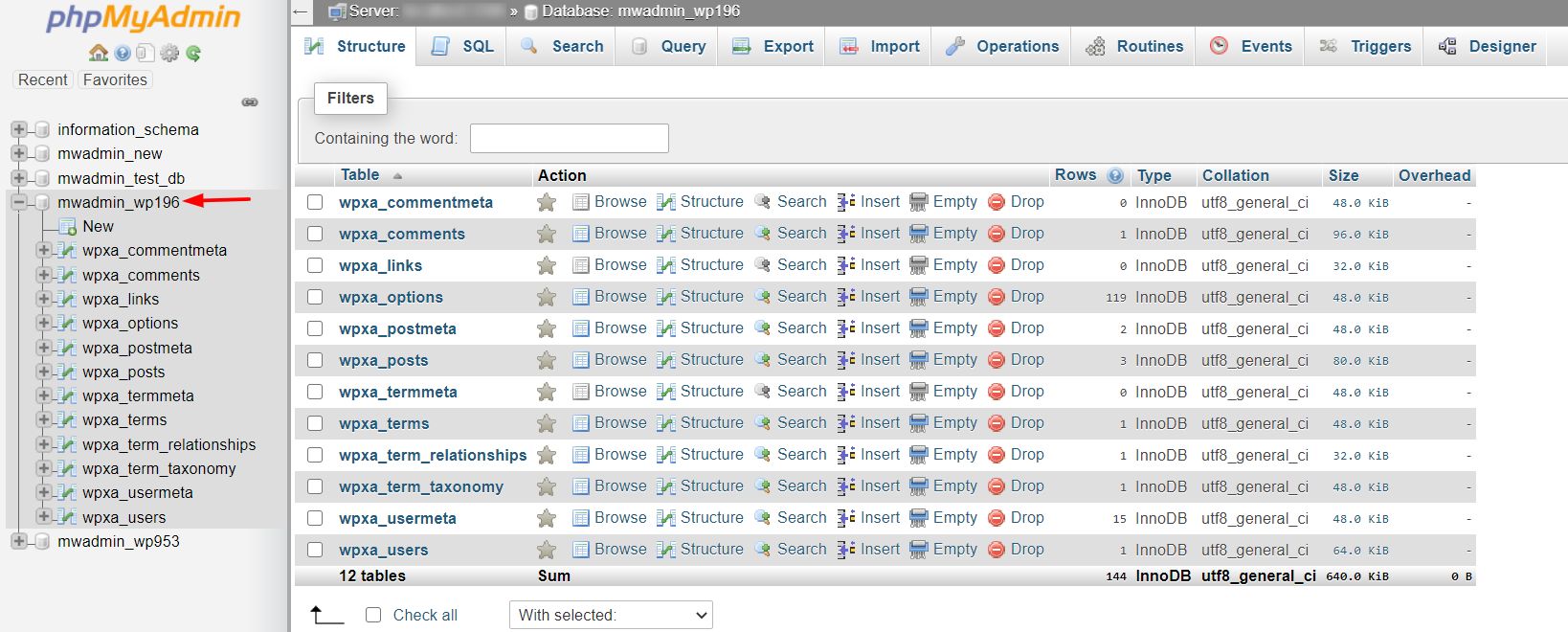
- Click the table name.
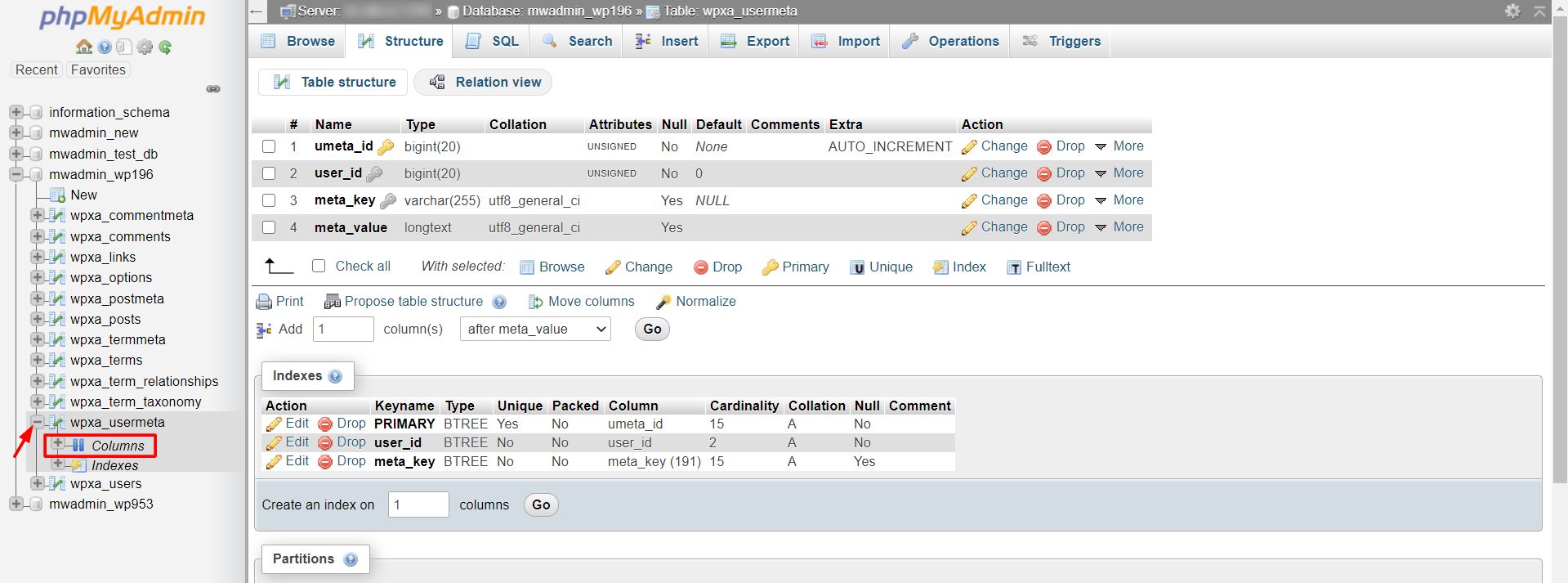
- Click the Structure tab. You will see a list of columns.
- Find the column you want to remove.
- Click Drop in that row. It may show a red cross.
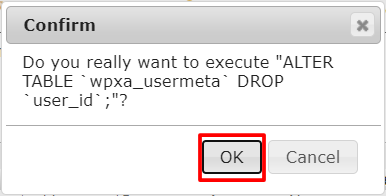
- A message asks you to confirm. Check the column name.
- Click OK or Yes.
Drop several columns at once
- On the Structure tab, tick the box next to each column to remove.
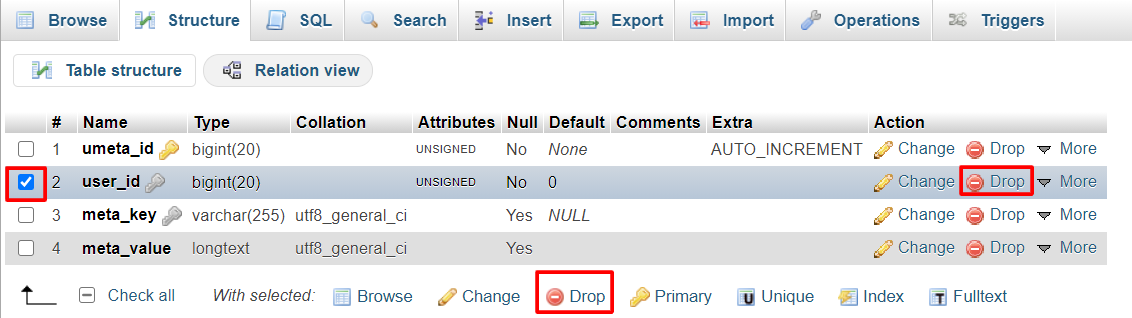
- Look for the line With selected under the list.
- Click Drop.
- Confirm.
Drop a column with SQL
SQL is the language used to talk to databases. You can also type the command yourself.
- Click the table name.
- Click the SQL tab.
- Type a command like this, using your own table and column names:
ALTER TABLE customers DROP COLUMN phone;This deletes the column phone from the table customers.
- Click Go.
Check the result
Click the Structure tab again. The column should be gone. Open your website and test it.
Quick recap
- A column is one kind of detail in a table. Dropping it deletes its data.
- Export a backup first.
- Use the Structure tab and click Drop, or use
ALTER TABLE ... DROP COLUMN. - Test your website afterwards.