

What is SQL?
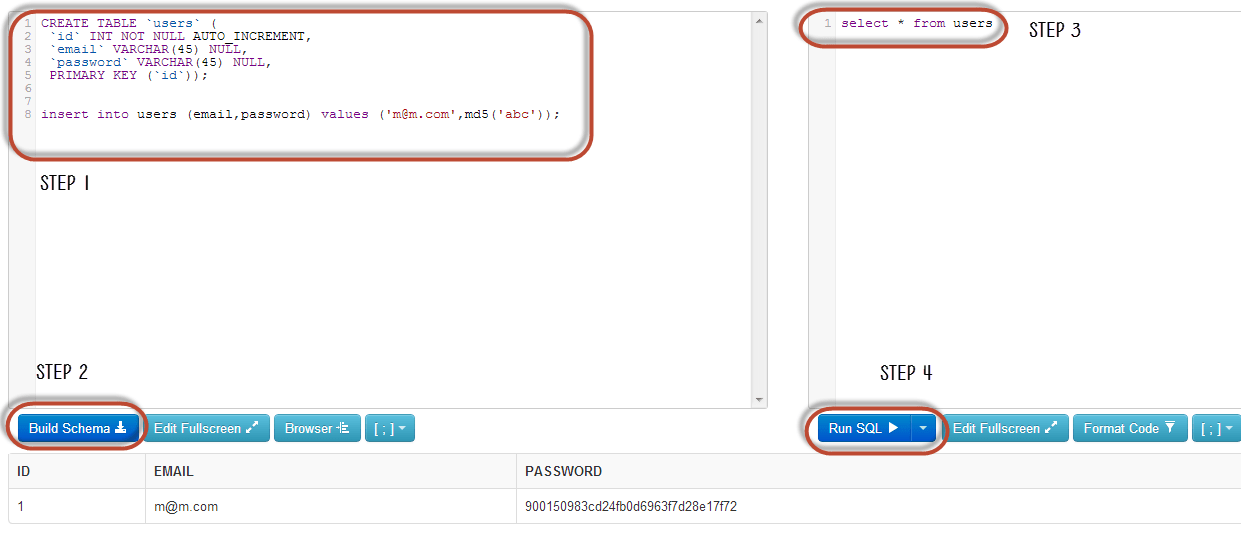
SQL is a language used to talk to a database. A database is a place where a website keeps data, like user names and orders. A query is one question or command written in SQL. For example, this query asks for one user:
SELECT * FROM users WHERE name = 'Sam';It means: show me every detail about the user named Sam.
What is SQL injection?
SQL injection is an attack. A bad person types SQL code into a form on your site, like a login box. If your site is careless, it runs that code as a command. The attacker can then read, change or delete data.
How it works
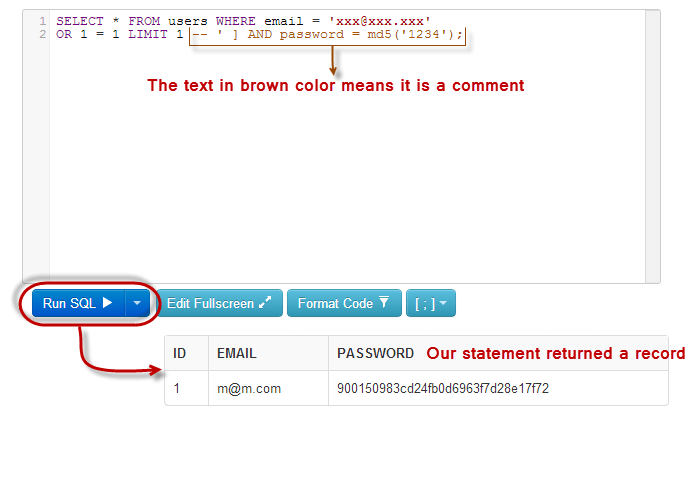
Imagine a login form. The site builds a query using what the user types. If someone types ' OR '1'='1 as the password, the query can become always true. The site may let them in without a real password.
Common types
- In-band: the attacker sees the results right on the page.

- Blind: the page shows nothing useful. The attacker learns things by watching how the page reacts.
- Error-based: the attacker reads error messages that leak details about your database.
- Time-based: the attacker makes the database wait, and measures the delay to guess answers.
How to prevent it
- Use prepared statements. A prepared statement sends the command and the user's text separately. The database never treats typed text as a command.
- Check all input. Accept only what you expect. A phone number field should hold only digits.
- Use least rights. Give your database user only the permissions it needs. It should not be able to delete everything.
- Hide error messages. Show visitors a simple message. Keep the details in private logs.
- Update software. Keep WordPress, plugins, themes and other apps up to date. Updates fix known holes.
- Use a firewall. A web application firewall blocks many attacks. Ask Hostvento support what is available on your plan.
- Take backups. If something goes wrong, you can restore your data.
Tip: If you suspect an attack, change your database and admin passwords. Then open a support ticket.
Quick recap
- SQL injection tricks a site into running an attacker's database commands.
- It often starts at login boxes and search forms.
- Prepared statements are the best defence.
- Validate input, limit rights, hide errors, and update software.
- Keep regular backups.