

Why back up?
A database is where your website keeps its data. If it breaks or gets deleted, your site loses its content. A backup is a spare copy. Make one before big changes, such as updates or moving your site.
A MySQL backup is usually a file that ends in .sql. It holds the commands needed to rebuild your data.
Way 1: phpMyAdmin
phpMyAdmin is a web tool for databases. You open it from cPanel.
- Log in to your client area. Open your hosting service and log in to cPanel.
- Under Databases, click phpMyAdmin.
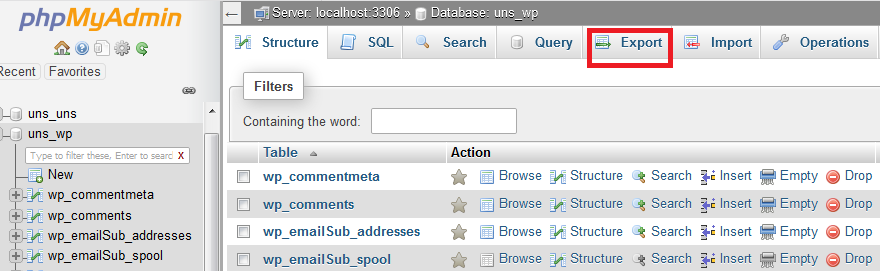
- Click your database name on the left.
- Click the Export tab.
- Keep Quick as the method and SQL as the format.
- Click Go.
- Your browser downloads a
.sqlfile. Keep it safe.
Way 2: cPanel Backup tool
- In cPanel, under Files, click Backup.
- Find Download a MySQL Database Backup.
- Click the name of your database.
- The file downloads to your computer.
Way 3: command line
If you have SSH access, you can use the mysqldump tool. SSH is a safe way to type commands on a remote server.
mysqldump -u username -p dbname > backup.sqlThis reads the database named dbname and saves it to backup.sql. It asks for the password first.
Restoring a backup
In phpMyAdmin, choose the database, click the Import tab, pick your file and click Go.
Warning: Importing can overwrite current data. Be sure you want to replace it.
Tip: Keep a copy of the backup away from your server, such as on your computer. Name files with the date, like
shop-2025-01-15.sql. Back up on a regular schedule.Quick recap
- A backup is a
.sqlfile with your data. - Use phpMyAdmin Export, the cPanel Backup page, or mysqldump.
- Store copies in more than one place.
- Back up before updates and changes.