

Why use phpMyAdmin?
WordPress keeps its users and passwords in a database. A database is like a filing cabinet for your site's data. phpMyAdmin is a web tool that lets you open that cabinet. If you cannot receive the reset email, you can change the password directly.
Warning: You are editing live data. Take a backup of the database first. See our guide on backing up a MySQL database.
Steps
- Log in to your client area. Open your hosting service and log in to cPanel.
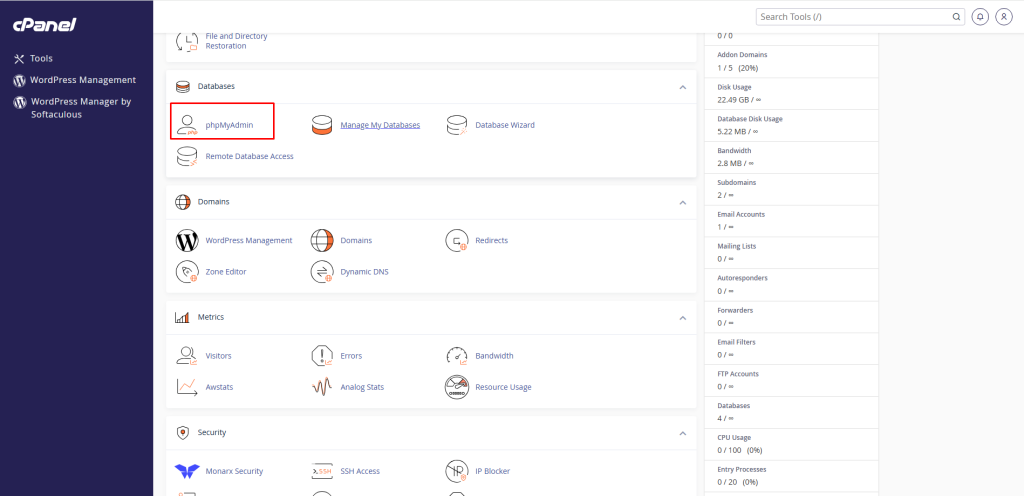
- Under Databases, click phpMyAdmin.
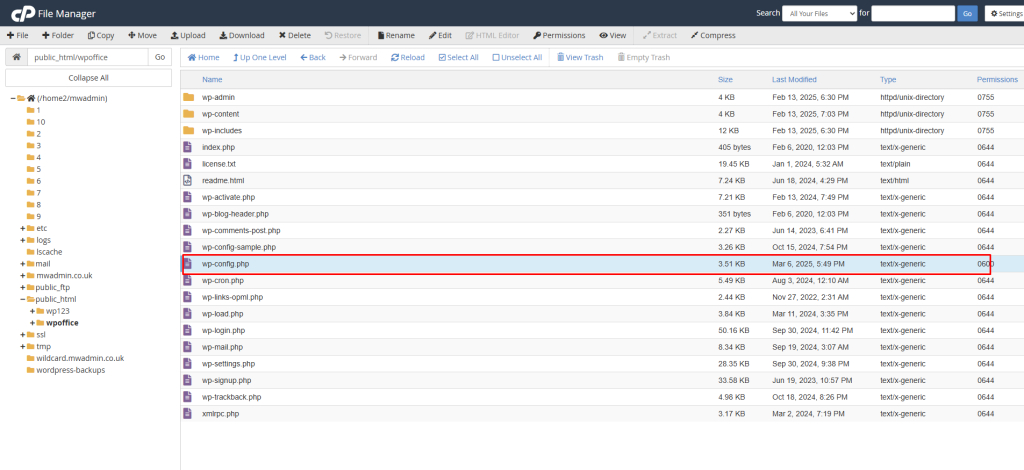
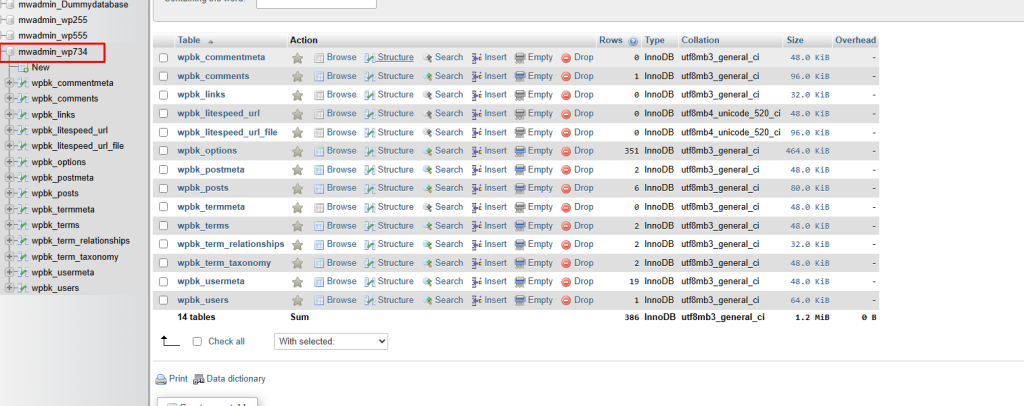
- In the left list, click your WordPress database. Not sure which one? Open
wp-config.phpin File Manager and look forDB_NAME.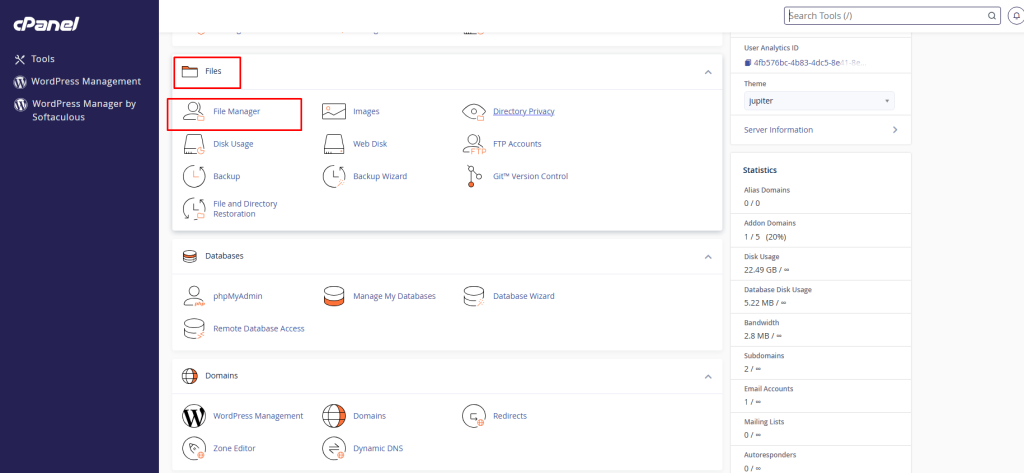
- Find the table that ends in
_users, such aswp_users. Click it. - Click the Browse tab to see the users.
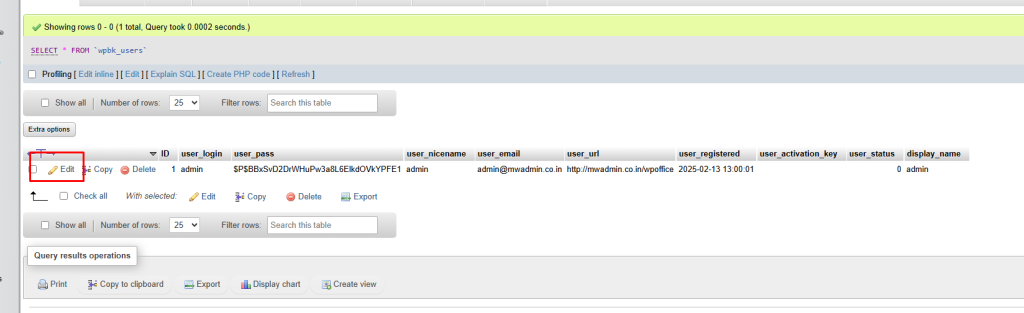
- Find your user. Check the
user_logincolumn. - Click Edit next to that row.
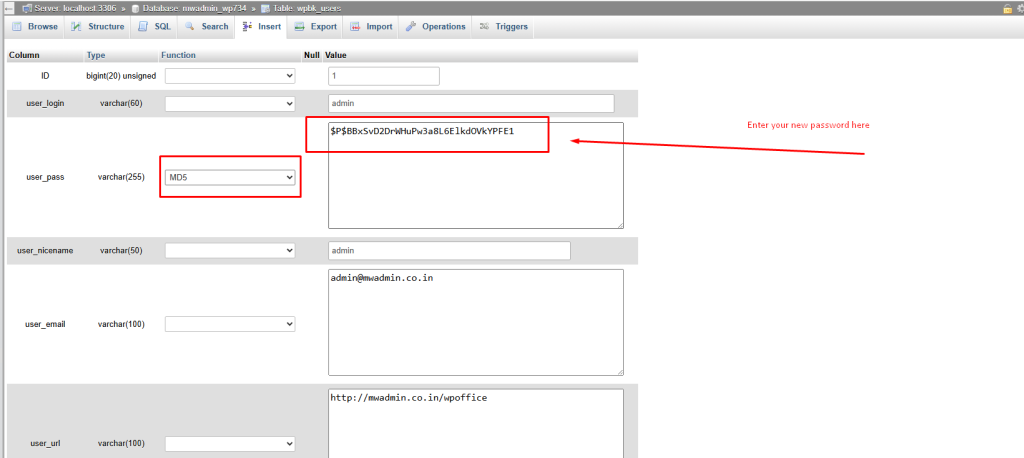
- Find the row named
user_pass.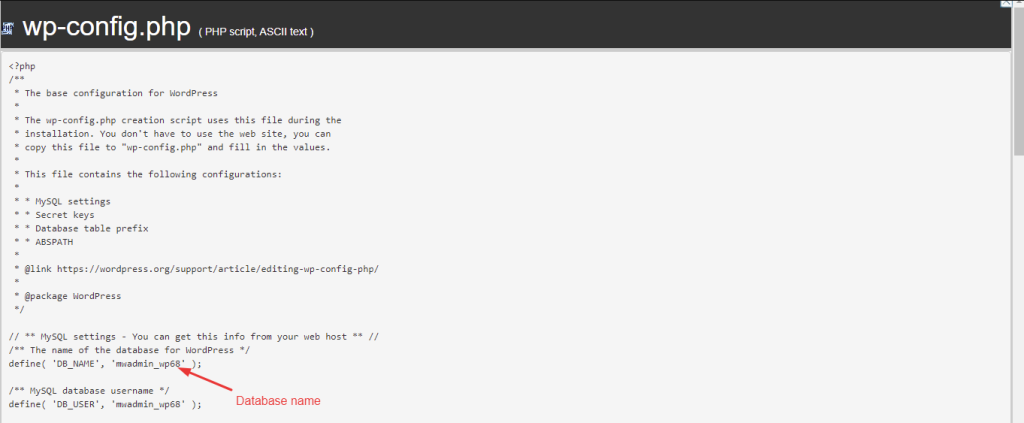
- In the Function drop-down beside it, choose MD5.
- In the Value box, delete the old text. Type your new password.
- Scroll down and click Go.
MD5 turns your password into scrambled text, called a hash. WordPress accepts it and then upgrades it to a stronger scramble the first time you log in.
Log in
- Go to your site's
/wp-adminaddress. - Use your user name and the new password.
- Go to Users, then Profile, and set a new strong password.
Using an SQL query
You can also open the SQL tab and run:
UPDATE wp_users SET user_pass = MD5('NewPassword123!') WHERE user_login = 'admin';This sets a new password for the user named admin. Change the table prefix, the password and the name to match yours.
Tip: Your table prefix may not be wp_. Use the prefix you see in the table list.
Locked out for another reason? Open a support ticket.
Quick recap
- Open phpMyAdmin and your WordPress database.
- Edit the
_userstable, in theuser_passrow.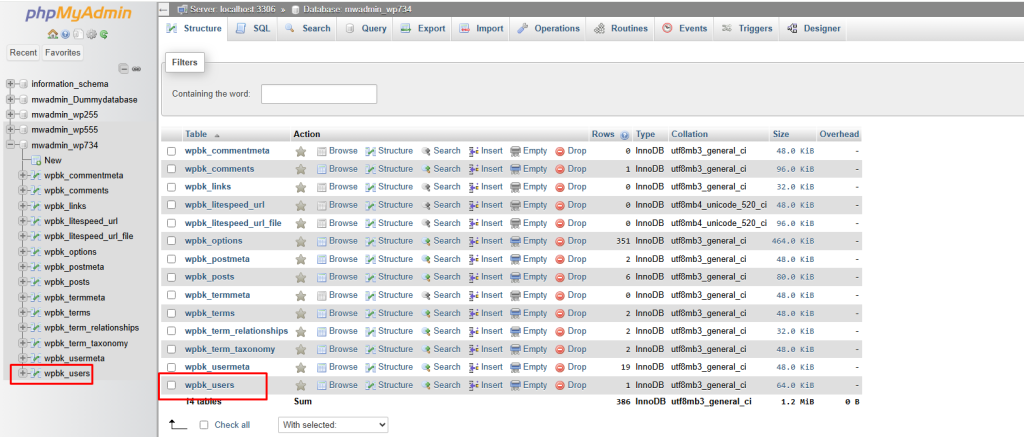
- Choose MD5 in the Function box and type the new password.
- Click Go, then log in and change it again.
- Back up first.