

What is master-to-master replication
In master-to-master (bidirectional) replication, each server is both a primary and a replica of the other. A change on one server is written to its binary log, copied to the other server and applied there. Both servers can take reads and writes.
Advantages
- High availability. If one server fails, the other keeps working.
- Load balancing. Reads and writes are spread over both servers.
- Geographic distribution. Put one server near each group of users.
- Disaster recovery. You always have a live copy of the data.
auto_increment_offset values (shown below), and make the application write a given record on one server only.What you need
- Two servers running the same major version of MariaDB.
- The same, supported operating system on both.
- Network access between them on port 3306.
- MariaDB installed and running on both.
In the examples, Server 1 is 192.168.1.10 and Server 2 is 192.168.1.11.
Step 1: Configure server IDs and logging
Edit the config file on each server (/etc/mysql/mariadb.conf.d/50-server.cnf on Debian and Ubuntu, or /etc/my.cnf.d/server.cnf on CentOS).
Server 1
[mysqld]
server_id = 1
log_bin = /var/log/mysql/mysql-bin.log
binlog_format = ROW
bind-address = 0.0.0.0
auto_increment_increment = 2
auto_increment_offset = 1
Server 2
[mysqld]
server_id = 2
log_bin = /var/log/mysql/mysql-bin.log
binlog_format = ROW
bind-address = 0.0.0.0
auto_increment_increment = 2
auto_increment_offset = 2server_idmust be unique on each server.log_binturns on the binary log that replication uses.binlog_format = ROWis the safest format.auto_increment_incrementandauto_increment_offsetmake Server 1 create odd IDs and Server 2 create even IDs, so they never clash.
Restart MariaDB on both:
sudo systemctl restart mariadbStep 2: Create the replication user
Run on both servers (use the IP of the other server):
On Server 1:
CREATE USER 'repl_user'@'192.168.1.11' IDENTIFIED BY 'StrongPassword';
GRANT REPLICATION SLAVE ON *.* TO 'repl_user'@'192.168.1.11';
FLUSH PRIVILEGES;
On Server 2:
CREATE USER 'repl_user'@'192.168.1.10' IDENTIFIED BY 'StrongPassword';
GRANT REPLICATION SLAVE ON *.* TO 'repl_user'@'192.168.1.10';
FLUSH PRIVILEGES;
Step 3: Read the binary log position
On each server:
SHOW MASTER STATUS;Note the File and Position values. If the servers already hold data, first copy the data from one server to the other (for example with mariadb-dump --master-data), so both start from the same state.
Step 4: Point each server at the other
On Server 2 (replicate from Server 1). Use the values from Server 1:
STOP SLAVE;
CHANGE MASTER TO
  MASTER_HOST='192.168.1.10',
  MASTER_USER='repl_user',
  MASTER_PASSWORD='StrongPassword',
  MASTER_LOG_FILE='mysql-bin.000001',
  MASTER_LOG_POS=328;
START SLAVE;
On Server 1 (replicate from Server 2). Use the values from Server 2:
STOP SLAVE;
CHANGE MASTER TO
  MASTER_HOST='192.168.1.11',
  MASTER_USER='repl_user',
  MASTER_PASSWORD='StrongPassword',
  MASTER_LOG_FILE='mysql-bin.000001',
  MASTER_LOG_POS=328;
START SLAVE;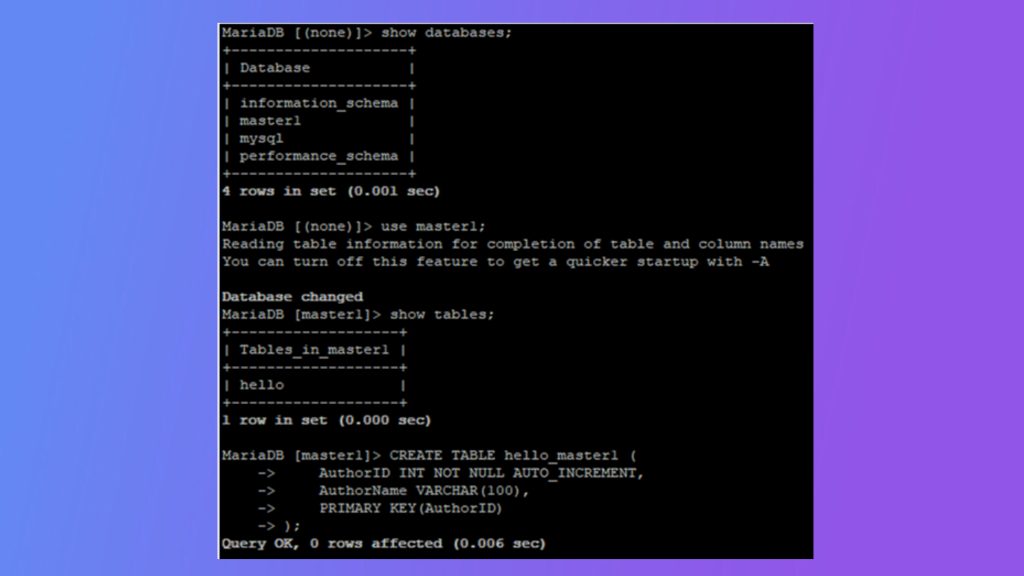
Use the real file name and position you saw in step 3.
Step 5: Check the status
On both servers:
SHOW SLAVE STATUS\GBoth lines must say Yes:
Slave_IO_Running: Yes
Slave_SQL_Running: Yes
Also check that Seconds_Behind_Master is 0 or small and Last_Error is empty.
Step 6: Test
Create a database on Server 1:
CREATE DATABASE repltest;Check on Server 2 with SHOW DATABASES;. Then create a table on Server 2 and see it on Server 1.
Tips
- Open port 3306 only between the two servers in the firewall.
- Monitor replication lag and errors.
- Back up each server regularly. Replication is not a backup, because a mistaken
DROPis copied too.
Quick recap
- Unique
server_id, binary logs, differentauto_increment_offset. - Create a replication user and run
CHANGE MASTER TOon both servers. - Check
Slave_IO_RunningandSlave_SQL_Running.