

What is a privilege?
A database is a store where your website keeps its data. A database user is a login that connects to it. A privilege is a permission. It decides what that user may do. It is like a key card. Some cards open only one door.
Plesk is a control panel, a website where you manage your hosting. In Plesk, a database user can usually be given broad roles instead of single privileges.
Warning: Wrong settings can break your site. Take a backup of the database first.
Steps to change access
- Log in to Plesk. Your login details are in your welcome email.
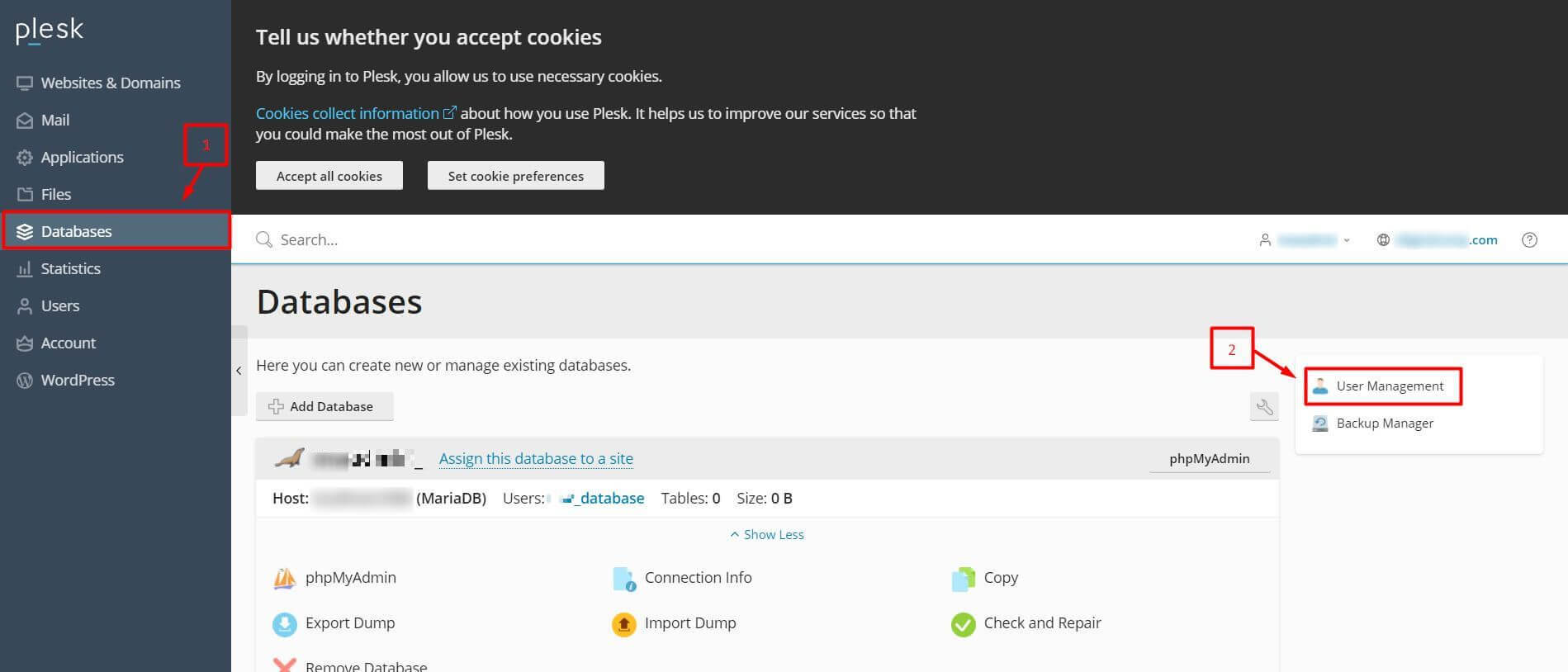
- Click Databases in the left menu.
- Find your database and click User Management.
- Click the name of the database user.
- Look for the access control or privileges setting.
- Choose what the user can do. In many Plesk versions this is a list of roles such as read and write, read only, or write only.
- Click OK or Apply.
- Test your site.
Screens differ across Plesk versions and by database type. If you cannot find an option, ask Hostvento support.
Change the password
- Open the user in User Management.
- Type a new password in both boxes.
- Click OK.
- Update the same password in your app's settings file, such as
wp-config.php.
Add a new user
- Go to Databases and click User Management.
- Click Add Database User.
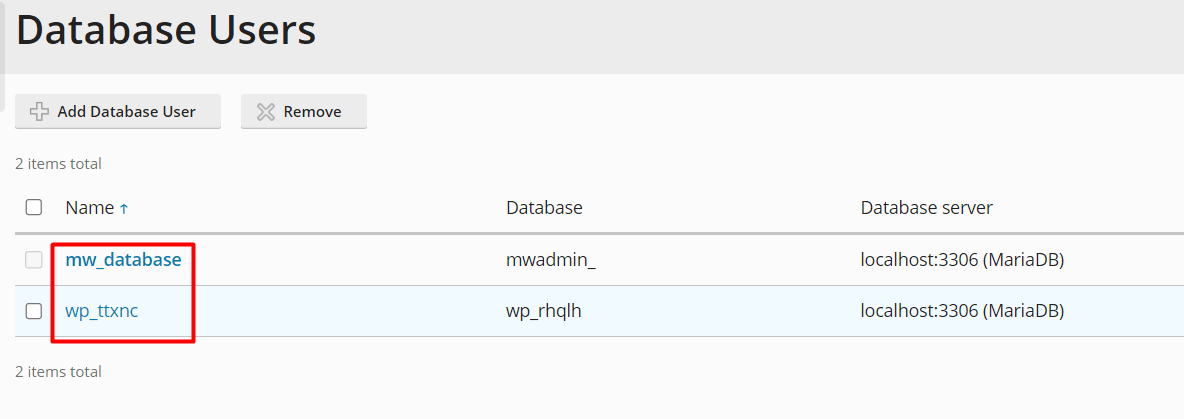
- Type a user name and a strong password.
- Choose which database it may use.
- Click OK.
Fine-grained privileges
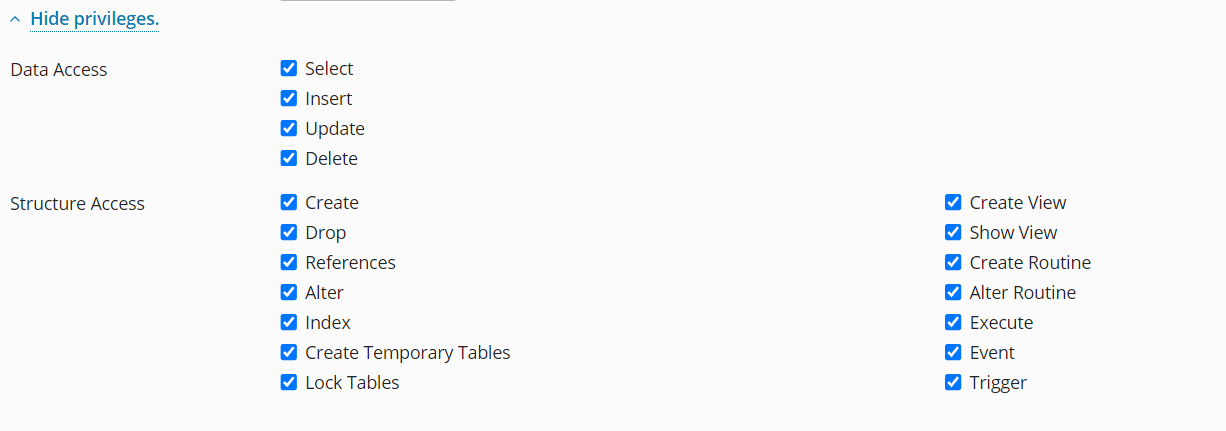
If you need single privileges such as SELECT, INSERT or DROP, use phpMyAdmin from the same Databases page, if your plan allows it. In phpMyAdmin, open the User accounts tab and click Edit privileges. Plesk users with limited rights may not see this tab. In that case, ask Hostvento support.
| Privilege | Meaning |
|---|---|
| SELECT | Read data |
| INSERT | Add data |
| UPDATE | Change data |
| DELETE | Remove data |
Quick recap
- Privileges decide what a database user may do.
- Open Databases, then User Management, then the user.
- Choose the access level and click OK.
- Update your app's settings file if you change the password.
- Back up first and test afterwards.