

What are Webuzo and database users?
Webuzo is a control panel. A control panel is a web page where you manage your hosting with clicks instead of commands. It is a third-party tool, so ask Hostvento support whether it is on your plan.
A database is a store for your site's information. A database user is a login name and password that lets an app open that database. It is like a key to one room.
Before you delete
- Check which website or app uses this user. If you remove it, that app can no longer reach its database and may show an error.
- Export a backup of the database first.
- If the app still needs a user, create a new one and update the app's settings before deleting the old one.
Deleting a user does not normally delete the database itself. It only removes the key.
Steps
- Log in to your Webuzo panel. Your login link and details are in your welcome email. If you cannot find them, check the client area at https://secure.hostvento.com/clientarea.php.
- Find the database section. It is usually named Database or similar. Menu names can differ by version, so look for the one with MySQL or databases.

- Open the page that lists database users.
- Find the user you want to remove in the list.
- Click the delete icon or the Delete button next to that user.
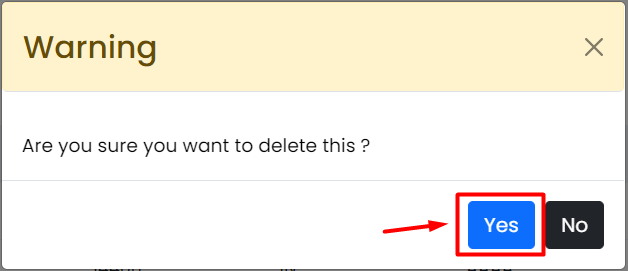
- Read the confirmation message.
- Confirm the deletion.
- Check that the user is gone from the list.
If the user is still linked to a database
Some panels ask you to take the user off the database first. Open the database page, find the privileges or users list, and remove the link there. Then delete the user.
After deleting
- Open your website and make sure it still works.
- If you see "Error establishing a database connection", the app was still using that user. Create a new user, give it access to the database, and update the config file.
Tip: Remove users you no longer use. Fewer logins means fewer ways for someone to break in.
If you cannot find the right menu, open a ticket at https://secure.hostvento.com/submitticket.php.
Quick recap
- Make sure no app still needs the user.
- Back up the database first.
- Open the database user list in Webuzo and use the delete button.

- Test your website afterwards.
- Contact support if the menu looks different.