

What is WHM?
WHM stands for WebHost Manager. It is the admin panel for a whole server, while cPanel manages one hosting account. You get WHM on a VPS or dedicated server that has cPanel installed. Shared hosting users do not have it.
MySQL is the database program that stores your websites' information. When MySQL hangs, sites show database errors. A restart often fixes this, the same way restarting a frozen phone can.
Warning before you restart
Restarting stops MySQL for a few seconds. Every site on the server loses its database for that moment. Do it at a quiet time if you can. Big databases may take longer to start again.
Steps
- Log in to WHM as root. The address is usually your server address followed by
:2087. - In the search box on the left, type Restart Services.
- Click Restart Services.
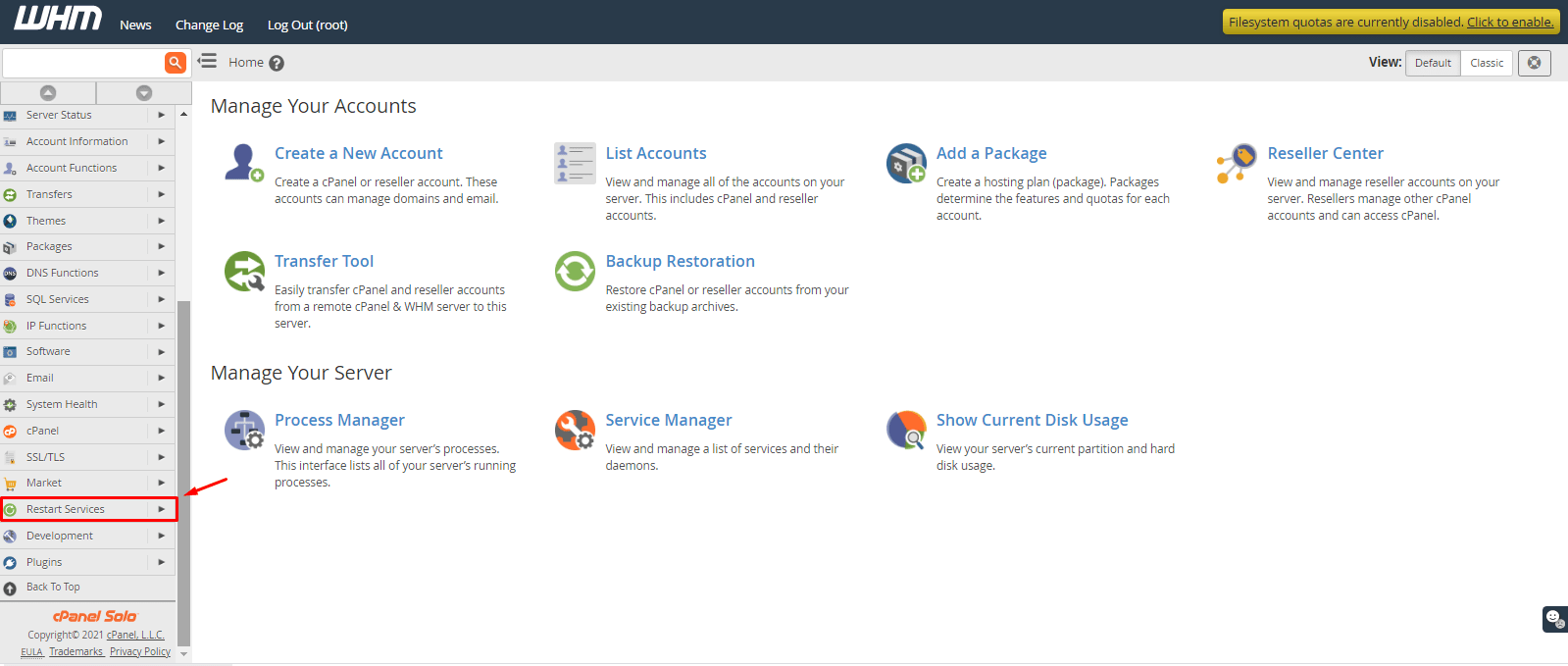
- Click SQL Server (MySQL). Newer versions may show it as MySQL or MariaDB.
- Confirm if WHM asks.
- Wait for the message that the service restarted.
Check that it worked
- In WHM, search for Service Status and open it.
- Look for the MySQL line. A green mark means it is running.
- Open one of your websites and check that it loads.
Restart with SSH instead
If WHM will not load, connect to your server with SSH (a way to type commands remotely) and run:
systemctl restart mysqldThis restarts the service. On some servers the name is mysql or mariadb. To see the status:
systemctl status mysqldIf MySQL will not start
- Check free disk space with
df -h. A full disk stops MySQL. - Read the MySQL error log for the cause.
- Check that the server has free memory.
- Open a ticket at https://secure.hostvento.com/submitticket.php with the log lines.
Quick recap
- WHM is for VPS and dedicated servers with root access.
- Go to Restart Services and choose SQL Server (MySQL).

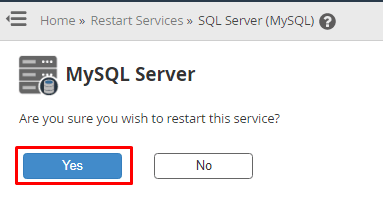
- Sites lose their database for a few seconds.
- Confirm in Service Status.
- Use
systemctl restart mysqldif WHM is not reachable.