

What is statistics software?
Statistics software reads the log files of a website. A log file is a list of every visit. The software turns this list into charts. It shows how many people came, where they came from and which pages they saw. Common programs on cPanel servers are Awstats, Webalizer and Analog Stats.
You need root access to WHM for this guide. Root is the main administrator login of the server. Which programs are on your server can differ, so ask Hostvento support if one is missing.
Steps
- Log in to WHM as root at
https://your-server-ip:2087. - Type Statistics Software Configuration in the search box. Open it.
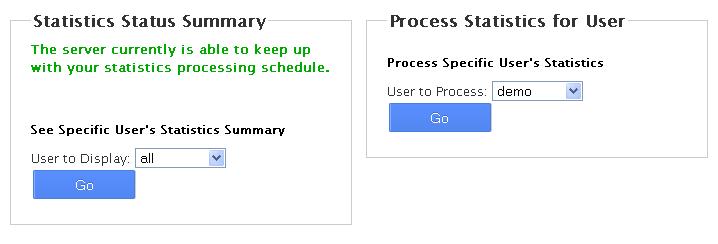
- Tick the programs you want to offer to your users.
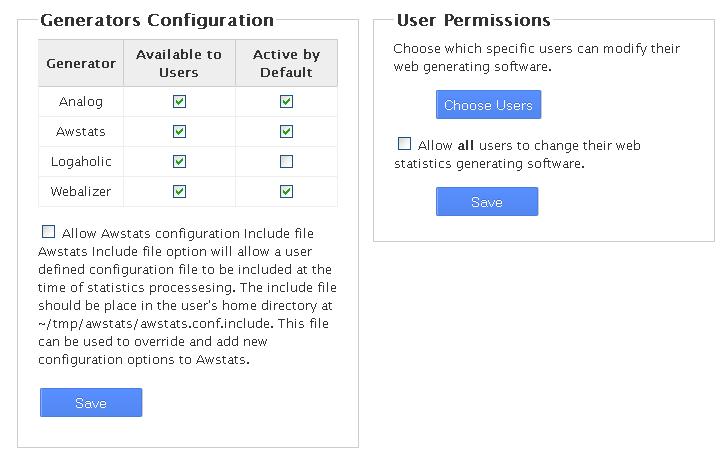
- Click Save.
- Next, open Statistics Software Configuration again if you want to set which accounts can use each program. Check the options shown on the page.
- Type Tweak Settings in the search box, and open the Stats and Logs tab.
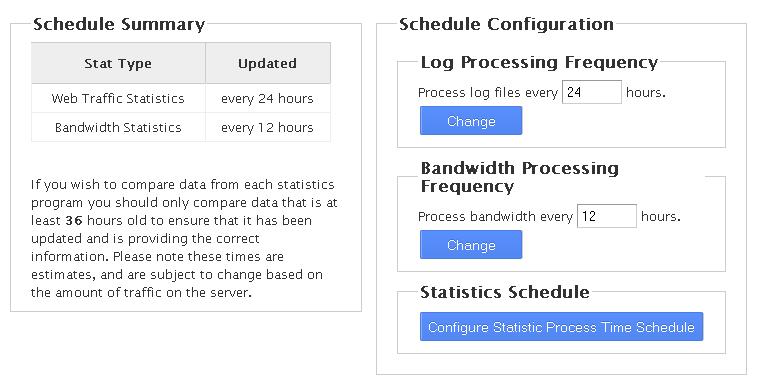
- Set how many days between runs. Look for Days between processing log files and bandwidth usage. A smaller number gives fresher charts but uses more server power.
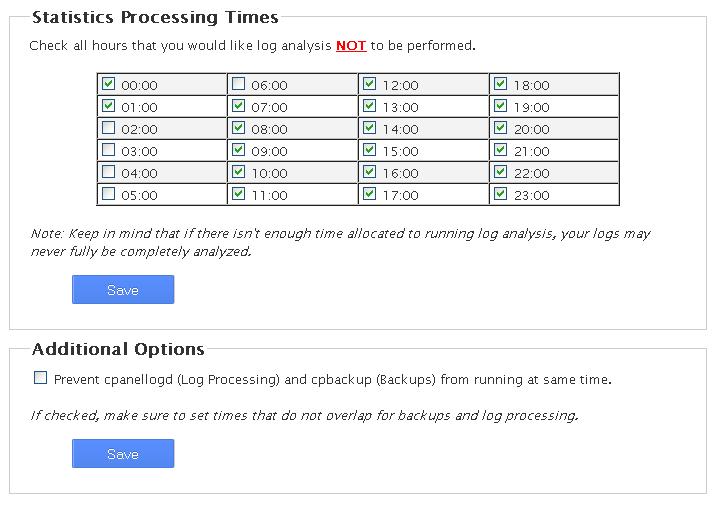
- Choose the hours when stats may run, if you see the option. Pick quiet hours at night.
- Click Save at the bottom.
Where users see the charts
In cPanel, users open Metrics, then pick Awstats, Webalizer or another program. Charts only appear after the first run, so a new site may show nothing for a day.
Good to know
- Running stats for many sites at once can slow the server.
- Stats use disk space. Old data stays until it is removed.
- If you turn a program off, users lose access to its pages.
Tip: Turn on only the programs you really need. One or two is enough for most servers.
Quick recap
- Statistics software turns visit logs into charts.
- Choose programs in Statistics Software Configuration.
- Set how often stats run in Tweak Settings.
- Fewer programs and quiet hours keep the server fast.