

What is an SSL handshake
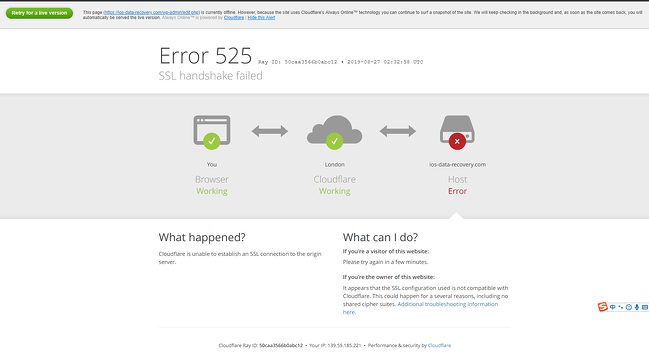
Before a browser and a server exchange data over HTTPS, they do a short "handshake". They agree on the protocol version (TLS 1.2 or 1.3), choose encryption methods (cipher suites), and the server proves its identity with its certificate. If any step fails you see SSL Handshake Failed (error 525 on Cloudflare, ERR_SSL_PROTOCOL_ERROR in Chrome, and similar).
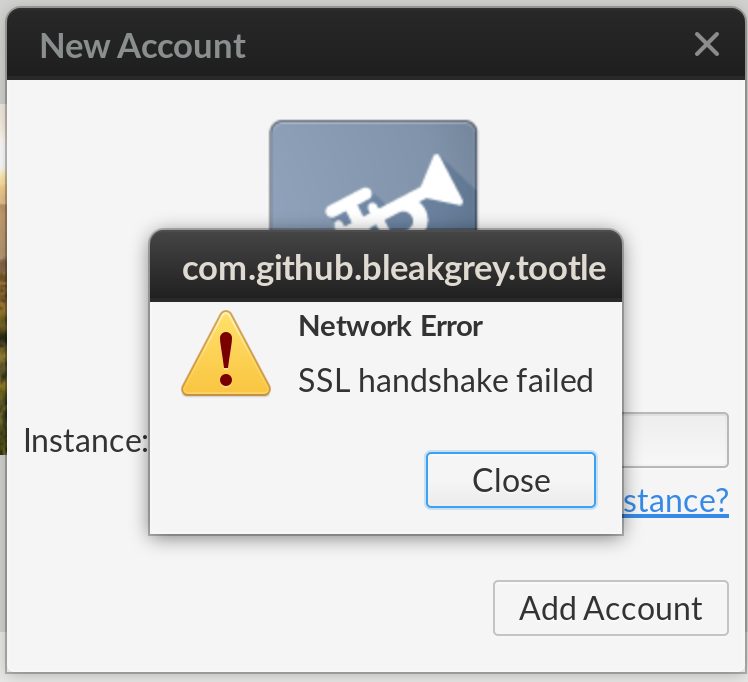
Causes
- The date or time on the device is wrong.
- The name in the URL does not match the name on the certificate.
- The certificate is expired or not valid.
- The server does not support the cipher suites the client asks for.
- The server or the client does not support the same SSL/TLS version.
- The browser or its settings cause the problem.
- A third party (antivirus, proxy or a middlebox) intercepts the connection on the client side.
Fixes for visitors
Correct the date and time
A wrong clock makes valid certificates look expired. Turn on automatic time and date settings.
Update your browser
Old browsers do not support new TLS versions or ciphers. Update to the latest version.
Try another browser or device
If it works in another browser, clear the cache and disable extensions in the first one.
Check antivirus, VPN or proxy
Turn off HTTPS scanning in your antivirus, and disable the VPN or the proxy for a moment to test.
Fixes for site owners
Check the SSL certificate
- Make sure it is not expired.
- Make sure the domain names (and
www) are in the certificate. - Install the full chain, including the intermediate certificates. A missing intermediate certificate is a very common reason.
Test with an online tool such as SSL Labs, or with:
openssl s_client -connect example.com:443 -servername example.comMake the cipher suites and protocols match
Enable TLS 1.2 and TLS 1.3 and use modern cipher suites. Turn off SSL 2.0, SSL 3.0, TLS 1.0 and TLS 1.1.
Nginx example:
ssl_protocols TLSv1.2 TLSv1.3;
ssl_prefer_server_ciphers on;
Apache example:
SSLProtocol -all +TLSv1.2 +TLSv1.3Check SNI and the virtual host
If several sites share one IP address, make sure each has its own virtual host and certificate, and that SNI works.
Check the CDN or proxy settings
If you use Cloudflare, the SSL mode Full (strict) needs a valid certificate on your origin server. Install one, such as a free Let's Encrypt or Cloudflare Origin certificate.
Restart the web server
After you change the certificate or the configuration, test the file and reload:
sudo nginx -t && sudo systemctl reload nginxQuick recap
- Check the clock, the browser and the certificate (with its chain).
- Enable TLS 1.2 and 1.3 on the server.