

On Windows
systeminfo
- Press
Win + R, typecmdand pressEnter.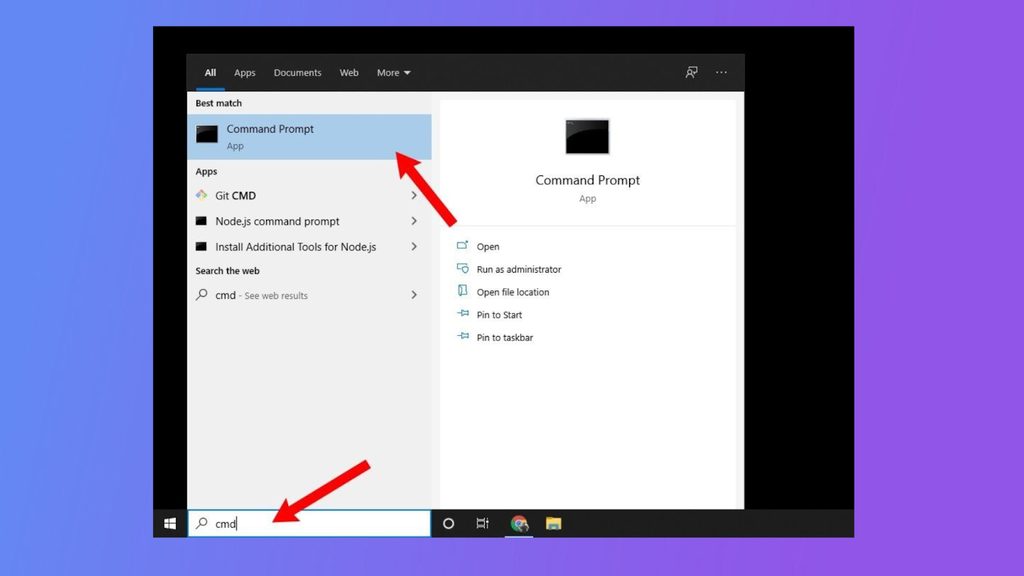
- Type:
systeminfo- Look at OS Name and OS Version in the output. To show only these lines:
systeminfo | findstr /B /C:"OS Name" /C:"OS Version"ver
verIt prints the version number, for example Microsoft Windows [Version 10.0.19045.3693].
On Linux
lsb_release
lsb_release -aIt lists the distributor, description, release and code name.
The os-release file
cat /etc/os-releaseTo show only the name:
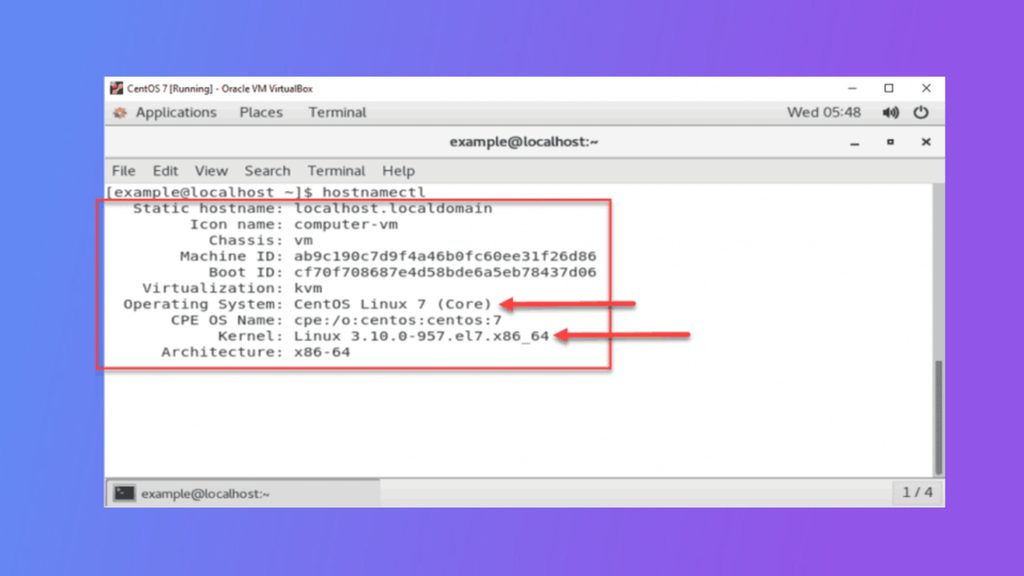
grep PRETTY_NAME /etc/os-releasehostnamectl also shows the OS and the kernel:
hostnamectlOn CentOS
centos-release file
cat /etc/centos-releaserpm
rpm -q centos-releaseredhat-release
cat /etc/redhat-releaseOn macOS
sw_versQuick recap
- Windows:
systeminfoorver. - Linux:
cat /etc/os-releaseorlsb_release -a. - CentOS:
cat /etc/centos-release.