

What 2FA is and why it helps
Two-factor authentication (2FA) asks for a second proof that it is really you, beside your password.
- Better security. A stolen password alone is no longer enough.
- Protection from phishing and password attacks.
- Safer after data leaks. A leaked password does not open the account.
- Many methods. Pick what suits you.
Common types of 2FA:
- SMS or text message with a code.
- Authenticator apps that make codes.
- Biometrics such as a fingerprint or face.
- Hardware keys such as USB security keys.
Set up Windows Hello
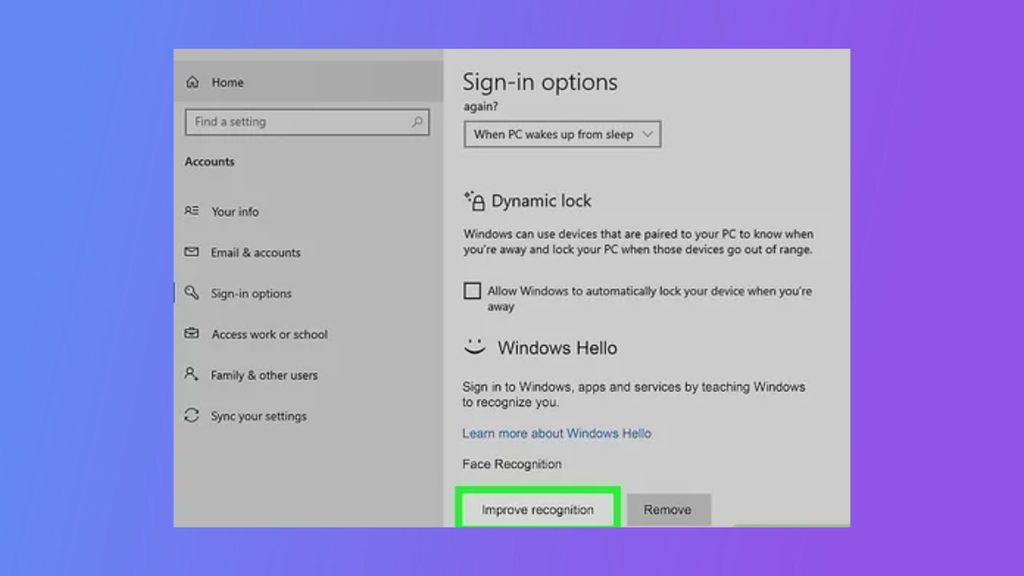
Windows Hello lets you sign in with a face, a fingerprint or a PIN.
- Click the Start button, then Settings.
- Open Accounts.
- Click Sign-in options.
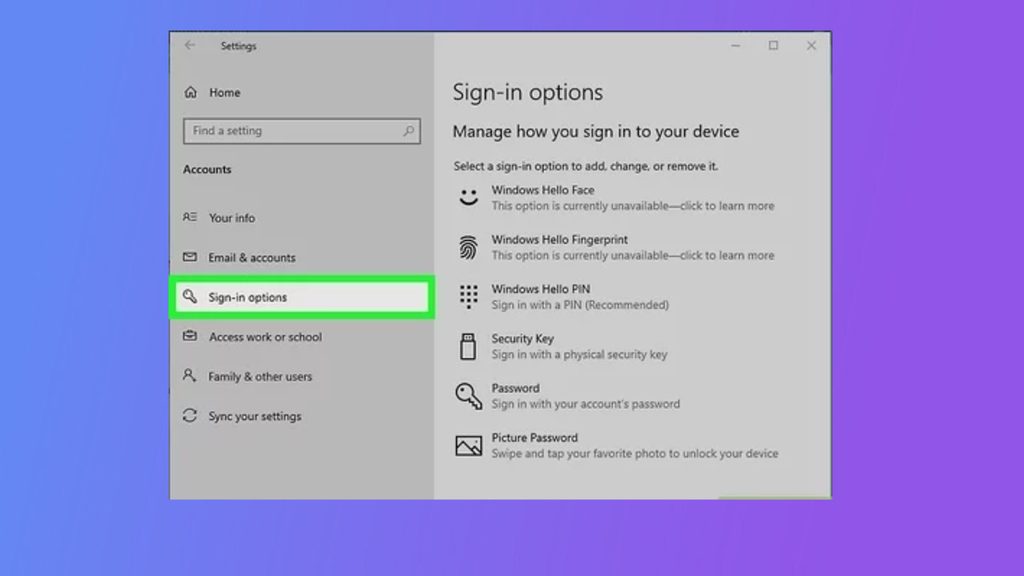
- Under Windows Hello, choose a method (face, fingerprint or PIN) and click Set up.
- Follow the steps on the screen.
Set up Microsoft Authenticator
For your Microsoft account, you can add a second step with an authenticator app.
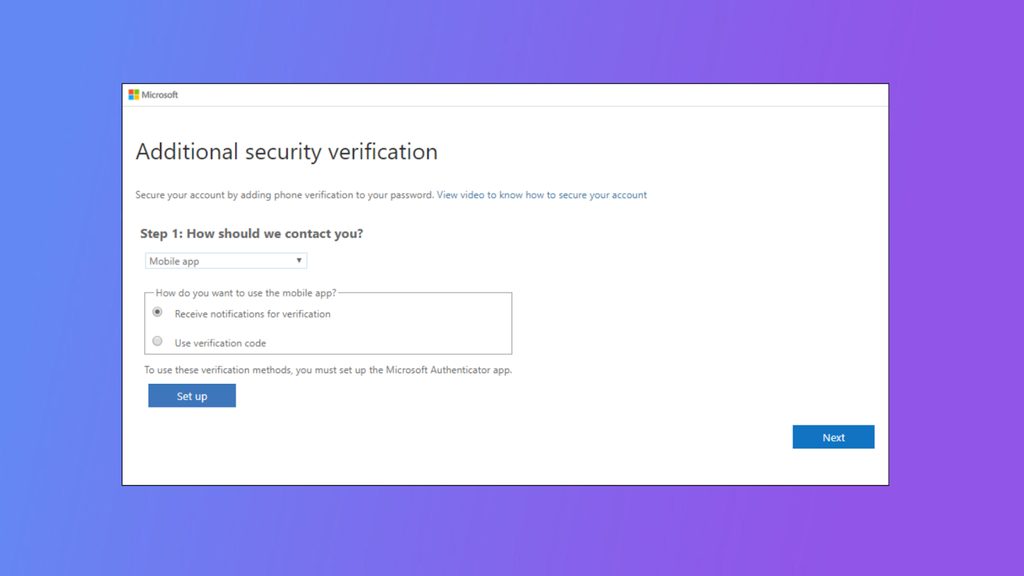
- On your phone, install Microsoft Authenticator from the App Store or Google Play.
- Go to your Microsoft account security page (
account.microsoft.com/security) and sign in. - Open Advanced security options, and choose Add a new way to sign in or verify, then Use an app.
- Scan the QR code with the app and approve the sign-in on your phone.
- Turn on Two-step verification.
- Save the recovery code in a safe place.
From now on, Windows asks for the code or the approval when you sign in with your Microsoft account in a new place.
Tips
- Keep your recovery codes and a backup method.
- Use an authenticator app and not SMS when you can, because SMS can be intercepted.
- Keep Windows updated.
Quick recap
- Use Settings, Accounts, Sign-in options for Windows Hello.
- Add the Microsoft Authenticator app for two-step verification.
- Store your recovery code.