

What is ModSecurity?
ModSecurity is a firewall for websites. A firewall is a guard that checks every request and blocks the harmful ones. Sometimes the guard is too strict. It may block a form, a plugin or a file upload by mistake. You may then see a "403 Forbidden" or "Not Acceptable" error.
Warning: with ModSecurity off, your site loses a layer of protection. Turn it off only to test or fix a problem. Turn it back on when you are done.
Steps
- Log in to cPanel from your client area service or the link in your welcome email.
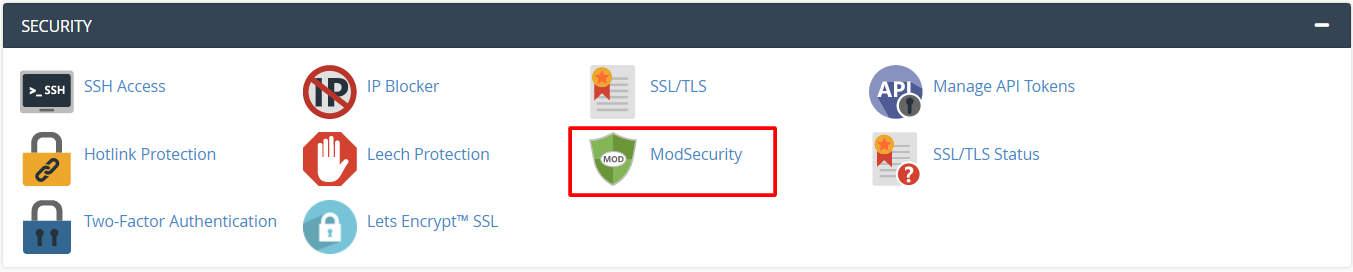
- Find the Security section.
- Click ModSecurity.
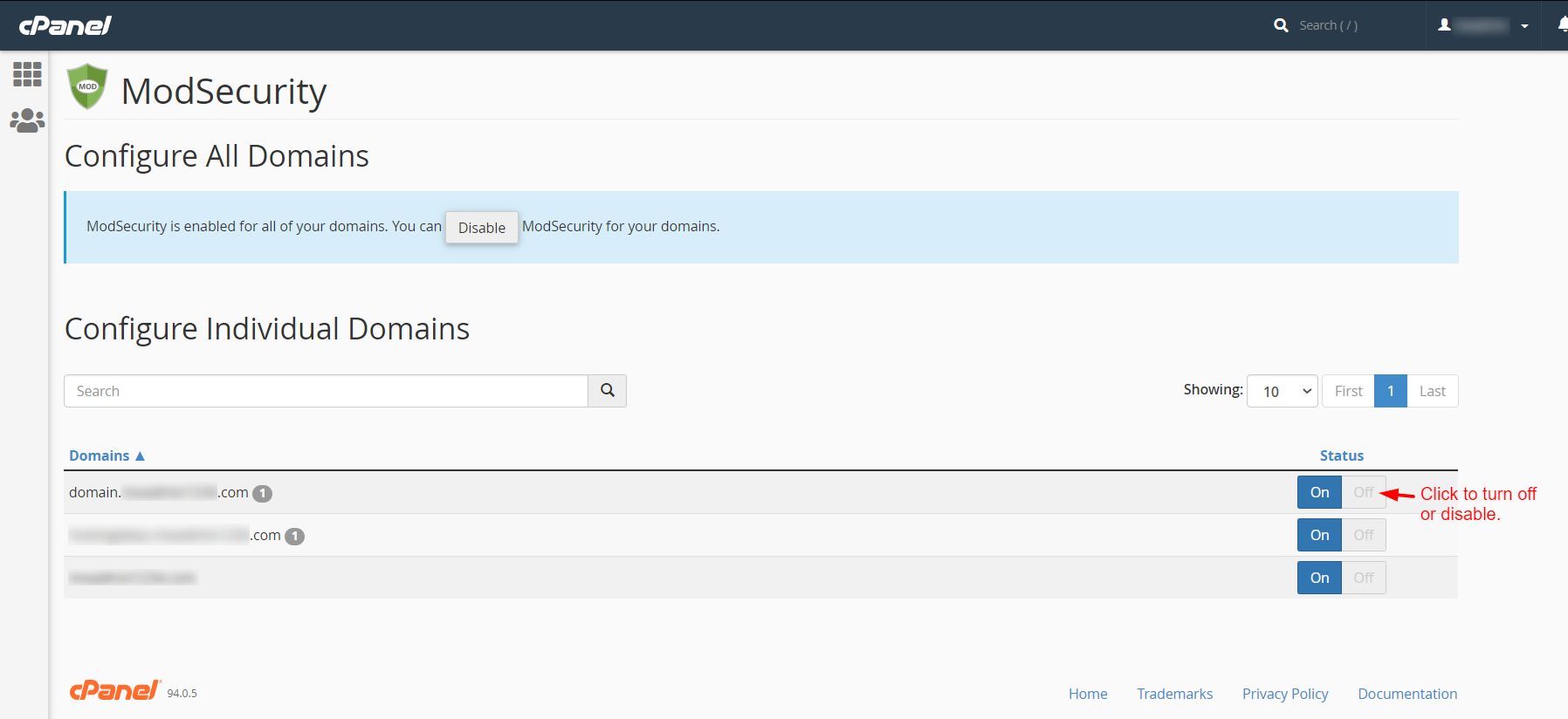
- You will see a list of your domains with a switch beside each.
- Find the domain that has the problem.
- Click the switch to set it to Off. You can also use the Disable All button to turn it off for every domain.
- Wait a minute. Then repeat the action that gave the error.
- When you finish testing, come back and set the switch to On again.
If you cannot find the ModSecurity icon
Some plans do not show the icon in cPanel. Then only the server owner can change it. Open a ticket at https://secure.hostvento.com/submitticket.php. Tell support your domain name and the exact error. Also say what you were doing when it appeared.
VPS and dedicated owners
If you have your own server, you manage rules in WHM under Security Center then ModSecurity Vendor Configuration or ModSecurity Tools. You can see which rule blocked a request in the Hits List.
Quick recap
- ModSecurity is a website firewall that can block normal actions by mistake.
- In cPanel, open Security then ModSecurity.
- Switch it off for the domain, test, then switch it on again.

- Ask support to whitelist one rule if you can.