

A security audit is a regular check of your site to find weak points before an attacker does. Do it at least every few months, and after big changes.
1. Run a full security scan
Use a scanner to look for malware, known vulnerabilities, outdated software and blacklisting. Options include security plugins (such as Wordfence or Sucuri for WordPress), your host's scanner, or online tools.
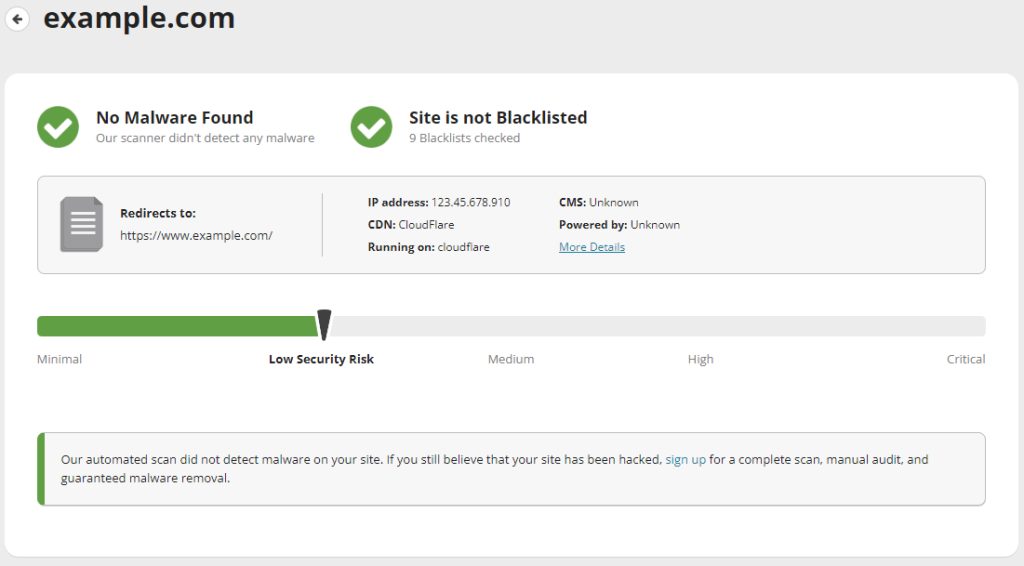
Check the result and fix what the scan reports, starting with the most serious items.
2. Review the website settings and configuration
- Make sure the whole site uses HTTPS.
- Turn off directory listing.
- Check file permissions: usually 755 for folders and 644 for files, and 600 or 640 for
wp-config.php. - Remove test files, old backups and unused sites from the server.
- Set security headers (HSTS, X-Frame-Options, Content-Security-Policy).
- Turn off debug mode on a live site.
3. Evaluate user accounts and permissions
- Delete accounts that are not used.
- Give each user only the rights they need.
- Require strong passwords and use two-factor authentication.
- Check admin and FTP/SSH users, and change shared passwords.
4. Keep software and components updated
- Update the CMS, themes, plugins and libraries.
- Remove plugins and themes you do not use.
- Keep PHP and the server software on supported versions.
- Install updates for the operating system.
Old software is the most common way attackers get in.
5. Check the domain and IP reputation
- Check that your domain and IP address are not on spam or malware blacklists.
- Use Google Search Console to see security issues reported for your site.
- Check your DNS records for changes you did not make.
6. Monitor hosting, domain and SSL expiry dates
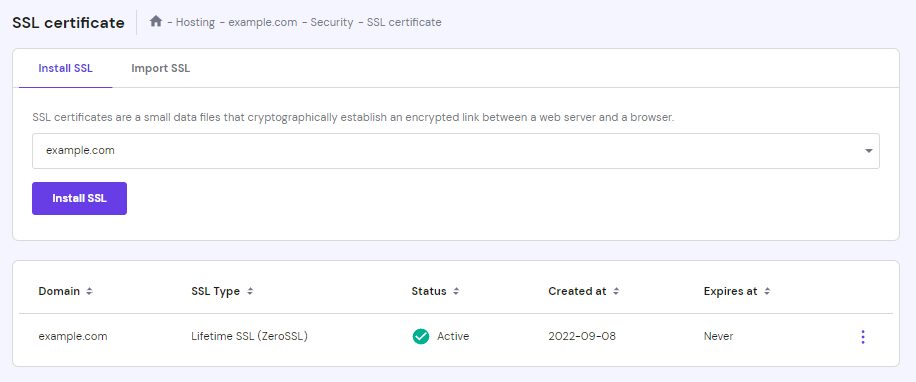
An expired SSL certificate shows scary browser warnings, and an expired domain can be taken by someone else. Set reminders or auto-renewal for the domain, the hosting plan and the SSL certificate.
7. Examine traffic patterns
- Look at your logs and analytics for sudden spikes, strange countries or many failed logins.
- Block bad IP addresses or use a firewall or CDN with bot protection.
- Check for new, unknown pages or redirects that spammers sometimes add.
After the audit
- Write down what you found and fix it.
- Make a backup and test that you can restore it.
- Plan the next audit and repeat.
Quick recap
- Scan, review settings, check users, update, check reputation, watch expiry dates, and watch traffic.