

What it is
.bashrc is a script that Bash reads each time you open a new terminal. It lives in your home folder (~/.bashrc), and each user has their own copy. People use it for:
- Aliases, which are short names for long commands
- Functions, which bundle several commands
- Environment variables, such as
PATH - The prompt, the text you see before each command
Because it loads every time, your tools and settings look the same on every terminal and every login.
Open and edit the file
cd ~
nano ~/.bashrc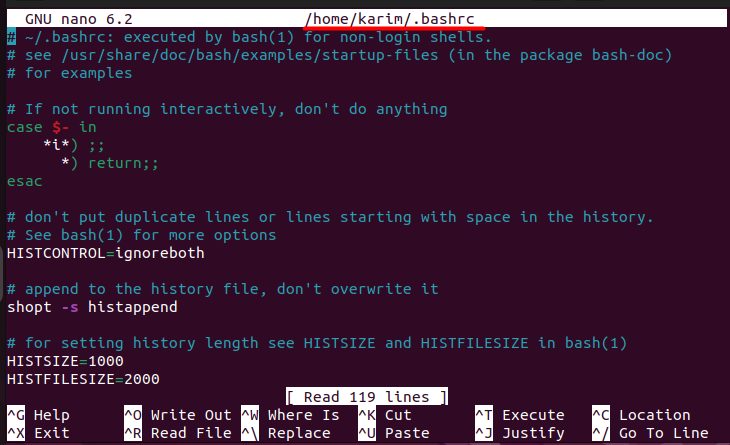
- Add, change or remove lines.
- Save the file and leave the editor.
- Load the changes into your current terminal:
source ~/.bashrcAdd an alias
An alias is a shortcut. This one makes abc run ls -l:
alias abc='ls -l'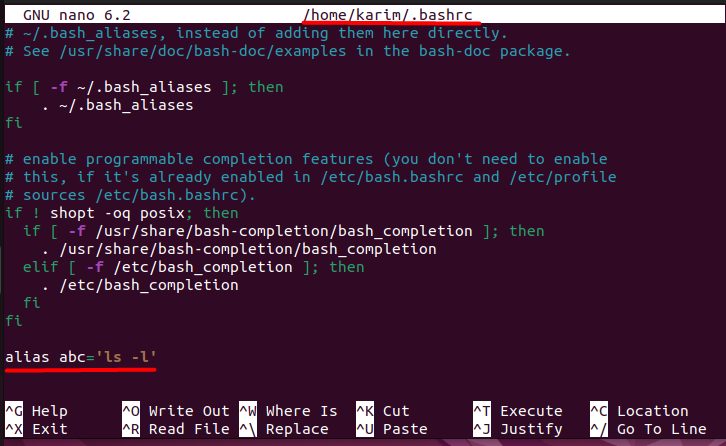
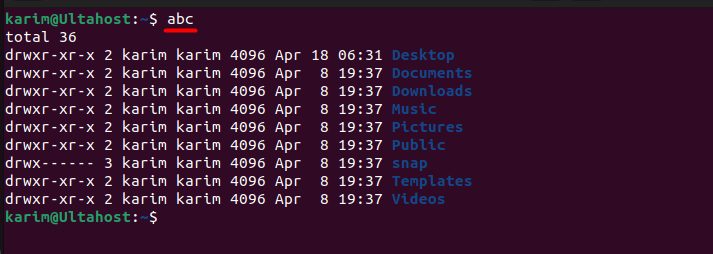
Reload the file and test it:
source ~/.bashrc
abc
Another useful alias updates the system in one word:
alias upgrade='sudo apt update && sudo apt upgrade'Tip: Use a name that no other command uses. Otherwise the alias may hide the real command.
Add a function
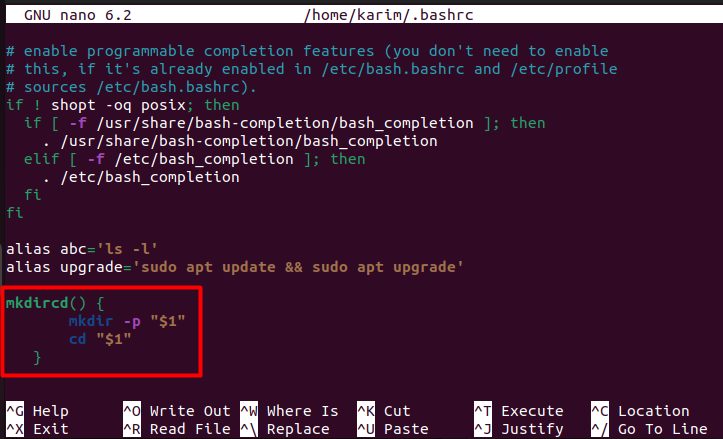
This function makes a folder and moves into it:
mkdircd() {
    mkdir -p "$1"
    cd "$1"
}
After you reload the file, run:
mkdircd test_dir
Set a variable
Add a folder to the PATH, so you can run its programs from anywhere:
export PATH=$PATH:/path/to/your/directoryChange the prompt
The PS1 variable controls the prompt. This example replaces the user and host name with a # sign:
PS1="# "
Quick recap
~/.bashrcruns for every new Bash session.- Edit it with
nano, then runsource ~/.bashrc. - Use it for aliases, functions, variables and the prompt.