

Why Docker
- Portable. A container holds the app and its dependencies, so it runs the same everywhere.
- Scalable. Start more containers when you need more capacity.
- Isolated. Each container is separate from the others and from the host.
- Efficient. Containers use fewer resources than virtual machines.
What you need
- A CentOS (or compatible, such as AlmaLinux or Rocky Linux) VPS, 64-bit.
- Root or sudo access.
- A supported version of the system. Check the Docker documentation for the list.
- Internet access to download packages.
- Open ports in the firewall for the services you run in containers.
Step 1: Update the system
sudo yum update -yRemove old Docker versions if any:
sudo yum remove docker docker-client docker-client-latest docker-common docker-latest docker-latest-logrotate docker-logrotate docker-engineStep 2: Add the Docker repository
sudo yum install -y yum-utils
sudo yum-config-manager --add-repo https://download.docker.com/linux/centos/docker-ce.repo
Step 3: Install Docker Engine
sudo yum install -y docker-ce docker-ce-cli containerd.io docker-compose-pluginStep 4: Start Docker and enable it at boot
sudo systemctl start docker
sudo systemctl enable docker
sudo systemctl status docker
Step 5: Test it
sudo docker run hello-world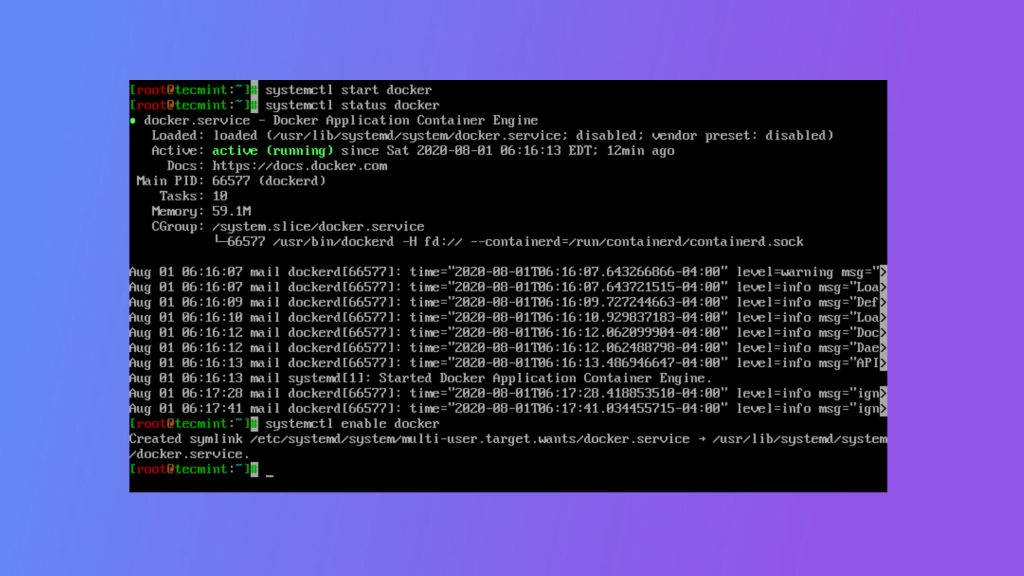
If you see the "Hello from Docker!" message, Docker works.
Run Docker as a normal user (optional)
sudo usermod -aG docker $USERLog out and in again. Members of the docker group have root-equivalent power, so add only people you trust.
Useful commands
docker ps              # running containers
docker images          # downloaded images
docker pull nginx      # get an image
docker run -d -p 80:80 nginx
If firewalld is on, open the ports you publish, for example sudo firewall-cmd --add-port=80/tcp --permanent && sudo firewall-cmd --reload.
Quick recap
- Add the Docker CE repository, install
docker-ce, start the service and runhello-world.