

What the error means
"Connection reset by peer" means the other side of the connection closed it. Typical causes:
- Network problems: lost packets, heavy traffic or a firewall.
- Server problems: low resources, a stopped SSH service or limits in the SSH settings.
- Client problems: a wrong SSH config or old software.
Step 1: Check the network
ping server_addressIf there is no reply or many packets are lost, the problem is in the network.
Step 2: Check the SSH service
On the server (use the console if you cannot log in):
sudo systemctl status ssh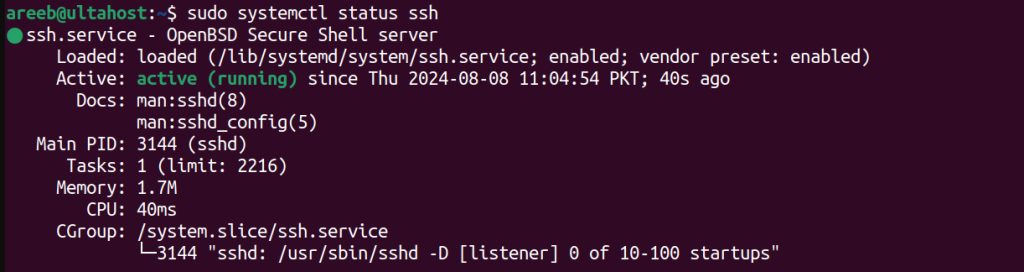
On CentOS and Red Hat the service is called sshd. If it is not running, start it:
sudo systemctl start sshRead the log for hints (/var/log/secure on CentOS, /var/log/auth.log on Ubuntu):
sudo tail -f /var/log/secureStep 3: Check the client config
Look at your SSH client file for wrong settings:
nano ~/.ssh/configStep 4: Check the firewall
Allow SSH in the firewall:
sudo ufw allow 22/tcpor:
sudo ufw allow sshIf you changed the SSH port, allow that port instead.
Step 5: Check the SSH server settings
Open the server config:
sudo nano /etc/ssh/sshd_configCheck or change these values:
MaxAuthTries 6
ClientAliveInterval 60
ClientAliveCountMax 3
MaxStartups 10:30:100
MaxSessions 100
Restart the service:
sudo systemctl restart sshdStep 6: Ask SSH to explain
Run the client in verbose mode. It prints each step of the connection:
ssh -v user@serverAdd more v letters (-vvv) for more detail.
Good to know
- SSH keys are safer than passwords.
- Keep the SSH client and server updated.
- Check CPU, memory and disk use of the server. A busy server may drop connections.
- Try another user account to see if the problem is about one account.
Quick recap
- Test the network, the SSH service and the firewall first.
- Adjust
ClientAliveInterval,MaxStartupsandMaxSessions. - Use
ssh -vto see where the connection fails.