

Prepare some test items
Run a test container and create an image and a volume:
sudo docker run hello-world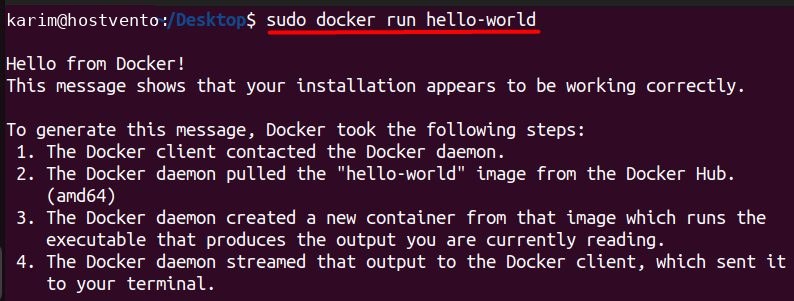
sudo docker pull ubuntu:latest
sudo docker volume create my-volume
sudo docker run -v my-volume:/app/data ubuntu:latest
sudo docker run -it ubuntu:latest /bin/bash
Remove images
List the images:
sudo docker images
Remove an image by ID:
sudo docker rmi <image_id>Example:
sudo docker rmi d2c94e258dcb
Remove an image by name:
sudo docker rmi ubuntu:latest
An image used by a container cannot be removed until you remove the container (or use -f to force it).
Remove all dangling (untagged, unused) images:
docker image prune
Remove all images that no container uses:
docker image prune -aRemove volumes
List the volumes:
sudo docker volume ls
Remove one volume:
sudo docker volume rm my-volume
Remove all volumes that no container uses:
sudo docker volume prune
Warning: Volumes hold data such as databases. A removed volume cannot be recovered.
Remove containers
List the running containers and all containers:
sudo docker ps
sudo docker ps -a
Stop a running container:
sudo docker stop <container_id>
Remove it:
sudo docker rm <container_id>
Remove all stopped containers:
sudo docker container prune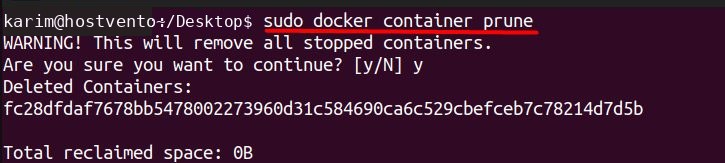
Clean everything at once
sudo docker system pruneIt removes stopped containers, unused networks and dangling images. Add -a to remove all unused images and --volumes to remove unused volumes too. Check the use of disk space first with:
sudo docker system dfQuick recap
docker rmi,docker volume rmanddocker rmremove single items.docker system prunecleans many at once. Use it carefully.