

What causes it
- Network problems. RDP needs a stable connection.
- Firewall or security software that blocks RDP.
- Old RDP software.
- Wrong settings on the client or the server.
- Problems on the server side. It may be busy, restarting, or have a damaged setup.
Solution 1: Check the network
Ping the server:
ping server_IP_or_hostnameLook for lost packets with a longer test:
ping -n 20 server_IP_or_hostnameMake sure the IP address or host name is right, and that the port (3389 or your own) is reachable:
Test-NetConnection server_IP -Port 3389Solution 2: Check the firewall and security software
Windows Firewall
- Type Windows Security in the Start menu and open it.
- Click Firewall & network protection.
- Choose your network profile (for example, Private network).
- Switch Microsoft Defender Firewall to Off for a short test.
- Try RDP again.
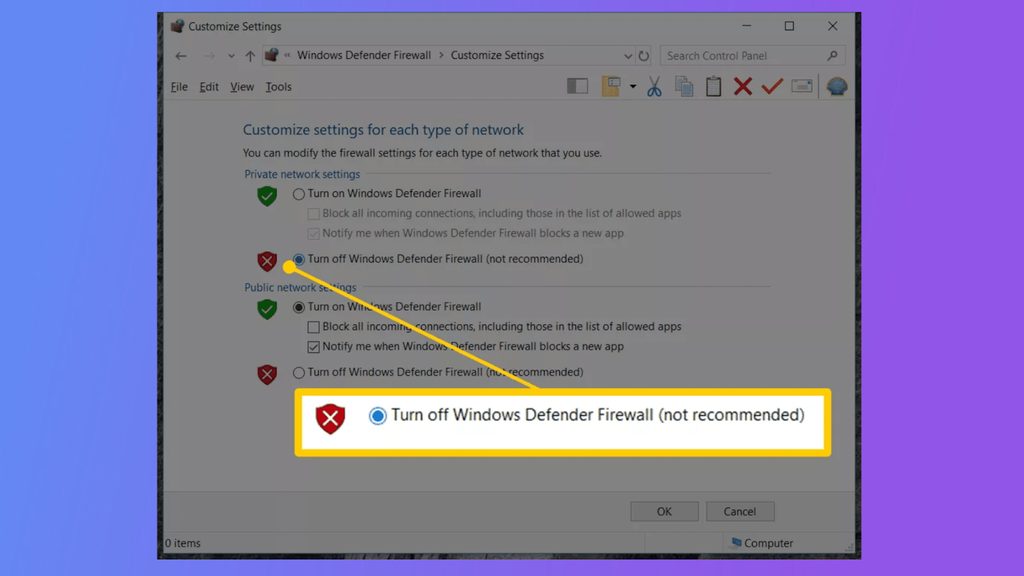
If it works, turn the firewall on again and allow Remote Desktop instead.
Other security software
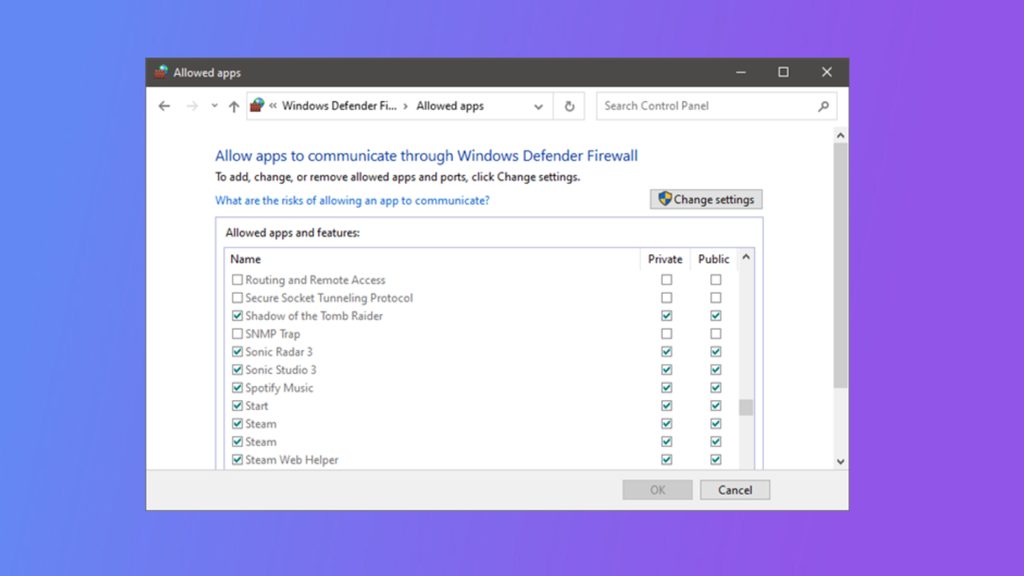
Open the settings of your antivirus or internet security program. Look for Allow applications or Exceptions and add Remote Desktop (mstsc.exe) and the RDP port.
Solution 3: Update
Install the latest Windows updates on both computers. Update the Remote Desktop client, and the network drivers.
Solution 4: Check the RDP settings
- On the server, make sure Remote Desktop is enabled (Settings, System, Remote Desktop).
- Check that the user is in the Remote Desktop Users group.
- Delete the saved connection and add it again. Clear the cache of the client with the command
del "%userprofile%\Documents\Default.rdp". - Set Network Level Authentication to match on both sides.
Solution 5: Restart the services on the server
On the server, restart Remote Desktop Services (services.msc). If you can, restart the server too.
Solution 6: Try another client or connection
Use another computer, another network or another RDP client to learn whether the problem is local.
Solution 7: Ask for help
If the server is a Hostvento VPS and you cannot connect, use the console in your control panel and open a support ticket with the exact error text and the time.
Quick recap
- Check the network and the port first.
- Test with the firewall off, then allow RDP properly.
- Update software and restart the Remote Desktop service.