

Method 1: The File block
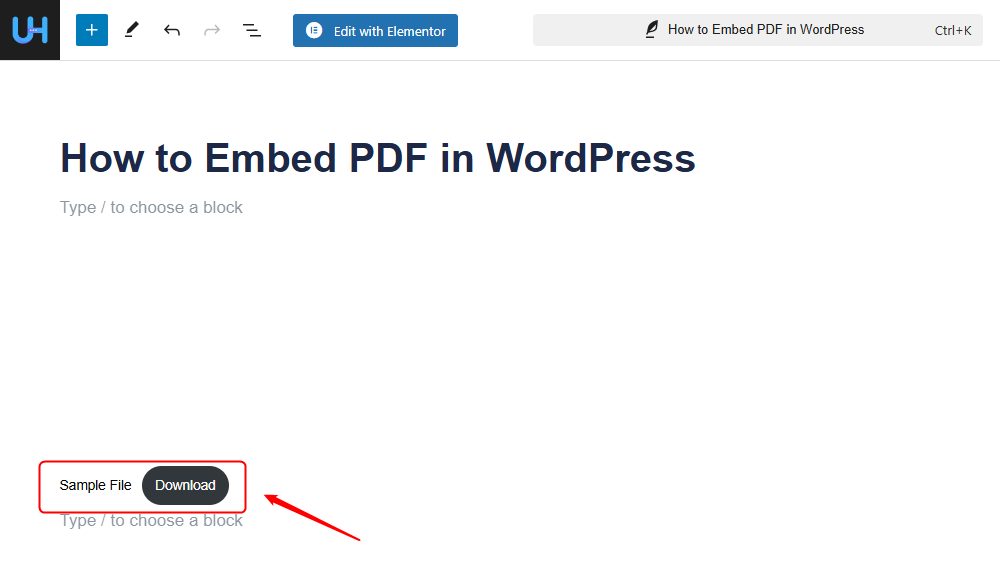
WordPress has a block for files. It shows the PDF and a download button.
Step 1: Add the File block
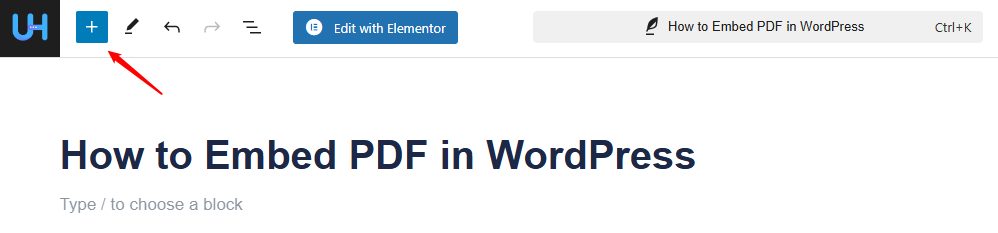
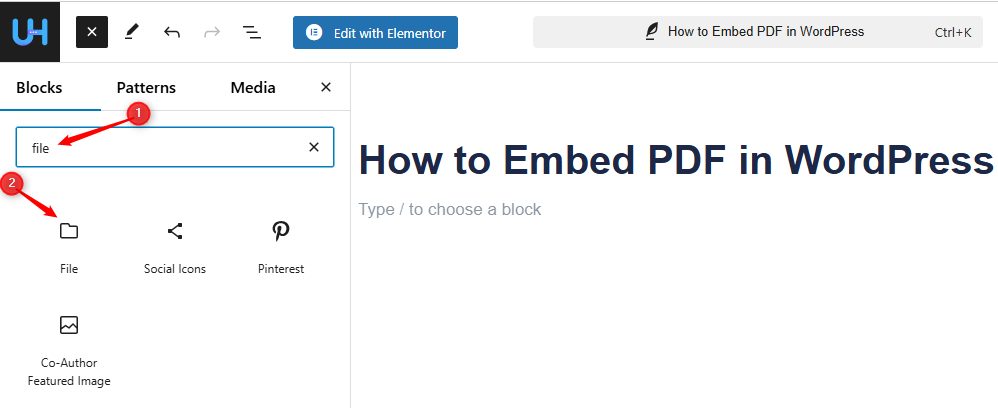
Open the post or page. Click the + icon, type file in the search and click the File block.
Step 2: Upload the PDF
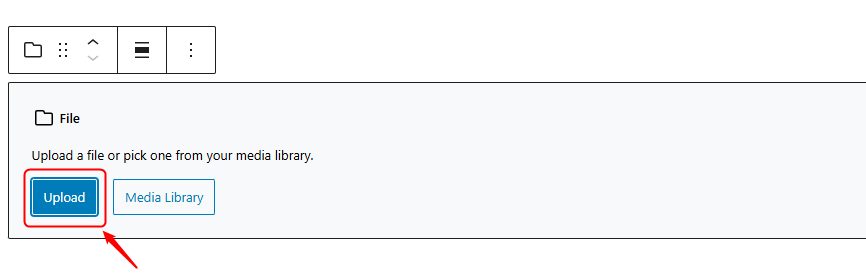
In the block, click Upload to add a new file, or Media Library to pick one you have uploaded.
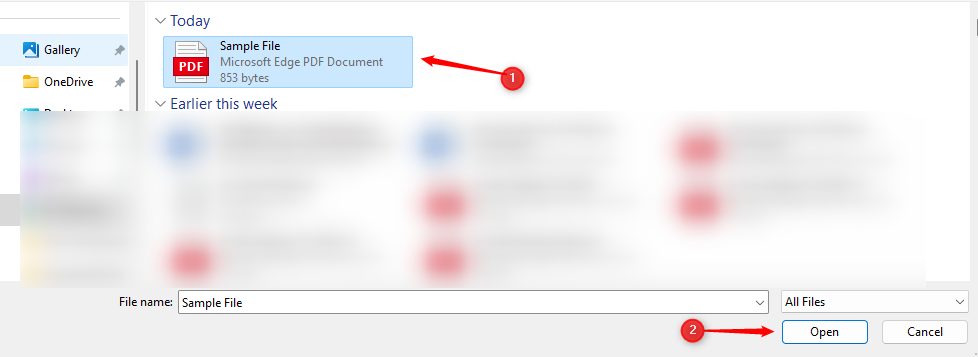
Pick the file and click Open.
Step 3: Check the result
The PDF shows with a Download button. Turn on Show inline embed in the block settings if you want the PDF to show on the page.
Method 2: A plugin
A plugin gives you more options, such as a full-screen view.
Step 1: Install a plugin
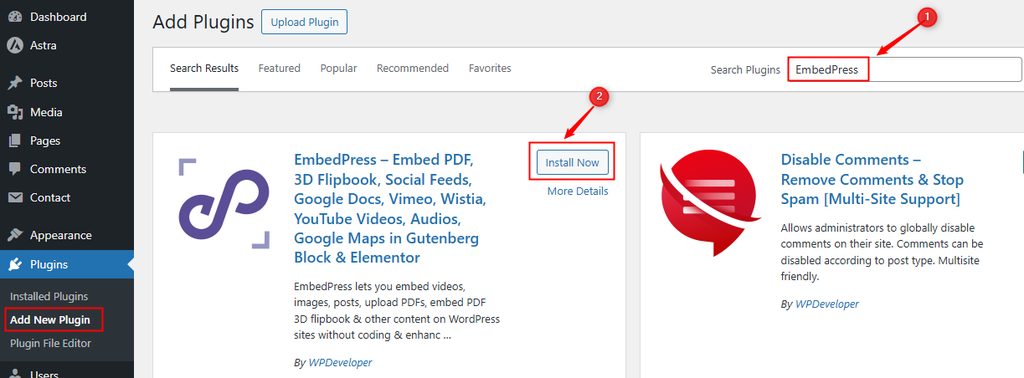
Go to Plugins, then Add New. Search for EmbedPress, then install and activate it.
Step 2: Embed the PDF
- In the post, click +, search for
embedand click the EmbedPress block.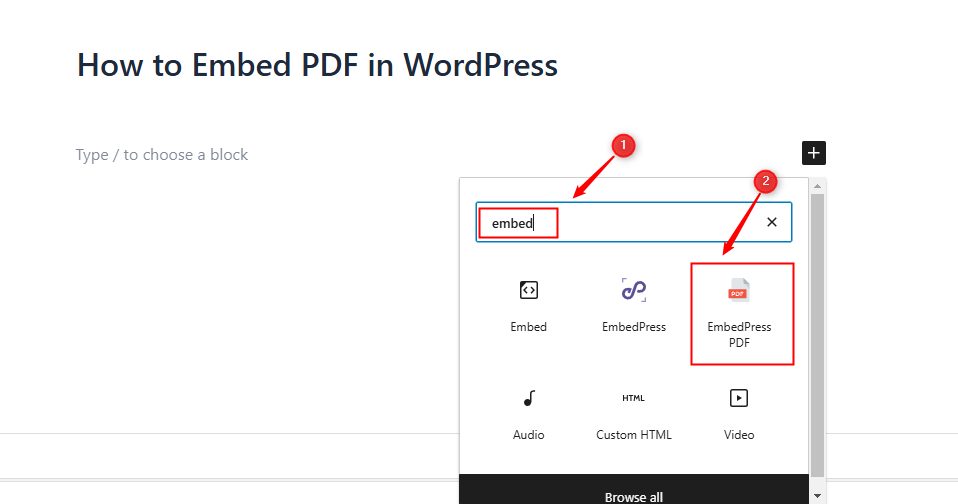
- Click Media Library and pick your PDF.
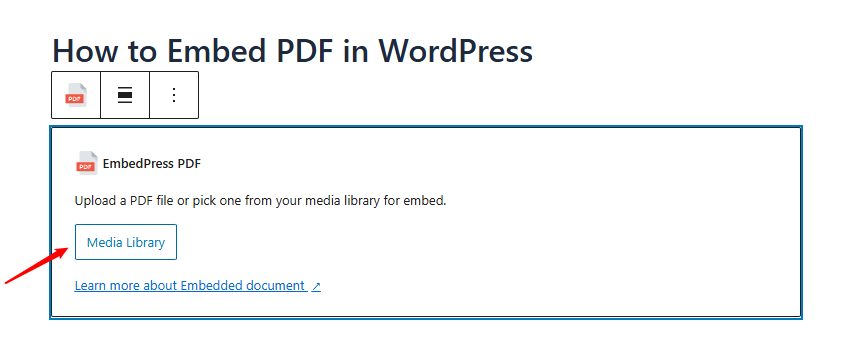
- Choose the file and click Select.
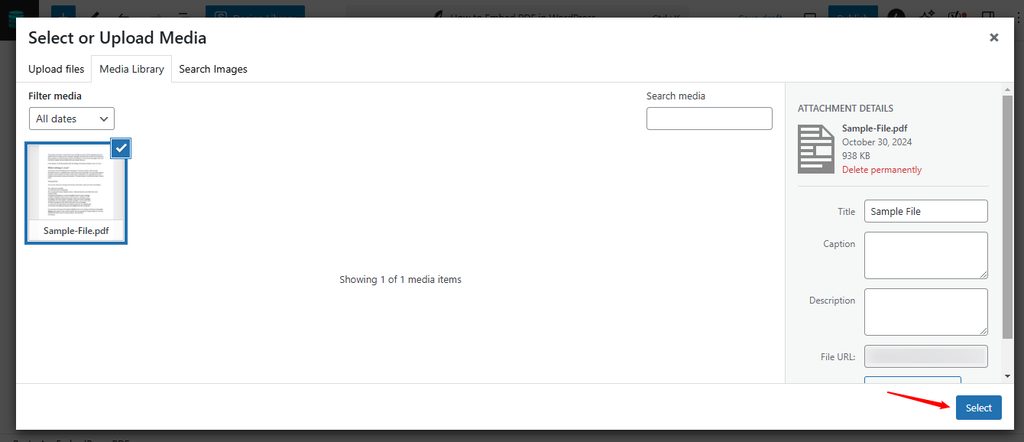
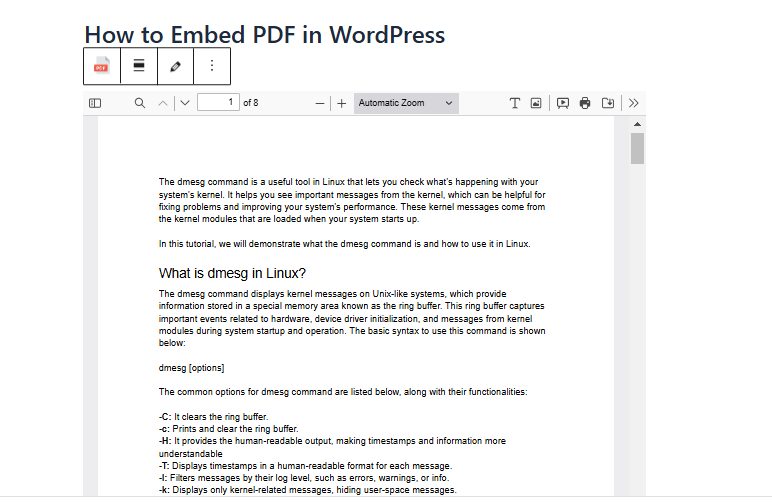
- The PDF appears in the editor.
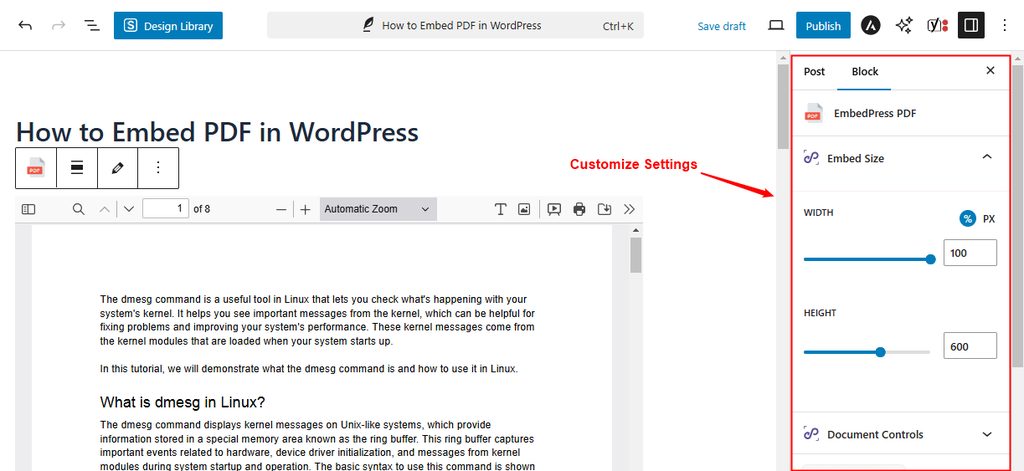
Step 3: Change the settings
The plugin lets you set the size, the toolbar, downloads and more.
Method 3: Google Drive
Step 1: Upload the PDF to Google Drive.
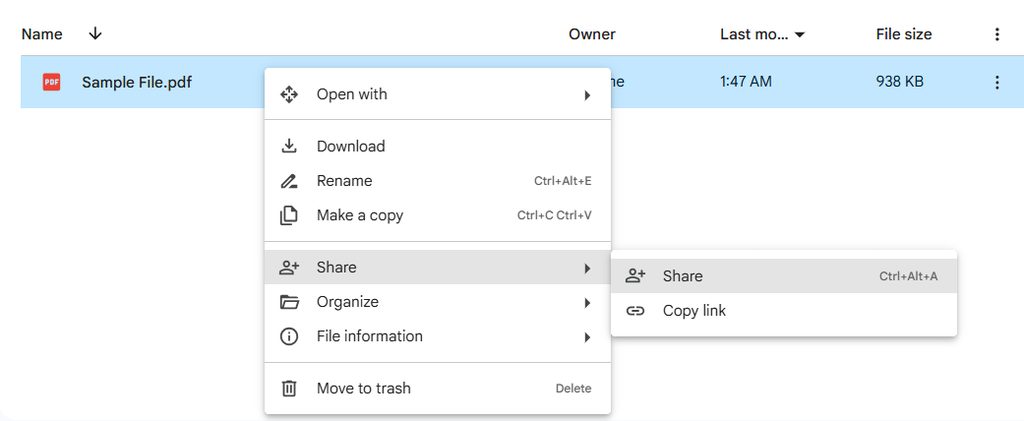
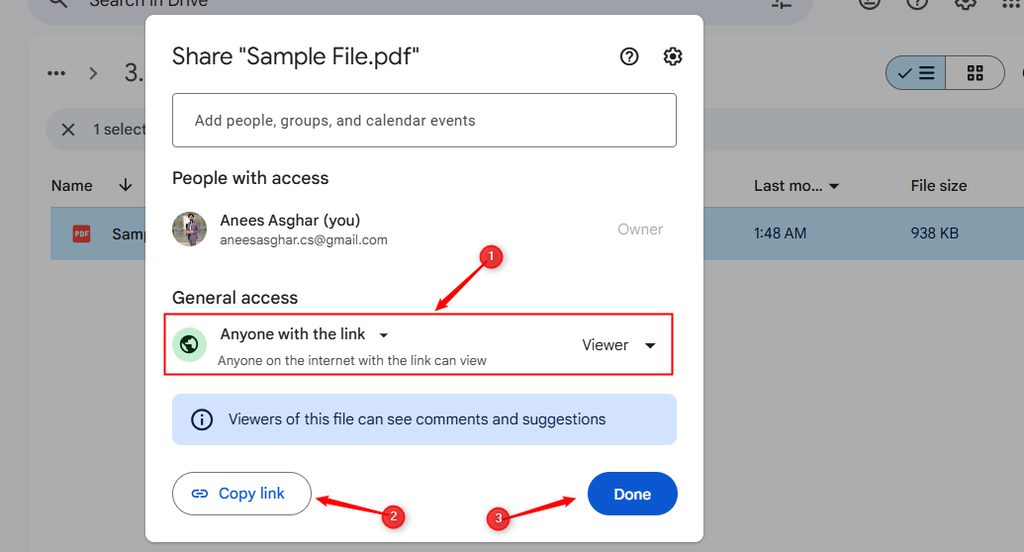
Step 2: Right-click the file and click Share. Set the access so that anyone with the link can view it.
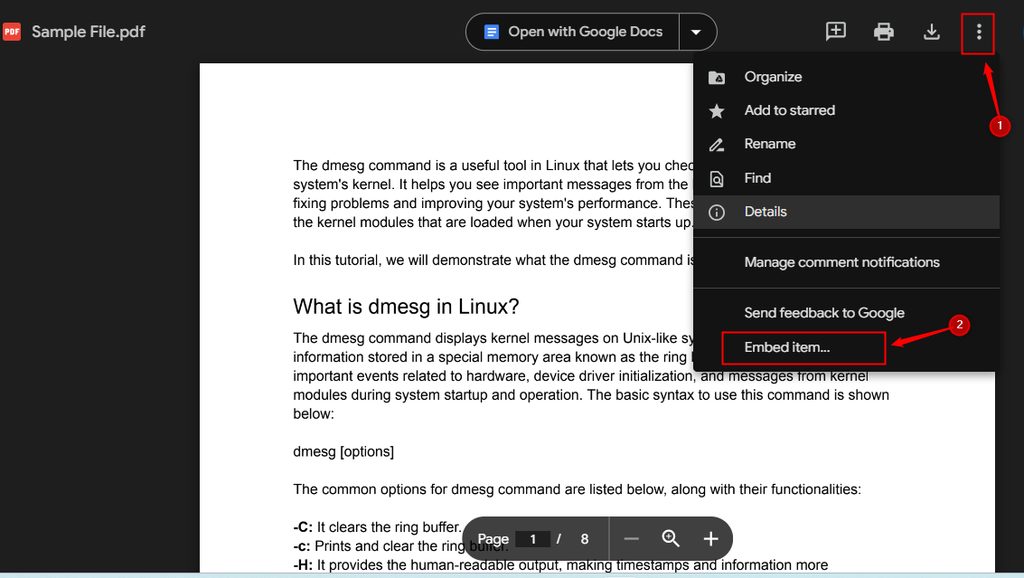
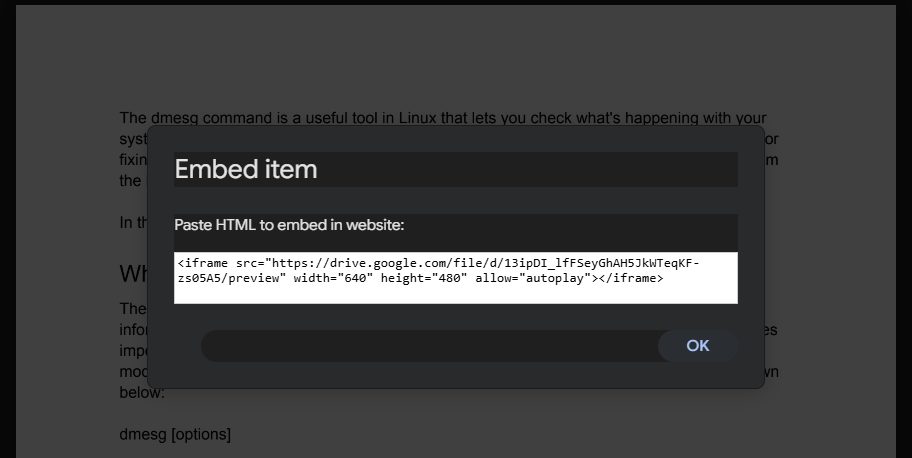
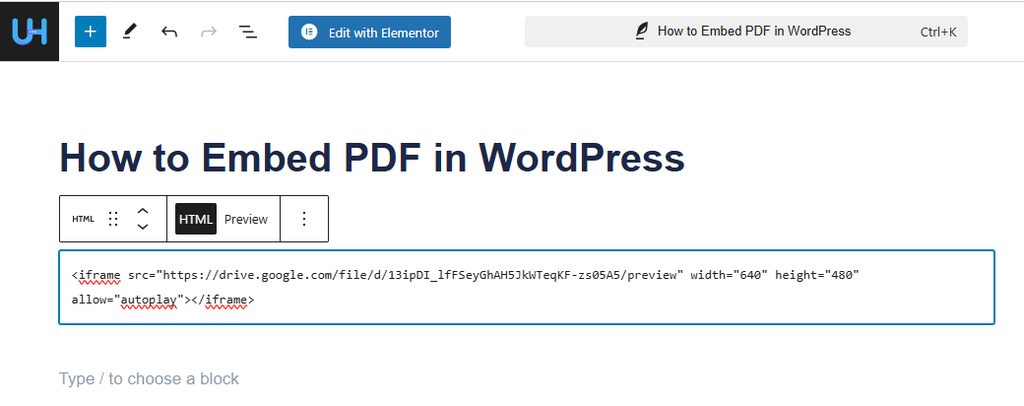
Step 3: Open the file in Google Drive. Click the three dots at the top right, then Open in new window. Click the three dots again, choose Embed item and copy the code.
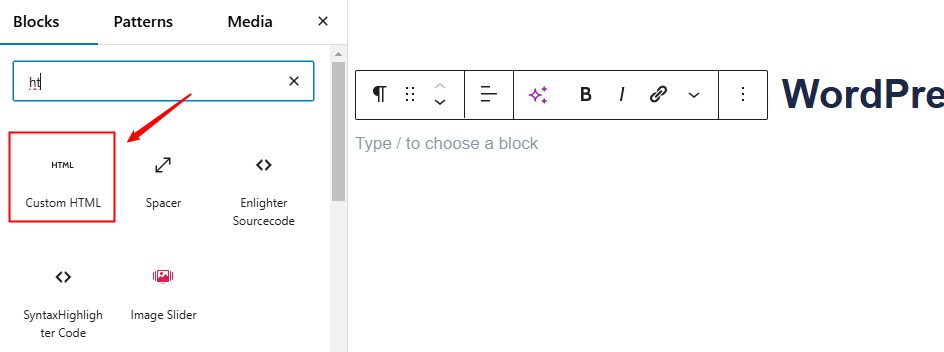
Step 4: In WordPress, add a Custom HTML block and paste the code.
Preview the page. The PDF shows in a frame.
Quick recap
- The File block is the fastest method.
- EmbedPress adds a nicer viewer.
- A Google Drive iframe saves space on your hosting.