

What XML-RPC is
XML-RPC (XML Remote Procedure Call) lets other apps talk to WordPress through the file xmlrpc.php. Before the REST API existed, mobile apps, remote publishing tools and some plugins used it.
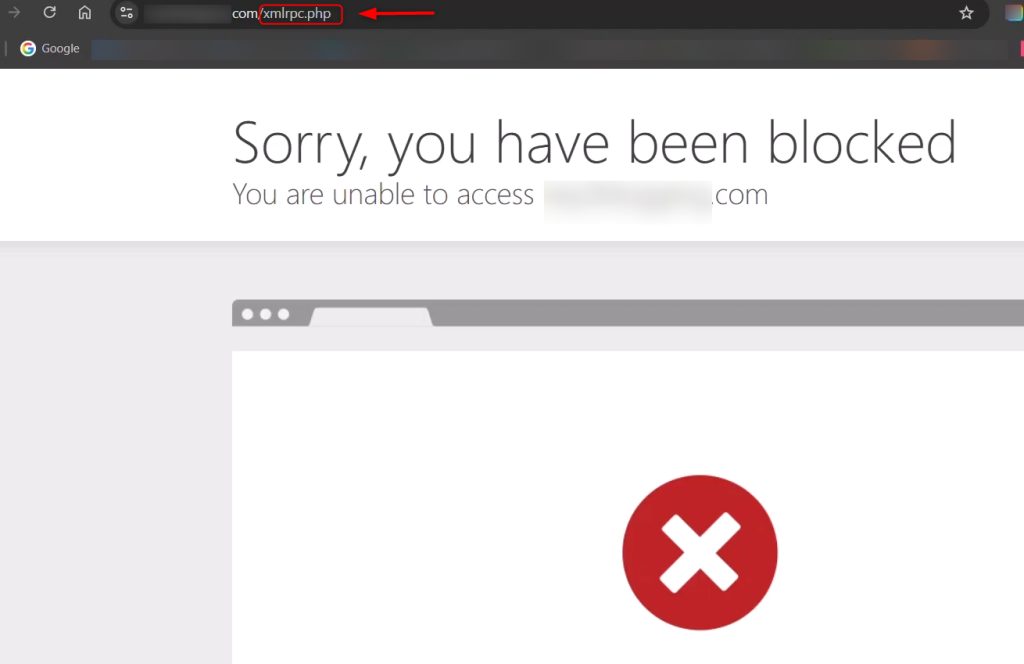
Why it can be a risk
XML-RPC is not broken, but when it stays open without need it can be abused:
- Brute force attacks. A single request can test many passwords.
- Pingback abuse. Attackers use it to help DDoS attacks on other sites.
- Extra load. Bots hit
xmlrpc.phpagain and again.
When to turn it off
- You do not use remote publishing apps or old integrations.
- You see many attempts against
xmlrpc.phpin the logs. - Your site is simple, static or managed from the dashboard only.
When to keep it
- You use a tool that needs it, such as an old mobile app, remote publishing or some Jetpack features.
- If you must keep it, limit it with a firewall or a security plugin, for example by allowing only certain IP addresses.
Method 1: Use a plugin
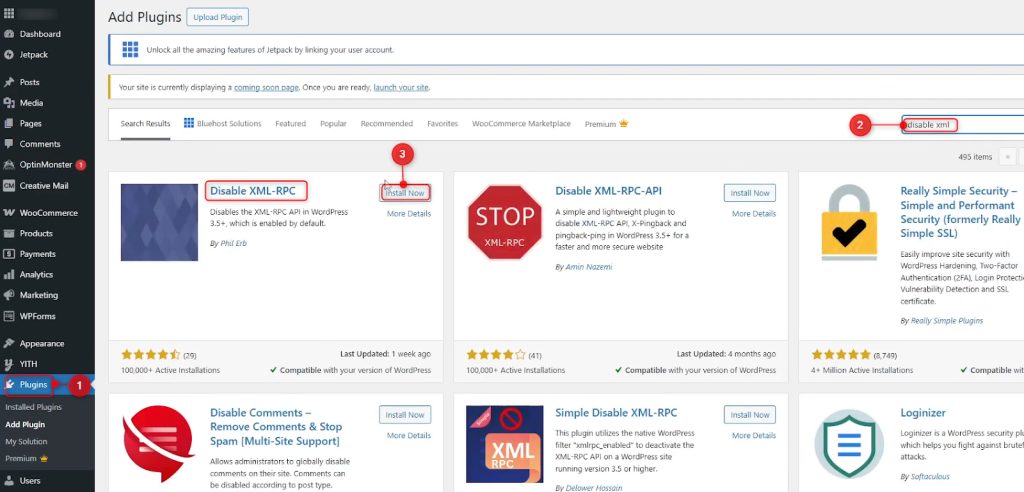
- Go to Plugins, then Add New. Search for Disable XML-RPC (many security plugins, such as Wordfence, also have this setting).
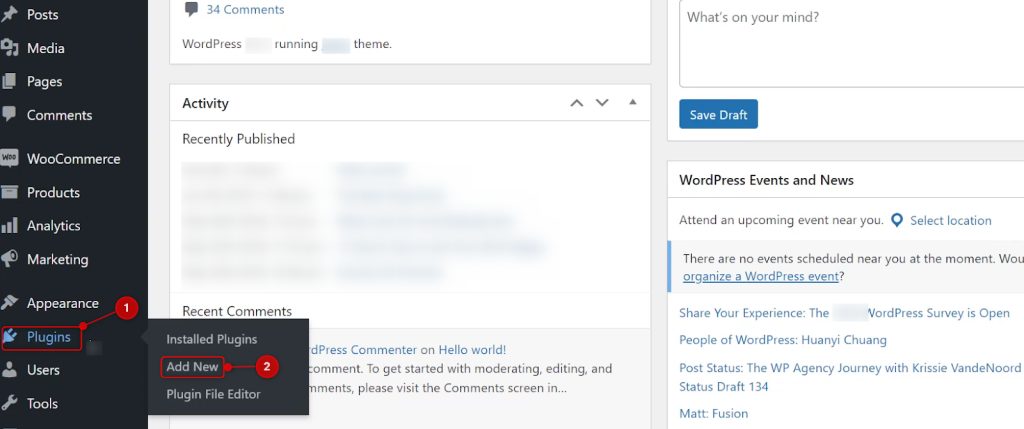
- Click Install Now, then Activate.
- Check that the plugin is active and test your site.
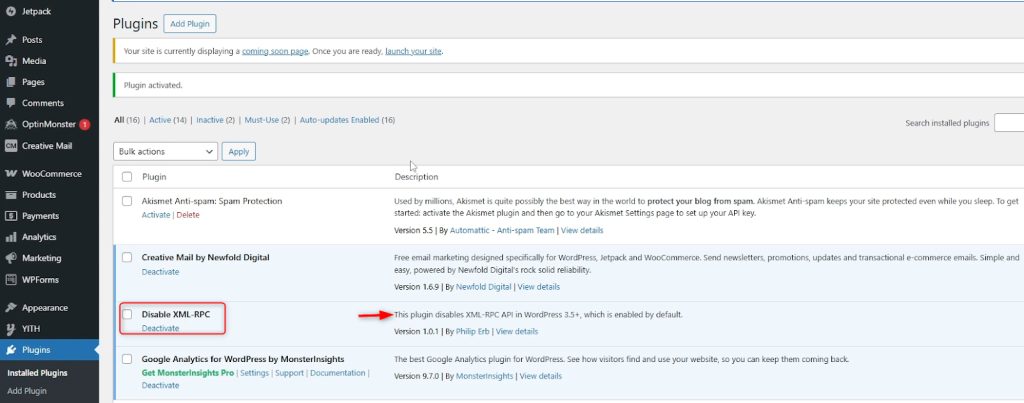
This is the easiest option for beginners.
Method 2: Use the Theme File Editor
- Go to Appearance, then Theme File Editor.
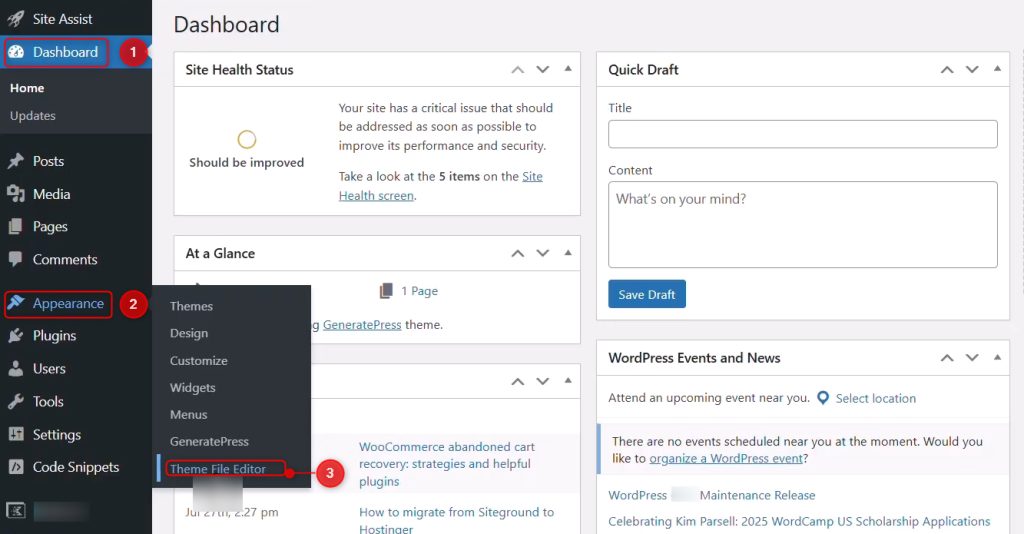
- Open
functions.phpand add this line at the end:
add_filter('xmlrpc_enabled', '__return_false');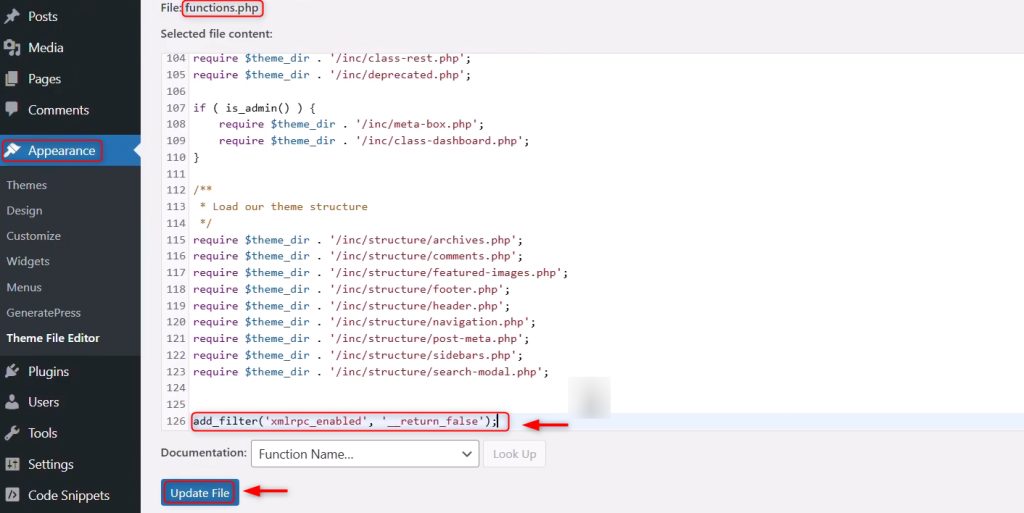
- Click Update File.
This turns off XML-RPC inside WordPress. Requests still reach the file, so for the best effect also block xmlrpc.php on the server (see below). A theme update can remove your change, so use a child theme.
Method 3: Use WPCode
WPCode lets you add code without editing theme files.
- Install and activate the WPCode plugin.
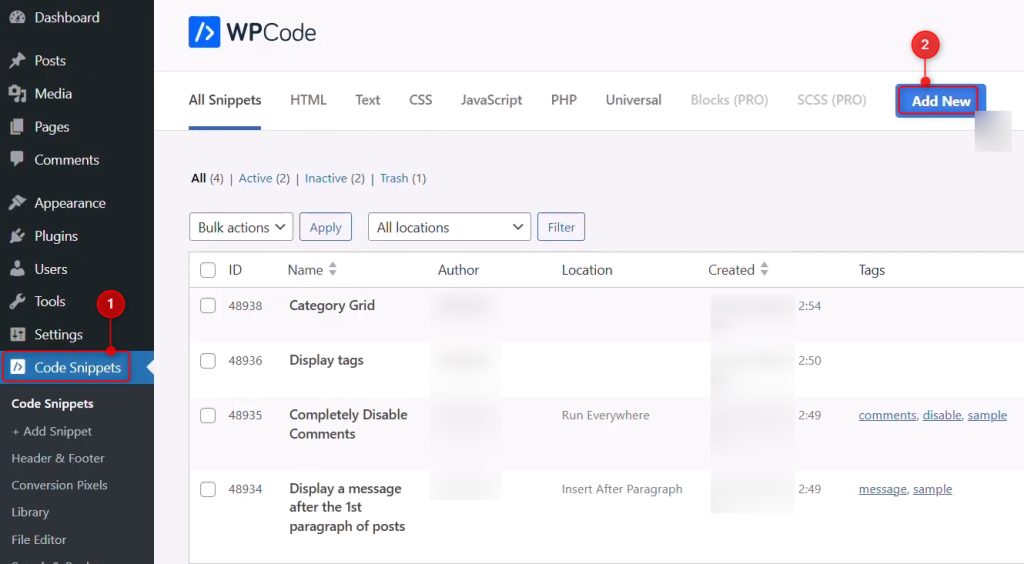
- Go to Code Snippets, then Add Snippet, and click Add Your Custom Code.
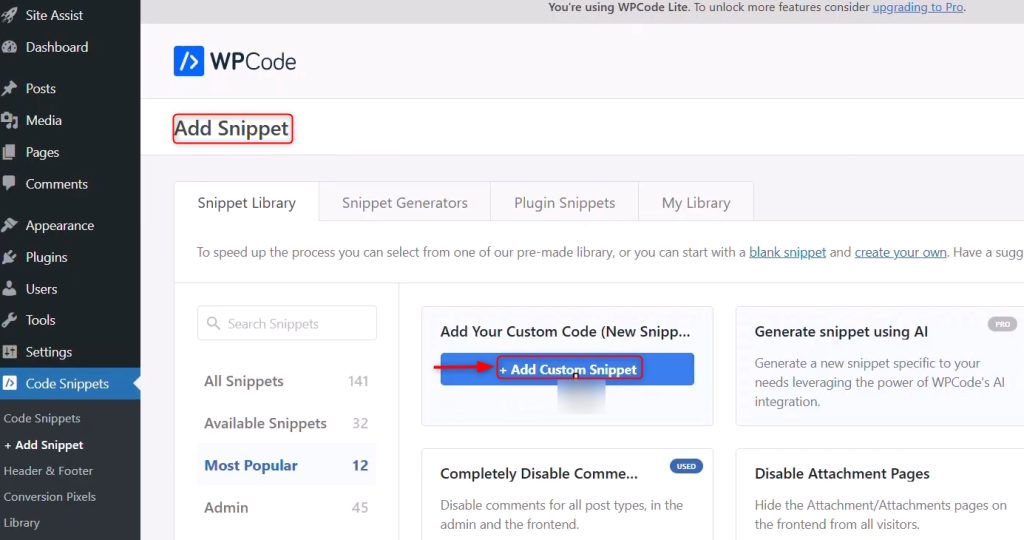
- Paste the same line, choose PHP Snippet, turn the switch to Active and click Save.
add_filter('xmlrpc_enabled', '__return_false');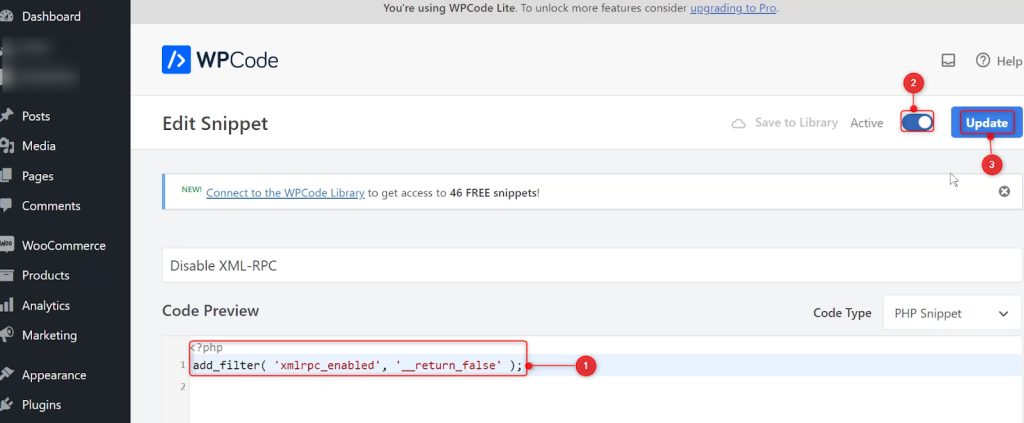
- Test that XML-RPC is off. Open
https://example.com/xmlrpc.phpin a browser. You should see an error and not the text "XML-RPC server accepts POST requests only".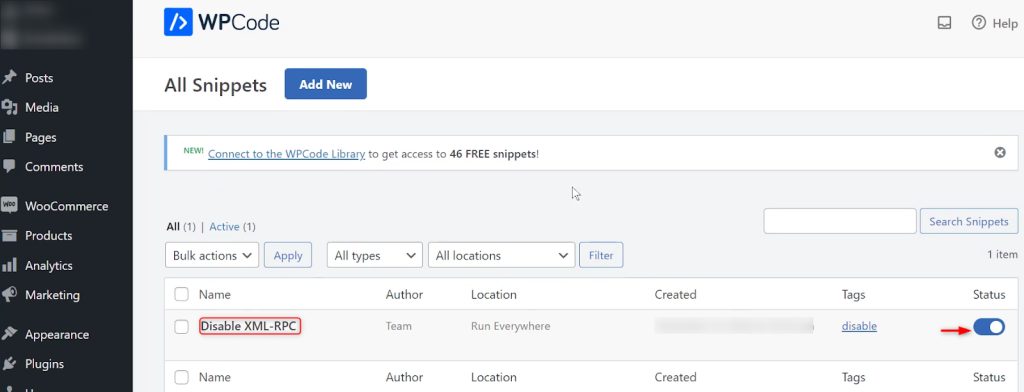
Block it at the server
To stop requests before they reach WordPress, add this to your .htaccess file (Apache):
<Files xmlrpc.php>
  Require all denied
</Files>
For Nginx, add this to your server block and reload Nginx:
location = /xmlrpc.php { deny all; }Quick recap
- Turn XML-RPC off if you do not need it.
- A plugin or a one-line filter does it.
- Block
xmlrpc.phpon the server for the best result.